




How to Create a Radio Station Website (Pages + Structure)
Build a radio station website with the right structure: a clear Listen page, shows with dedicated pages, a weekly schedule that keeps listeners coming back, and optional podcasts for long-term growth.
A radio station website needs a different structure than a normal business website. Your visitors are not arriving to read a brochure. They want to listen, discover shows, and quickly understand what your station is about.
The good news is that you don’t need a huge website to start. You need the right pages, in the right order, with a navigation that makes listening effortless.
This guide shows a clean structure you can launch fast, and still expand later without rebuilding everything.
The goal of a radio website
A good radio website does three jobs at the same time:
- Instant listening: people find the player and press play without thinking
- Retention: schedule and shows make people come back at the right time
- Growth: show pages and replays create shareable links and long-term search traffic
The essential pages (minimum viable radio website)
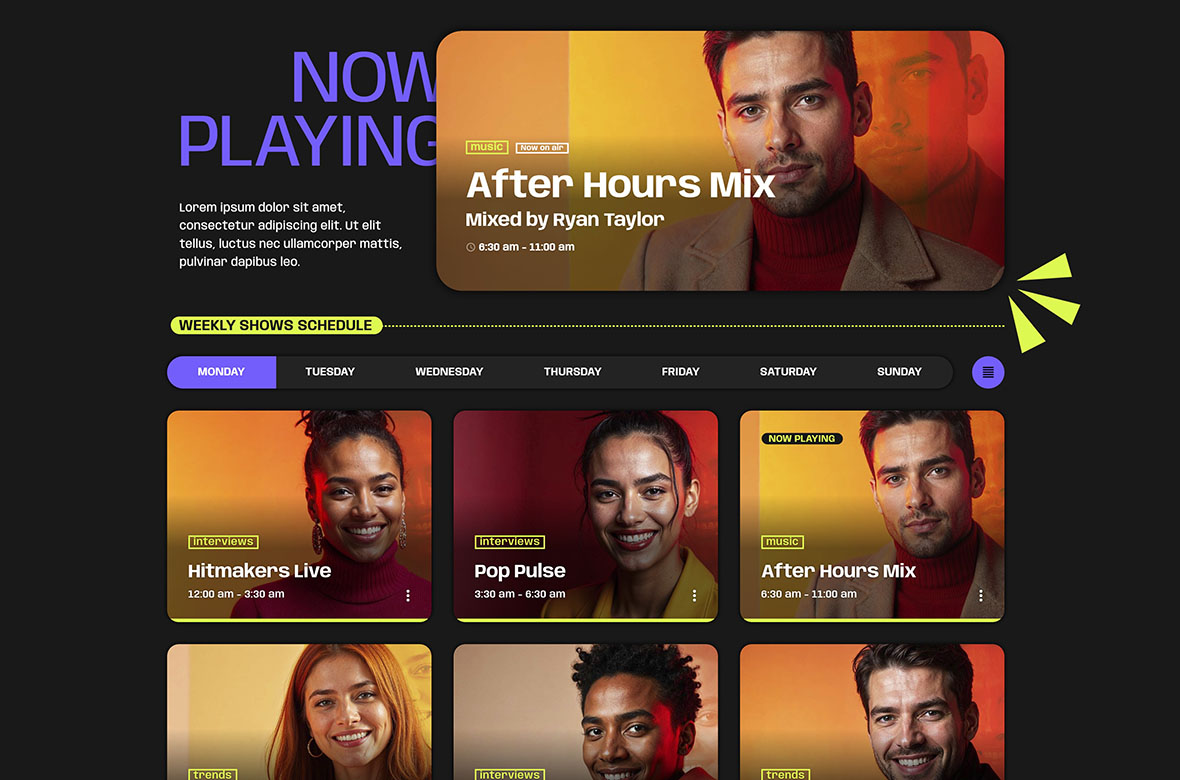
If you want a professional station site, start with these core pages. They are enough to go live.
- Listen (often, the homepage): the player, “now playing” when available, and a clear station identity
- Schedule: weekly programming, with the current day easy to spot
- Shows: a shows archive and one page per show
- Contact: simple, visible, and fast to use
If you publish only one page today, make it the Listen page. That is where most people decide whether they stay or leave.
Recommended pages (to grow traffic + retention)
Once the basics are live, add these pages to increase time on site and create more entry points.
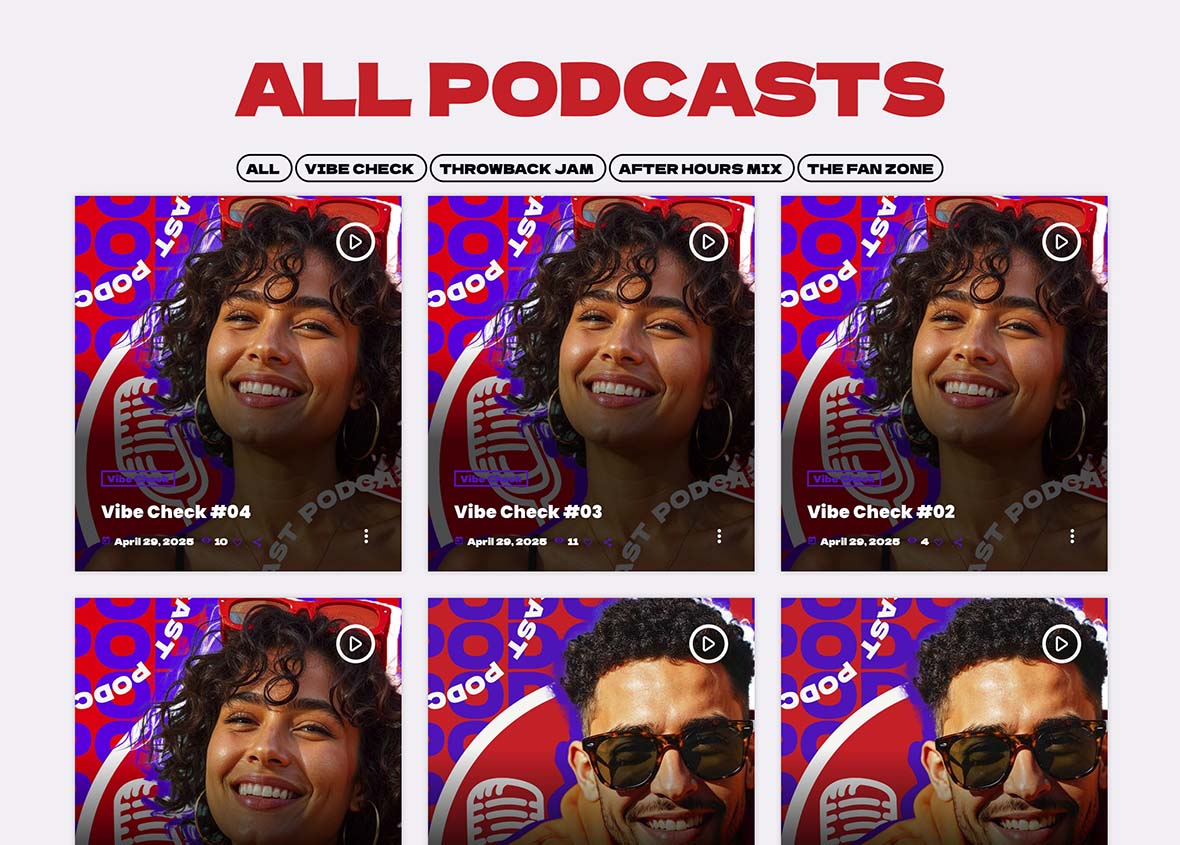
- Podcasts: episodes archive plus series pages, especially if you publish weekly shows
- News or blog: station updates, interviews, event announcements
- About: your story, coverage, team, and what makes the station unique
- Advertise: sponsorship options, media kit, and a dedicated contact form
You don’t need all of them on day one. Add them when you have content to publish or a reason to monetize.
What makes the structure work
1) A single “Listen” entry point
Your navigation should always make it obvious where to press play. Many radios lose listeners simply because the player is hidden or unclear.
Practical rules:
- Keep “Listen” as a top menu item
- Make the Listen page clean and focused
- Do not bury the player under long introductions
2) Shows as content assets (not just names in a schedule)
A show is not only a time slot. It is a piece of content that can be shared and searched.
Each show should have its own page because it gives you:
- Shareable links for hosts, guests, and collaborators
- A clear home for the show description, host bio, and socials
- A place to connect replays if you publish podcasts or recordings
Even if you start with only 3–8 shows, those pages already make your station feel structured and professional.
3) Schedule as your retention engine
The schedule is not only information. It is a promise.
A good schedule helps listeners:
- Understand what your station offers during the week
- Return for their favorite DJ or show
- Feel that the station is alive and up to date
If possible, the schedule should clearly highlight what is happening today and what is on now. A static table feels old and does not create the same confidence.
4) Podcasts and replays for evergreen value
Podcasts turn your radio into a searchable library. That means your content keeps working after the live moment is gone.
A clean podcast structure improves:
- Repeat visits
- Time on site
- Discovery through search
If you run multiple shows, connecting podcast episodes to show pages also creates a strong internal network of links, which is healthy for SEO and navigation.
Best practice navigation
Keep the top menu simple and predictable. Most stations do best with:
- Listen
- Schedule
- Shows
- Podcasts
- Contact
If you want to add more pages later (News, About, Advertise), keep them in a secondary menu or footer until they become central for your audience.
A simple “launch fast” structure (recommended)
If you want the safest workflow, do this:
- Create Listen
- Create 3–8 shows
- Fill the schedule for the week
- Publish Shows archive and Schedule
- Add Podcasts only when you have episodes to publish
This order avoids the classic mistake: building too many pages without having a real weekly programming structure.
How Pro Radio simplifies this
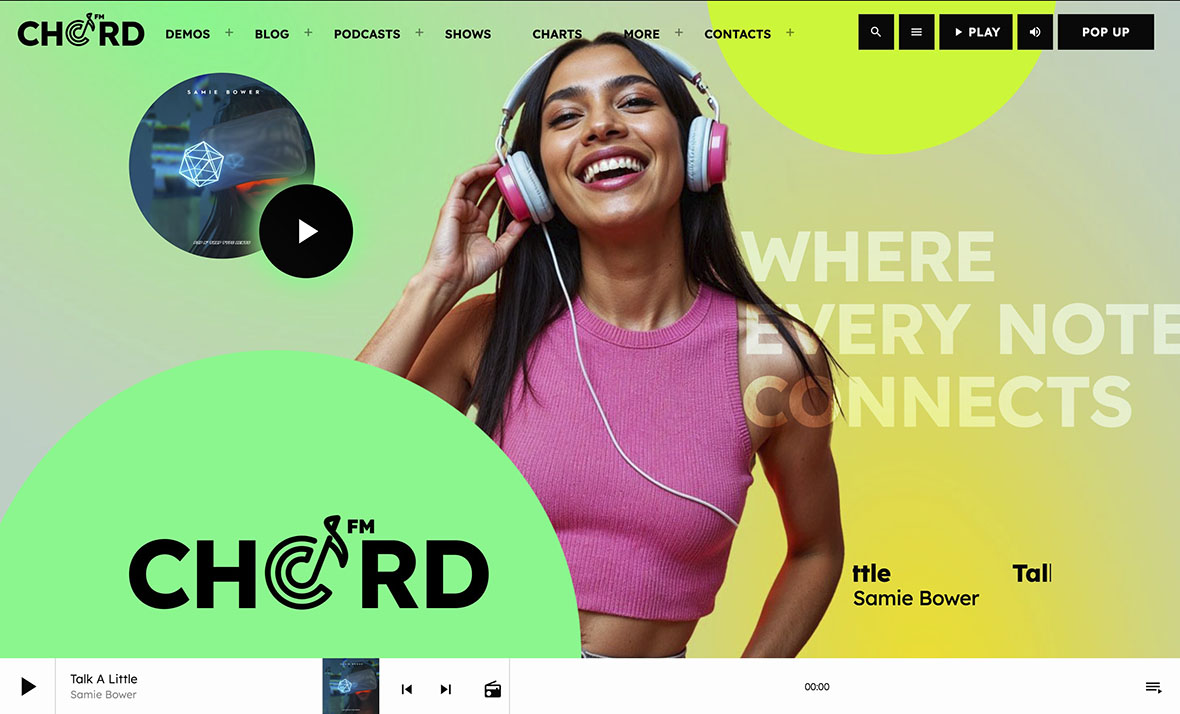
Most radio owners discover the “multiple plugins” problem early. You need a player, schedule, shows, podcasts, and then everything must look consistent and stay compatible over time.
Pro Radio was built to solve exactly that, by providing radio-focused building blocks that work together:
- Radio Channels (stream setup)
- Shows and Schedule post types
- Podcast archives and importer options
- Elementor layouts made for radio websites
Documentation references
Related guides
- How to Start a Radio Station (Online + FM) Step-by-Step
- Radio Website Launch Checklist (Before You Go Live)
- Radio Station Website Pages (Listen, Shows, Schedule, Podcasts)
- Best Radio Station Website Design (Layouts That Convert)
- Create a Radio Station Coming Soon Page (In 5 Minutes)
- Radio Station Website on WordPress (Step-by-Step)
Copyright 2019-2026 ProRadio® Qantum Themes SL® ESB02979078 All Rights Reserved