




Best Radio Station Website Design (Layouts That Convert)
Learn how to design a radio station website layout that drives listeners to press Play, return for shows, and follow your station long-term.
A radio station website is not a normal website.
You are not selling a product you can hold. You are offering a live experience. Sound. Emotion. Energy happening right now.
That changes everything.
When someone lands on your homepage, they should immediately understand three things:
What you play.
How to listen.
Why they should stay.
A high-converting radio website layout is not about decoration. It is about clarity, direction, and momentum.
It must:
- Get the visitor to press Play fast
- Show that the station is alive (current show, schedule, fresh content)
- Give clear paths to return (shows, podcasts, subscribe, socials)
If your layout does not guide users toward these actions, you are losing listeners before they even start.
The conversion goals (what your layout must optimize)
Every design decision should support a measurable action. A beautiful homepage means nothing if it does not move the listener forward.
- Play conversion: user starts listening
- Return conversion: user comes back for shows
- Follow conversion: user follows your socials / subscribes
- Support conversion: user becomes member / donor / sponsor lead
Play conversion is your first victory. If they press Play, you win attention.
Return conversion builds habit. Habit builds audience.
Follow conversion extends your relationship beyond the website.
Support conversion transforms passion into sustainability.
Your layout is not just design. It is strategy.
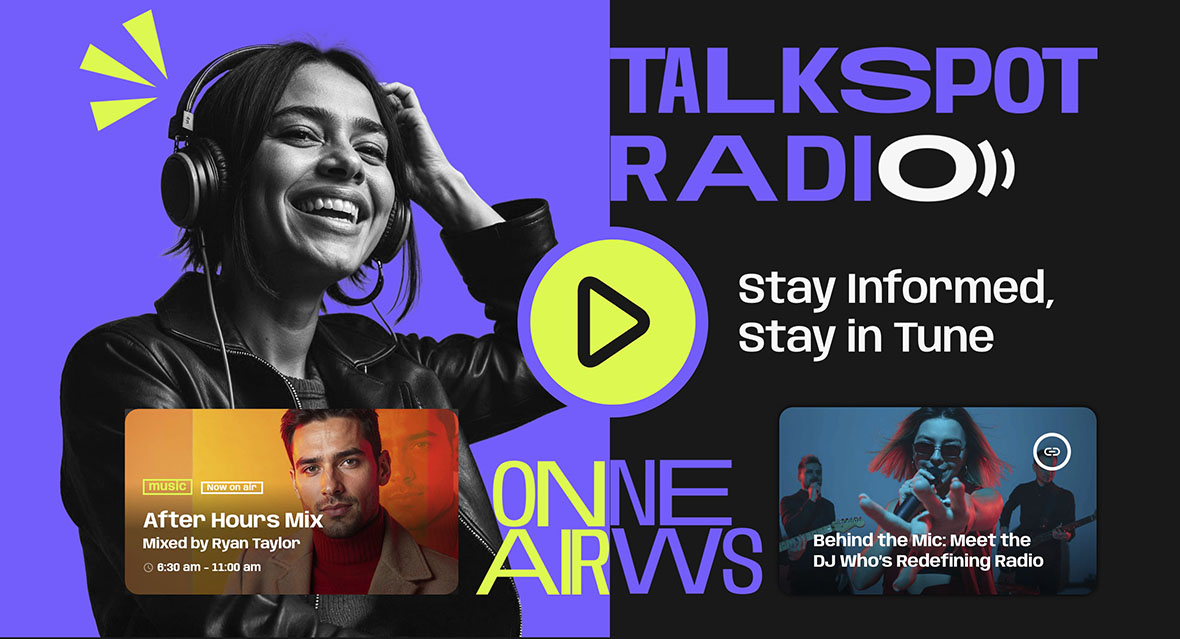
Layout 1: “Listen-first” homepage (best for most stations)

This is the safest and most effective structure for most radio stations, especially if your primary strength is live broadcasting.
It removes friction. It removes distraction. It answers the main question instantly: “How do I listen?”
Above the fold
- Play button and station identity (genre + vibe)
- Now playing (title/artist/artwork when available)
- Current show + “up next” preview
- One primary CTA: Listen Live
Above the fold is where decisions happen. The Play button must be obvious. Your genre and personality should be visible immediately. If someone lands and cannot understand what you do in three seconds, they leave.
Below the fold
- Schedule preview (today + next shows)
- Featured shows grid
- Latest podcasts / replays
- One short “About the station” block
- Newsletter or “Follow us” block
Below the fold is where you build depth. Once they start listening, you show them reasons to return. A clear schedule tells them when their favorite show airs. Replays keep them engaged even after the live moment passes.
This layout converts well because it respects the user’s priority: listening comes first.
Layout 2: “Show-led” station (best if you have strong hosts)
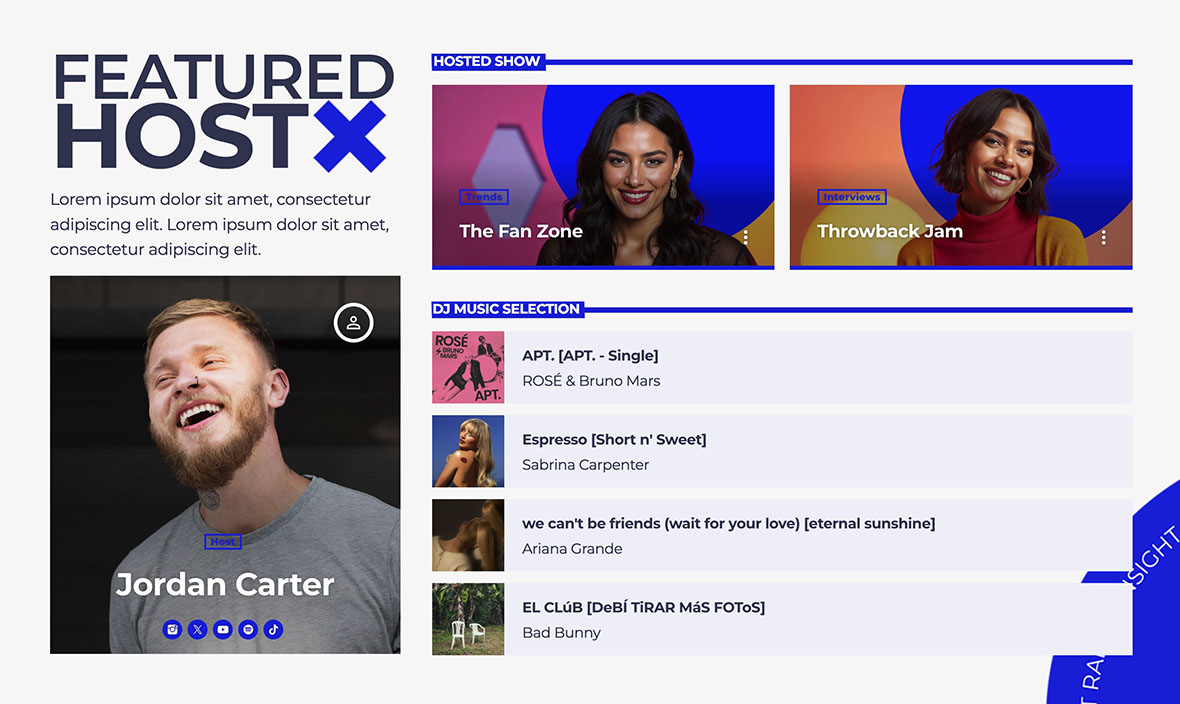
If your DJs, presenters, or speakers are the real brand, your design should reflect that.
In this model, people follow personalities as much as the station.
- Featured shows carousel/grid
- Schedule highlighted (today pre-selected)
- Current show widget prominent
- Each show page structured for sharing (host, socials, episodes)
This structure works especially well for talk radio, interview formats, or stations with well-known hosts.
For example, if one presenter has a loyal following on social media, their show page becomes a shareable landing page. Fans click, discover the archive, and start exploring other programs.
You are not only promoting the station. You are promoting personalities that drive traffic.
Layout 3: “Podcast-first” radio (best for talk + evergreen content)
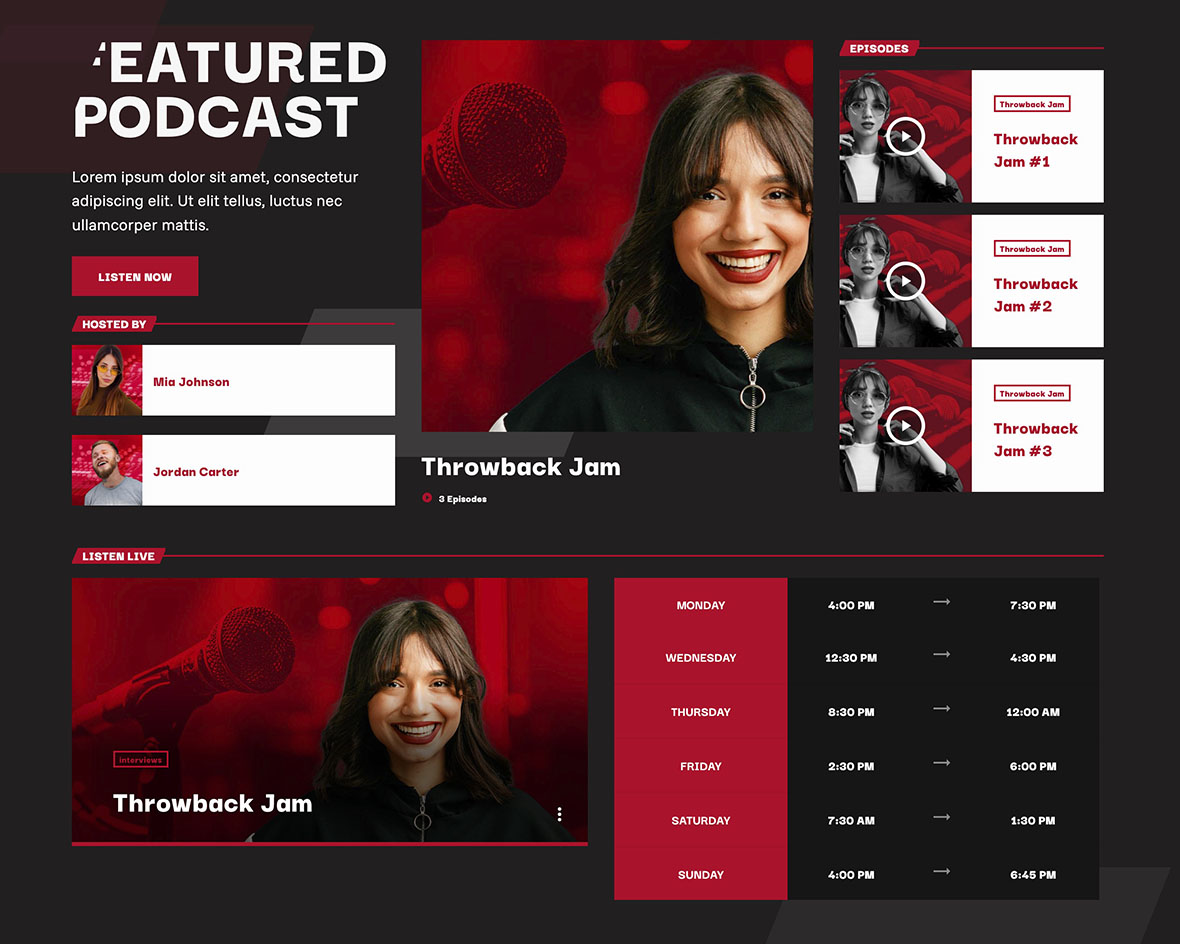
Some stations grow more through replays and evergreen content than live streaming.
If your strategy focuses on long-term discoverability, your homepage can prioritize episodes.
- Latest episodes grid above the fold
- Series navigation (one per show)
- Clear Listen Live entry point (still present)
- Strong internal linking between shows, schedule, and episodes
This model works well for educational content, interviews, niche topics, and thematic talk shows.
A visitor might discover you through a specific episode in search results. From there, they explore the series. Eventually, they may also start listening live.
The key is balance. Even in a podcast-first layout, live radio must remain clearly accessible.
What makes a radio website feel alive
Energy matters.
A static page with a small player and no dynamic elements feels abandoned. A living station should look active.
- Current show highlighted
- Upcoming shows visible without clicking 5 menus
- Fresh content blocks (latest episode, latest news, highlight)
- Clear streaming status (live, on air)
When users see what is happening now and what is happening next, they feel part of something real. That feeling increases trust and encourages them to stay longer.
Design mistakes that kill conversions
Even strong brands lose listeners because of simple layout mistakes.
- Play button hidden: users leave in seconds
- No schedule: users don’t know when to return
- Too many CTAs: confusion reduces action
- Mobile not optimized: most radio users are mobile
- Generic templates: no radio logic, no “on air” feeling
Radio is immediate. Your design must reflect that immediacy. If users need to search for the player or scroll excessively on mobile, the conversion drops instantly.
Keep it simple. Clear. Focused.
How Pro Radio helps (practical)
Pro Radio is designed specifically around radio logic, not generic website structures.
You can display:
- Player + continuous play experience
- Current show and upcoming shows
- Weekly schedule with current day pre-selected and current show highlighted
- Show pages + podcast archives integrated
This means your layout is not forced to adapt to radio. It is built for it. You can implement listen-first, show-led, or podcast-first structures using dedicated elements that already understand streaming, schedules, and archives.
Documentation references
Related guides
- How to Start a Radio Station (Online + FM) Step-by-Step
- Radio Website Launch Checklist (Before You Go Live)
- Radio Station Website Pages (Listen, Shows, Schedule, Podcasts)
- How to Create a Radio Station Website (Pages + Structure)
- Create a Radio Station Coming Soon Page (In 5 Minutes)
- Radio Station Website on WordPress (Step-by-Step)
Copyright 2019-2026 ProRadio® Qantum Themes SL® ESB02979078 All Rights Reserved