




Radio Show Pages (Structure + Content That Works)
Radio show pages are the beating heart of a radio station website. They are the home base for each DJ or presenter, a proud link to share on socials, and the place listeners visit when they like what they hear and want more.
Radio show pages are the beating heart of a good radio station website.
They are the place listeners go when they like what they hear and want to know more. They are the “home base” of each DJ, presenter, or speaker. And if you do them properly, they become a natural link magnet: a page your team feels proud to share, and your audience enjoys returning to.
A schedule tells people when something happens.
A show page tells people why it matters.
What a great show page does (in real life)
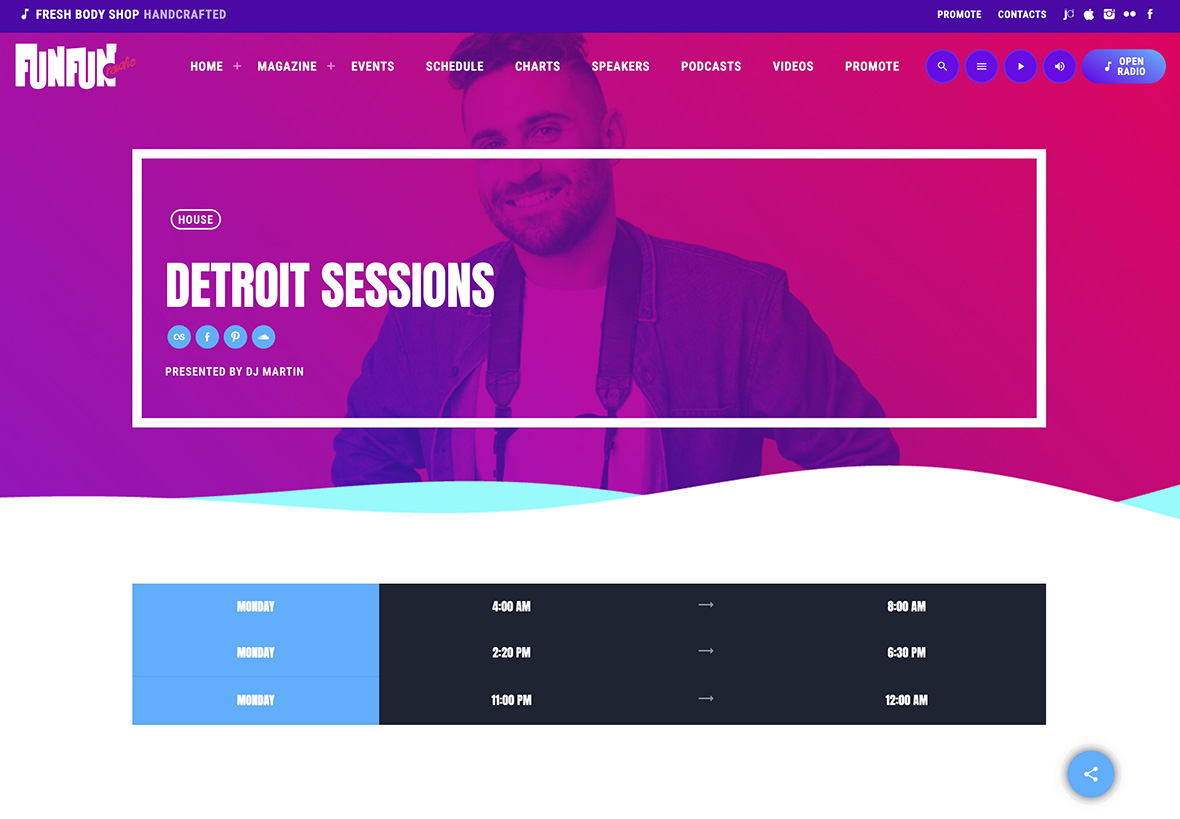
A strong show page works like a mini hub for a specific vibe, genre, artist community, or topic:
- It helps new listeners understand the show in seconds
- It gives your host a professional “profile” page to share anywhere
- It turns guests and collaborators into free distribution when they share the episode
- It collects everything in one place: identity, schedule slot, replays, links
This is one of the easiest ways to grow organically because you’re not pushing marketing. You’re just making it easy for people to share something that feels valuable.
Think of it as a “mini landing page” for each show
If your host posts “Tonight 21:00!” and links to a proper show page, you win.
If the link goes to a generic homepage or a schedule table, you lose most of that attention.
A show page should feel like:
- the official home of the show
- a clean archive of the best moments
- a simple path for fans to follow, listen, and return
The structure that works (and why)
1) A clear identity that hits immediately
When someone arrives, they decide fast. Don’t make them work.
Include:
- Show title and a strong featured image (this is what gets shared)
- A short “promise” line: what’s the show about and what do listeners get?
- Format/vibe: music genre, talk theme, interview style, community angle
The goal is simple: “I get it. I want to listen. I want to come back.”
2) The host section (the trust builder)
People don’t bond with a table. They bond with voices and personalities.
Add:
- Host name and a short bio (2–4 lines)
- Social links (Instagram, TikTok, YouTube, Facebook, X, etc.)
- Optional: guest highlights or “recent guests” if the show is interview-based
This section makes the host feel “real” and gives the page a human center. It also increases shareability because the host feels represented professionally.
3) Make airtime obvious (so people return)
A show page without clear airtime creates frustration. Listeners need the answer instantly.
Include:
- Day(s) and time slot
- Timezone if you have international listeners
- A link to the full schedule page
If you can show “next live” clearly, even better. It turns interest into a habit.
4) Replays / episodes (the retention engine)
This is where the show page becomes a real hub.
If you publish replays or podcasts, include them directly on the show page:
- Latest episodes grid
- Clear replay access (listen now)
- Optional categories/filters if the archive becomes large
Why this matters:
- Listeners stay longer (they explore)
- Guests share one specific episode link
- The show keeps getting traffic even between live broadcasts
5) A clean “next step” (don’t end in a dead end)
A great page always guides the user forward. Decide what matters most for that show.
Pick one or two primary actions:
- Listen live
- Follow the host
- Subscribe to the podcast (if available)
- Contact for guest requests or sponsorship
Keep it focused. Too many actions feels messy.
Why show pages beat a static schedule table
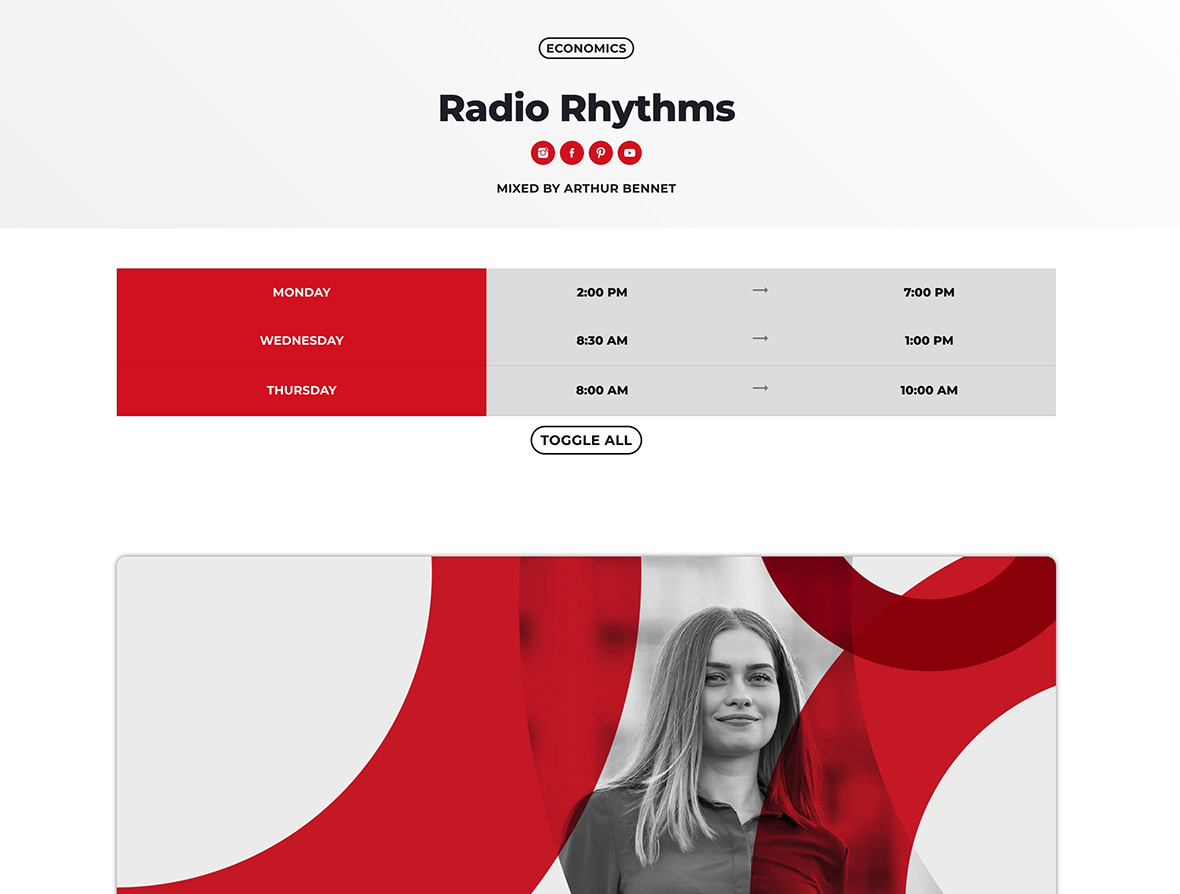
A schedule table is useful, but it’s not something people share.
A show page is:
- a page fans can bookmark
- a page hosts can share proudly
- a page guests will link to
It can also rank for:
- Show name
- Host name
- Guest names
- Episode topics
- Genre + show identity keywords
That’s how a station website becomes a network of small hubs, each one bringing its own audience.
How Pro Radio supports show pages
Pro Radio includes a dedicated Shows post type designed to integrate with the rest of the radio website:
- Weekly schedule
- Current show widgets
- Podcast imports and episode archives
When podcasts are linked to shows, the site naturally creates a strong internal loop:
- schedule slot → show page → episode archive → episode → back to show
This improves navigation, retention, and long-term SEO structure.
Recommended layout (simple and effective)
If you want a clean blueprint that works for most stations:
- Header with artwork + short promise line
- Host section (bio + socials)
- Airtime block (day/time + link to schedule)
- Latest episodes / replays grid
- Subscribe links (Spotify/Apple) if you use them
Documentation references
Related guides
- How to Start a Radio Station (Online + FM) Step-by-Step
- Import Podcast RSS Into WordPress (Clean Import)
- Add a Radio Schedule to Your Website (Best Practice)
- Podcast Archive Page (Layout + Filters)
- WordPress Radio Schedule Plugin (How to Choose)
FAQ
Should I create show pages even if I don’t have podcasts?
Yes. Even without replays, show pages work as shareable hubs for your hosts and a clear guide for your listeners.
How many shows should I publish first?
Start with 3–8 shows. It’s enough to look structured, and it gives you real pages to share across social networks.
Can I build show pages with Elementor?
Yes. Pro Radio is designed to work with Elementor layouts for shows, schedule, and podcast grids.
Copyright 2019-2026 ProRadio® Qantum Themes SL® ESB02979078 All Rights Reserved