




How to Start an Online Radio Station (Fast Setup)
Starting an online radio station is easier than most people think, if you follow a clear setup order. In this guide you’ll go from concept to first broadcast: choosing your format, preparing content, handling licensing basics, picking a streaming provider, and setting up a simple website that helps listeners press ...
Starting an online radio station is much easier than most people think. The fastest path is to focus on a minimal, stable setup: one streaming provider, one broadcasting workflow, and a website structure that feels alive (player + shows + schedule).
Pro Radio is designed for exactly this use case. Instead of stitching together multiple plugins (player, schedule, podcasts, shows) and dealing with compatibility issues, Pro Radio gives you a complete radio website ecosystem that can grow with you over time.
The minimal setup you need
- Streaming provider (Shoutcast/Icecast or a compatible platform)
- Broadcasting software (automation, live, or hybrid)
- Website with a stable player, shows, schedule, and optional podcasts
Start here: How to Start a Radio Station (Online + FM) Step-by-Step
Step-by-step fast launch (recommended order)
1) Pick your streaming provider (reliability first)
Choose a provider you can trust. Your biggest early failure is broken playback, especially on mobile and HTTPS websites.
Pro Radio is compatible with Shoutcast, Icecast, and many popular streaming platforms and panels.
See streaming compatibility and supported providers
2) Choose your broadcasting workflow
Pick one and stick to it for the first month:
- Automation-only: easiest to run 24/7
- Live-only: good for talk/community, harder to maintain
- Hybrid: automation as base + live shows as highlights
3) Install Pro Radio and start from the demo
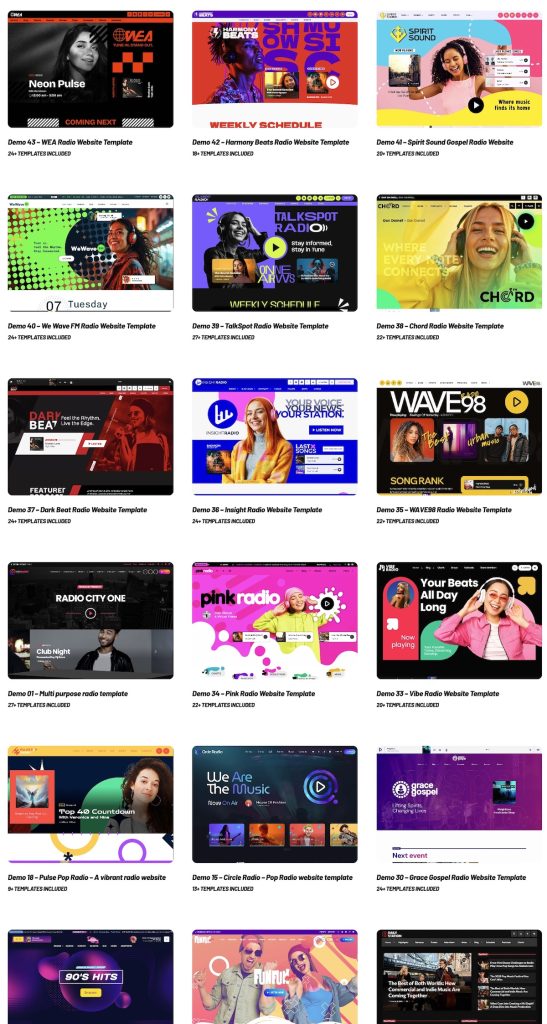
Do not rebuild from scratch. Start from the prebuilt demo website and customize:
- Logo, colors, typography
- Navigation structure
- Listen page content and calls to action
4) Minimal Pro Radio setup: replace the demo stream
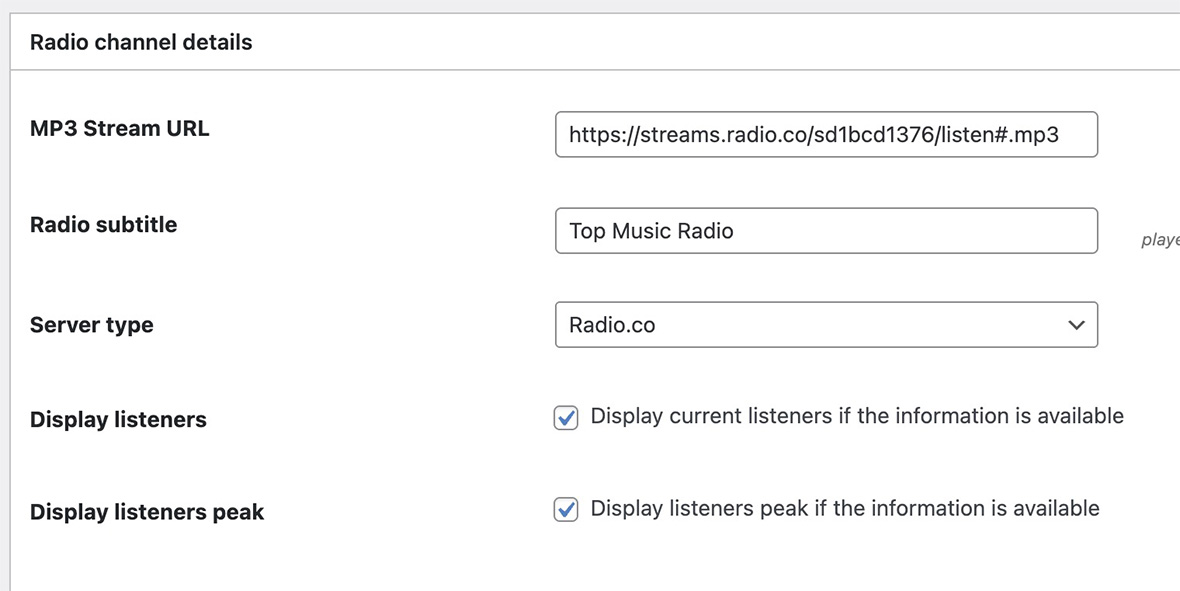
Radio Channels have their own post type. The minimal setup is:
- Open the default demo Radio Channel
- Replace the demo stream URL with your real stream URL
- Save and test playback on desktop and mobile
5) Publish the 4 core pages
A radio website needs structure, not just a player:
- Listen: the player + station identity
- Schedule: weekly programming
- Shows: one page per show
- Contact: easy and visible
6) Add shows and a basic schedule
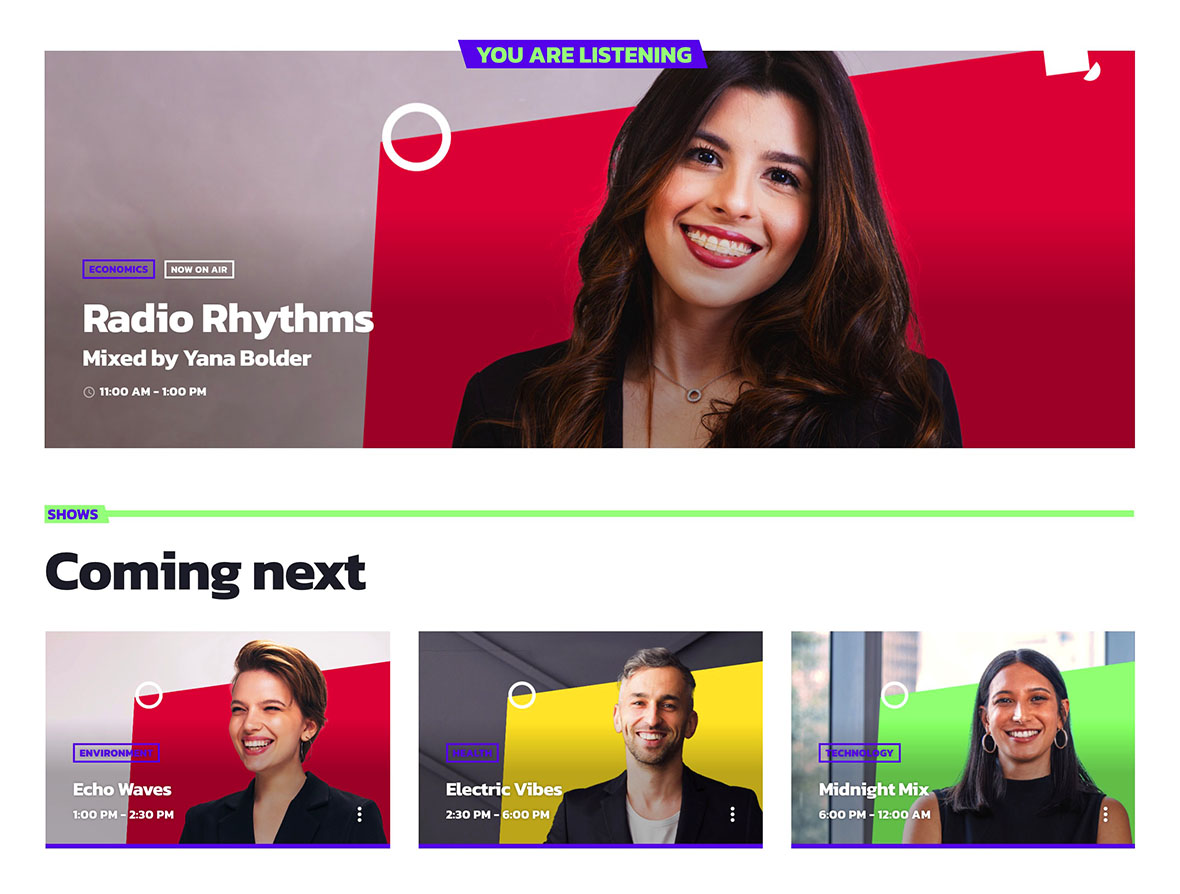
Even small stations should publish a schedule. It increases trust and gives people a reason to return.
- Create your first 3–8 shows
- Assign them in the schedule (daily slots with start/end time)
What to publish in the first 7 days
- A complete Listen page and a working stream
- A weekly schedule filled (even with music blocks to cover gaps)
- 3–8 show pages with artwork and short descriptions
- One update per week (news post or show highlight) to keep the site active
Common mistakes (avoid these)
- Only publishing a player: no schedule and no shows means low retention
- Choosing a stream endpoint that fails on HTTPS: playback and metadata can break
- Overbuilding before launch: launch fast, refine later
- Using too many plugins: conflicts and maintenance grow over time
Pro Radio documentation references
- How to Start a Radio Station (Online + FM) Step-by-Step
- Radio Station Website on WordPress (Step-by-Step)
- Add a Radio Stream to WordPress (Shoutcast/Icecast)
- Import Podcast RSS Into WordPress (Clean Import)
- WordPress Radio Player (What to Look For)
- Add a Radio Schedule to Your Website (Best Practice)
Copyright 2019-2026 ProRadio® Qantum Themes SL® All Rights Reserved