




Import Podcast RSS Into WordPress (Clean Import)
learn in 3 minutes how to import podcast episodes in WordPress on autopilot, link them to the radio shows and generate a fluid navigation experience for your radio station listeners.
If your radio publishes podcasts, importing episodes via RSS is the cleanest way to keep your website updated without manual uploads and constant maintenance.
With RSS import, you can automatically publish new episodes on your WordPress site while keeping audio hosted on your podcast platform. This scales better than uploading MP3 files to your WordPress hosting and avoids unnecessary bandwidth and storage issues.
What “clean import” means
A clean import is not just “episodes appear”. It should keep your archives consistent, readable, and easy to navigate:
- Correct dates and ordering in your archives
- No duplicates when new imports run
- Artwork handled correctly (series artwork and, when available, episode artwork)
- Categories when your RSS feed exposes them
- Optional content cleanup, such as stripping links from imported descriptions
Step-by-step: import an RSS feed into WordPress
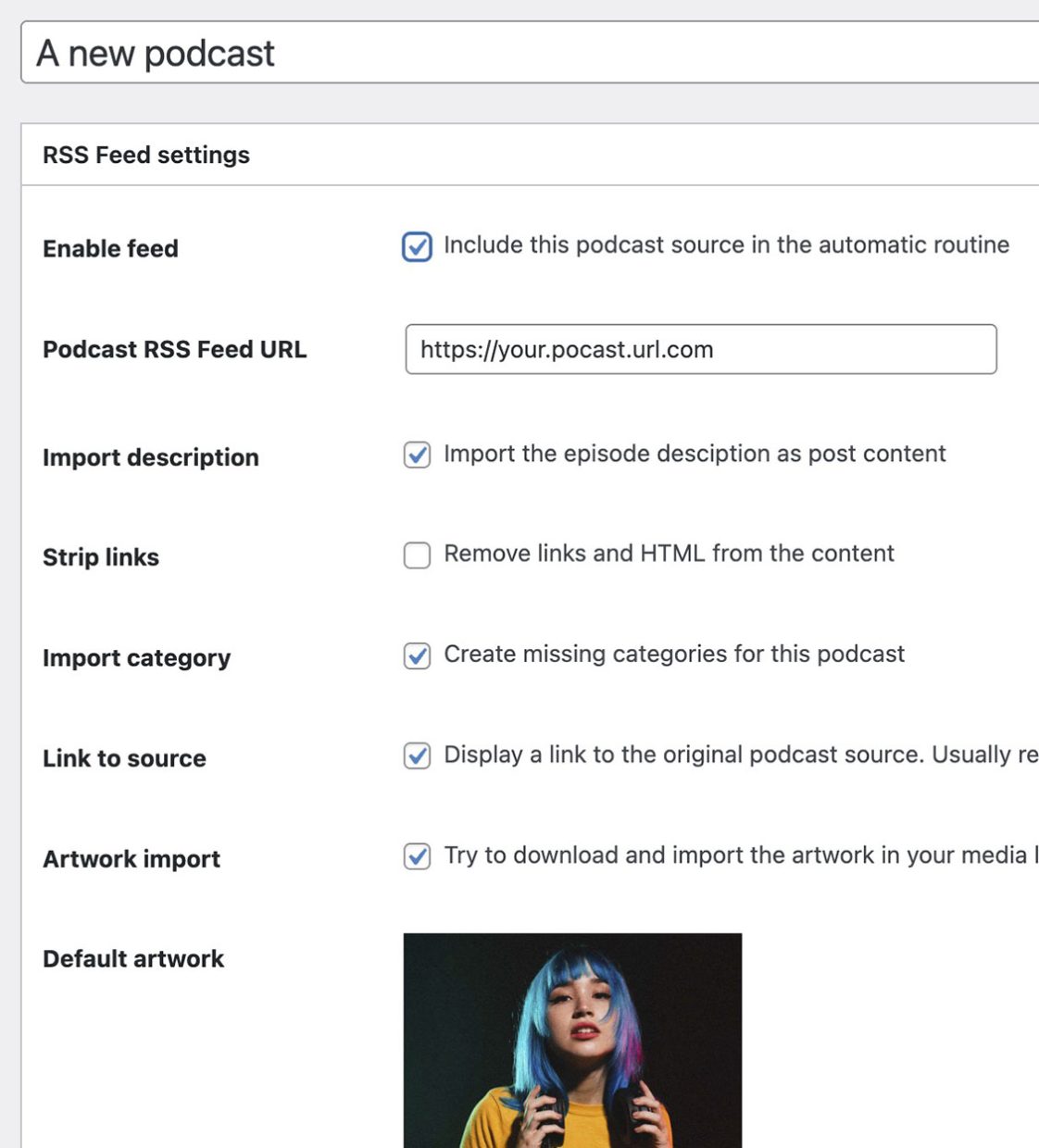
1) Get your podcast RSS feed URL
Copy the RSS feed URL from your podcast host.
2) Add the RSS feed as a source
In Pro Radio Podcast Importer:
- Add a new Podcast RSS Feed source
- Paste the RSS URL
- Configure the import options
3) Run a small test import first
Start by importing a few episodes and verify:
- Titles and dates are correct
- Artwork is imported correctly
- Episode content looks clean and readable
4) Enable automation
Once the test import is correct:
- Enable automated updates
- Let the importer publish new episodes automatically as your feed updates
Best practice for radios: link podcast sources to radio shows
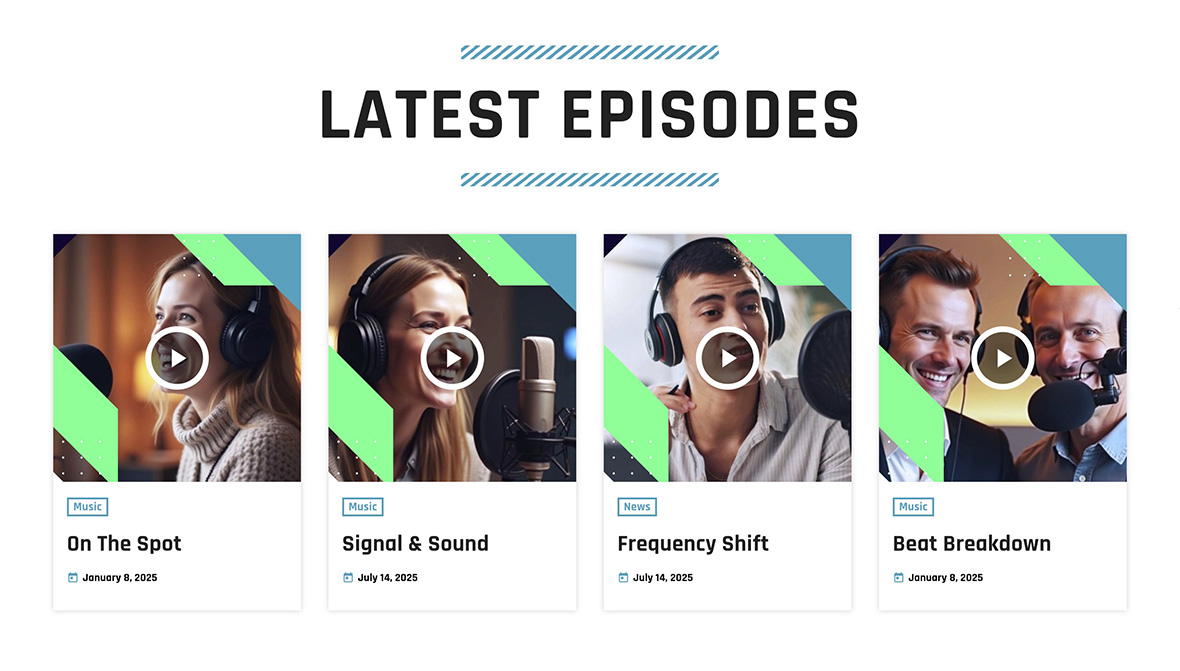
For radios, the most powerful workflow is connecting each podcast source to the correct show.
If you preselect a Radio Show for a podcast source, imported episodes can be linked to that show automatically. This creates a strong internal navigation loop:
- Schedule slot links to the show page
- Show page links to the podcast archive for that show
- Podcast episodes link back to the show
This helps users find previous episodes of their favorite program and increases:
- Engagement (more pages visited per session)
- Time on site (listeners explore your archives)
- Content value (your website becomes a structured media archive, not only a player)
Perfect for multi-show radios (scale without manual work)
Pro Radio’s importer is structured for stations that publish frequently and need automation.
It is ideal for multi-show radios because you can manage dozens of podcast sources meaning multiple RSS feeds (one per show/series) and keep episodes importing automatically, even when you publish new episodes daily.
Advanced import options (professional workflows)
Depending on your importer settings and how the feed is structured, you can automate additional cleanup and structure:
- Multiple RSS sources for multi-show radios
- Categories import when exposed by the feed
- Artwork handling to keep archives consistent
- Content cleanup rules, such as stripping links from imported descriptions
Licensing notes (included, expandable, or unlimited)
The Podcast Importer feature is included in Pro Radio for free, and it can be extended for professional usage:
- Free (included): perfect to start importing podcasts into your website
- Premium license: enables more podcast sources and extra customizations
- Pro Radio Plus: unlocks the importer with unlimited usage and the full Plus bundle
Common mistakes (avoid these)
- Importing without a test: you can publish hundreds of episodes with wrong settings.
- Creating duplicates: always ensure your import settings prevent cloning content.
- Uploading MP3 to WordPress unnecessarily: it increases costs and maintenance.
- Not linking podcasts to shows: you lose a major engagement and navigation advantage.
Troubleshooting quick fixes
Episodes import but audio doesn’t play
- Confirm the RSS feed enclosure URLs are valid and publicly reachable.
- Some hosts restrict access or require HTTPS. Test the enclosure URL in a browser.
Artwork is missing or inconsistent
- Some feeds provide only series artwork, not per-episode artwork.
- Test import a few episodes and verify your feed structure before importing the full archive.
Imported content is messy (too many links or promos)
- Enable the content cleanup option to strip links when needed.
- Some feeds are marketing-heavy; cleanup rules keep your site readable.
Pro Radio documentation references
- Pro Radio Podybot Podcast Importer
- Add a new podcast RSS feed source
- Podcast Importer settings
- Podcasts (overview)
Related guides
- How to Start a Radio Station (Online + FM) Step-by-Step
- Radio Station Website on WordPress (Step-by-Step)
- Add a Radio Stream to WordPress (Shoutcast/Icecast)
- How to Start an Online Radio Station (Fast Setup)
- WordPress Radio Player (What to Look For)
- Add a Radio Schedule to Your Website (Best Practice)
- Podcast Archive Page (Layout + Filters)
FAQ
Should I upload podcast MP3 files to WordPress?
Usually no. Keep audio on your podcast host and import via RSS. It’s lighter and scales better.
Is this suitable for multi-show radios?
Yes. You can import multiple RSS feeds (one per show/series) and publish new episodes automatically.
How does linking episodes to shows help?
It builds a navigation loop between schedule, show pages, and podcast archives, helping listeners find previous episodes and increasing engagement over time.
Copyright 2019-2026 ProRadio® Qantum Themes SL® All Rights Reserved