




Add a Radio Schedule to Your Website (Best Practice)
Turn your schedule into a traffic magnet. Create shows, assign weekly slots, highlight what’s on now, and make your radio website feel alive.
A public schedule is not “just information”. It’s one of the strongest growth and retention tools for a radio station website.
When you expose your shows and your weekly schedule, you unlock a self-powered source of traffic: DJs, speakers, and guests can share their own show pages on social media. That creates natural clicks, new listeners, and brand exposure without paid ads.
But there’s a second point: a schedule must feel alive. A simple static table looks boring and outdated. Modern users expect a multimedia radio experience, not a frozen HTML grid from 2009.
This is exactly why Pro Radio integrates schedule and shows as a real system: it can display what’s on now, what’s coming next, and the full weekly schedule with the current day pre-selected and the current show highlighted. Your website feels updated, reactive, and “on air”.
What a good schedule page should achieve
- Retention: listeners know when to return for specific shows
- Discovery: users can explore programs, hosts, and topics
- Shareability: each show becomes a shareable content asset
- Trust: a consistent schedule signals a serious station
The schedule is a marketing tool (not a technical feature)
If you do it right, your station gets promoted by the people who already appear in your content:
- DJs share their show page
- Speakers share their interview episode
- Guest artists share the schedule slot or the podcast page
This creates a loop:
show page → share → clicks → listeners → followers → more shares
Why a static table is not enough
A basic timetable is better than nothing, but it usually fails because:
- It feels outdated and “dead”
- It’s not mobile-friendly
- It has no depth (no show pages, no hosts, no media)
- It doesn’t highlight what is live right now
A modern schedule should behave like a live radio interface.
What Pro Radio does differently (multimedia schedule)
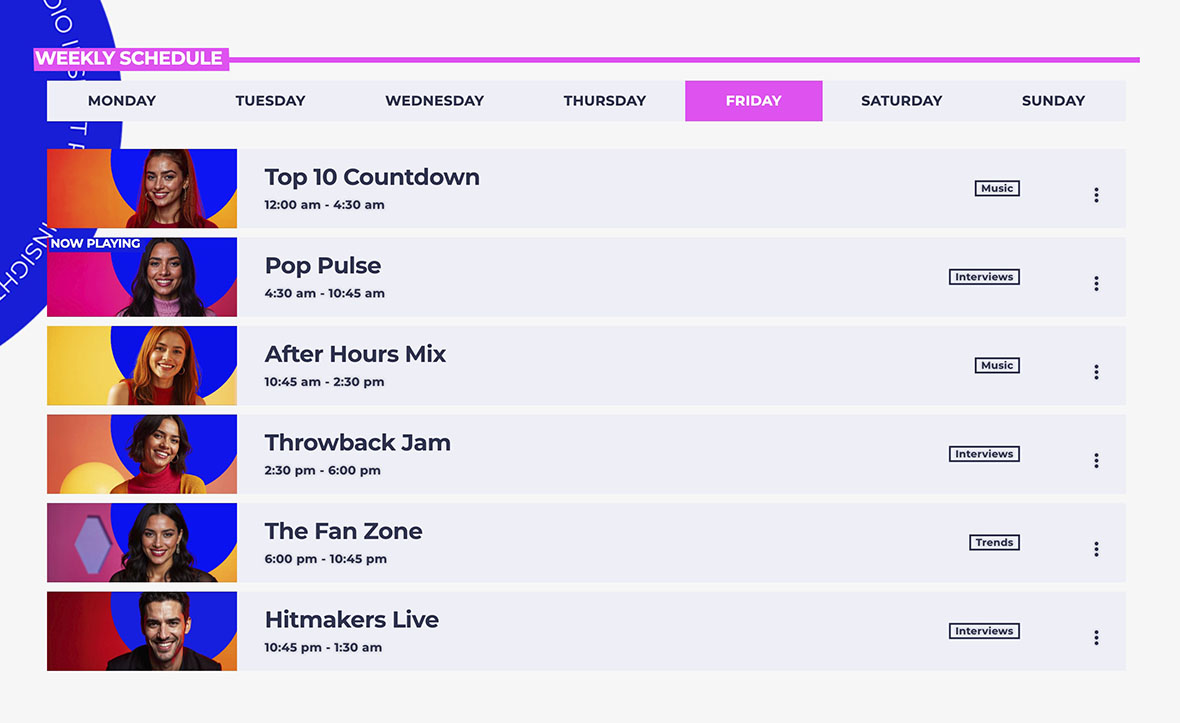
With Pro Radio, schedule and shows are integrated into the theme ecosystem:
- Current show displayed in real time
- Upcoming shows visible at a glance
- Weekly schedule with current day pre-selected
- Current show highlighted so the page feels alive
- Show pages connected to every schedule slot
This transforms a schedule from a boring table into a live station experience.
Best practice structure
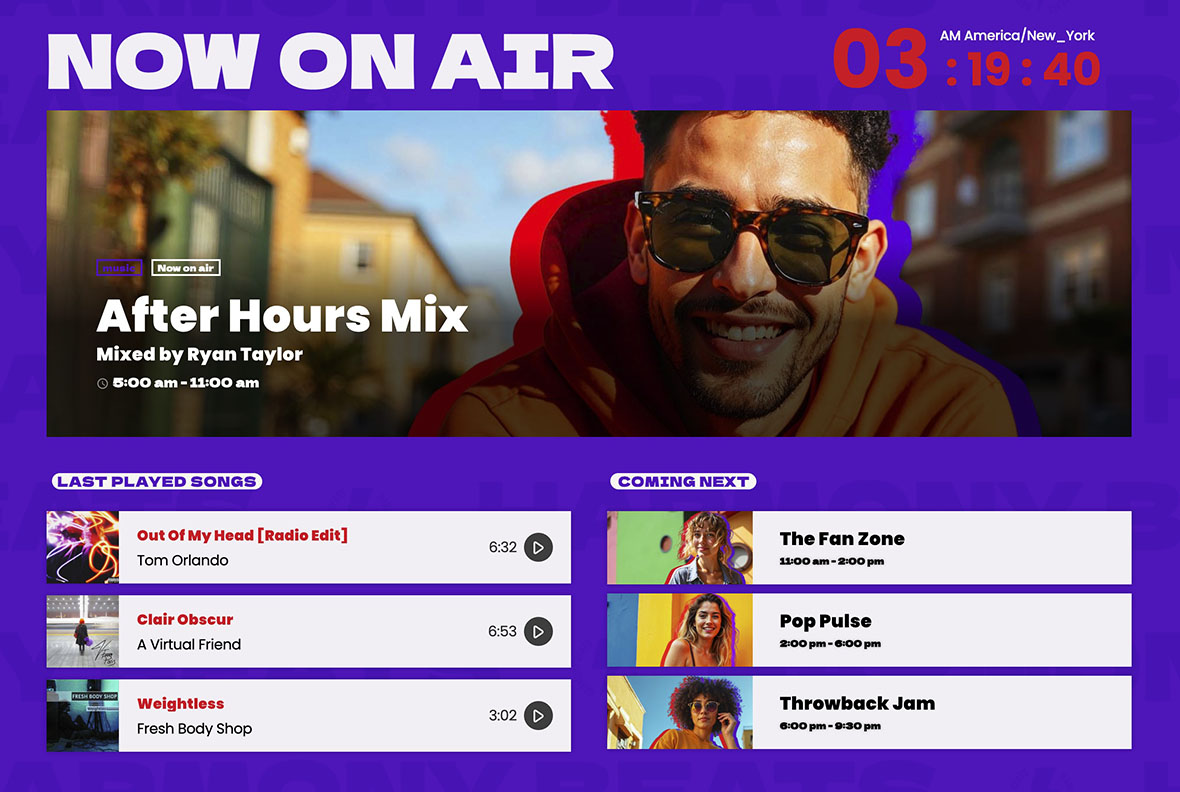
Use this structure to maximize retention and sharing:
- Schedule page: weekly view + highlights (now / next)
- Show pages: one page per show (hosts, description, episodes)
- Schedule slots link to show pages: every slot should be clickable
- Timezone visible: essential if you have international listeners
How to set up the schedule in Pro Radio (practical workflow)
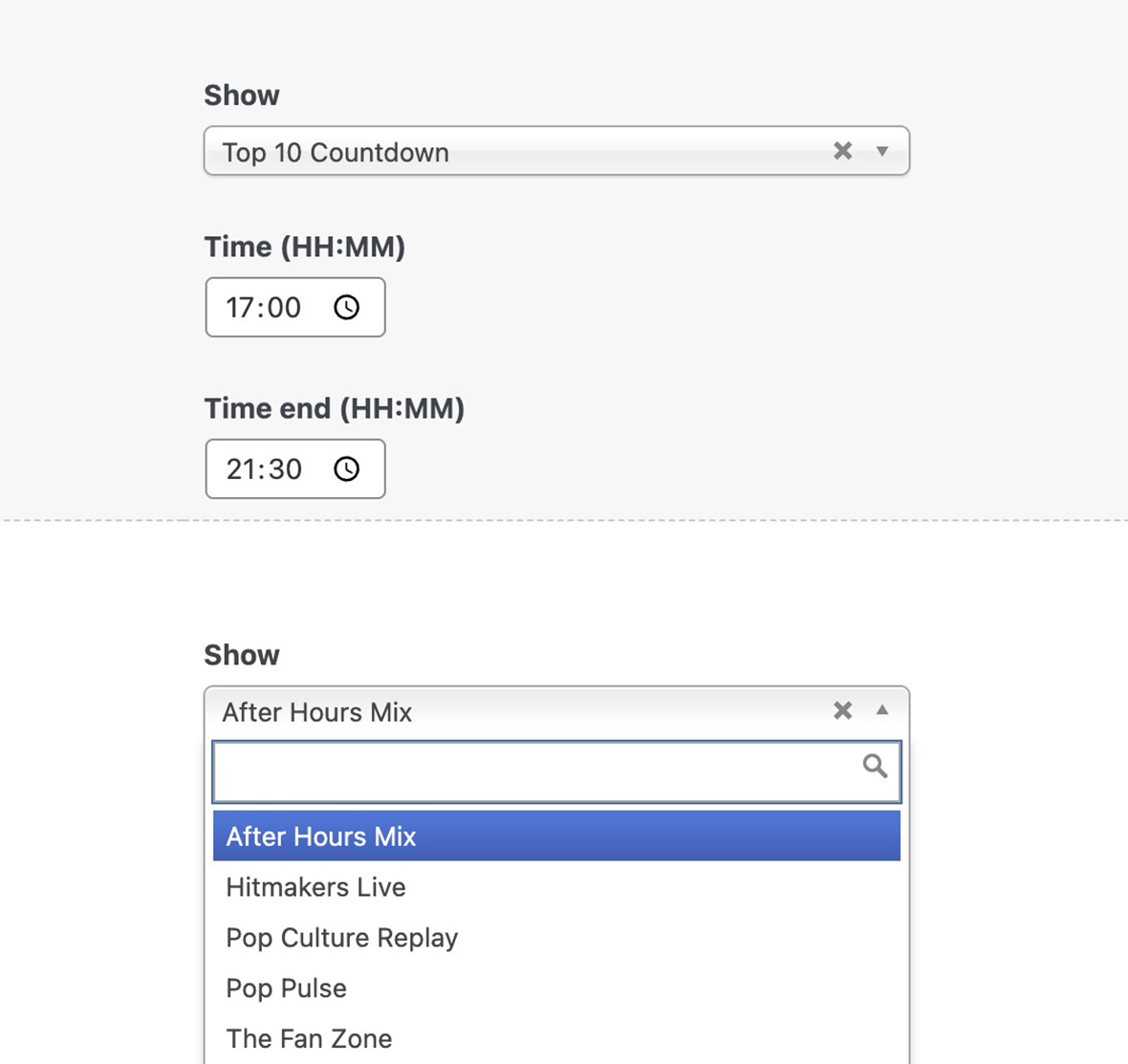
In Pro Radio, the schedule is not a single big table.
The schedule is built with:
- A Schedule post per day
- A repeatable field where each row is a show slot
- Each slot includes Show selection + Start time + End time
Step-by-step
- Create your first 3–8 Shows
- Open the Schedule day (in demos the days are already created)
- Add schedule rows using the repeatable field
- For each row, select the Show from the dropdown
- Set Start and End time
- Repeat for each day of the week
What to publish first (to look professional fast)
- A schedule filled for at least one full week
- At least 3–8 show pages with artwork and a short description
- A “Now playing / On air” area on homepage or Listen page
Common mistakes (avoid these)
- Schedule without show pages: you lose sharing power and SEO depth.
- Changing the schedule every week: listeners stop trusting your timetable.
- Missing timezone: confusion kills retention for international traffic.
- Overcomplicating on day one: start stable, then refine.
How to fill empty gaps in your shows schedule
A radio station is expected to run 24/7, not only when you turn on the mic. For this reason, many radio owners use a default music rotation that runs whenever no specific show is scheduled.
Instead of leaving those gaps “empty”, package the rotation as a real show in your schedule.
Create a Music Rotation radio show with an engaging featured image, then place it in your daily programming to fill the time slots where no other show is set. This way, listeners won’t perceive it as a placeholder, but as a dedicated music block for relaxing, focusing, working, or partying.
Pro Radio documentation references
Related guides
- How to Start a Radio Station (Online + FM) Step-by-Step
- Radio Station Website on WordPress (Step-by-Step)
- Add a Radio Stream to WordPress (Shoutcast/Icecast)
- How to Start an Online Radio Station (Fast Setup)
- Import Podcast RSS Into WordPress (Clean Import)
- WordPress Radio Player (What to Look For)
- Podcast Archive Page (Layout + Filters)
FAQ
Should I publish schedule even if I’m small?
Yes. Even a simple weekly plan builds trust and gives people a reason to return.
Do I need a different schedule for mobile?
No, but the layout must be responsive and readable. Avoid static HTML tables that collapse badly on phones.
How many shows should I create at the beginning?
Start with 3–8. It’s enough to look structured and gives you something to share, without turning setup into a huge project.
Copyright 2019-2026 ProRadio® Qantum Themes SL® All Rights Reserved