




ProRadio® Voiceline Premium Is Here: Turn Your Listeners Into the Real Heroes of Your Radio
AD
When radio felt closer, warmer, more human
There was a time when communication felt different.
We had time to call someone. Time to hear a voice. Time to wait for a real answer instead of firing off cold little emojis and disappearing again into the rush of the day.
We looked each other in the eyes more often. We stayed on the phone longer. We laughed more. We listened better.
And radio was right there in the middle of that world: alive, spontaneous, emotional, human.
That is exactly the spirit behind ProRadio® Voiceline.
With Pro Radio 9.0, we are publishing one of the most valuable tools a radio station can add to its website, because it does something simple but powerful: it puts the listener at the center of the scene.
Not as a passive user. Not as a number in analytics. But as a voice. A presence. A real person.
Voiceline helps make radio feel human again, alive again, and closer again.
What is ProRadio® Voiceline?
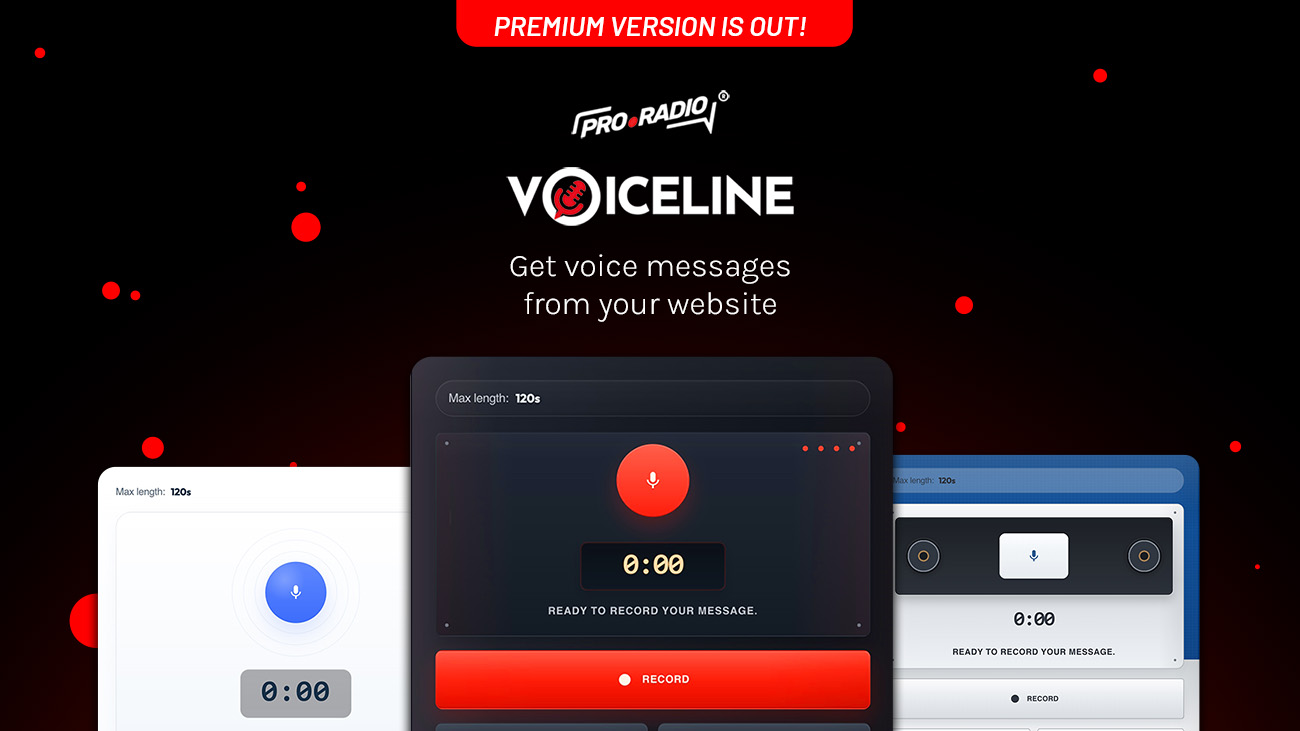
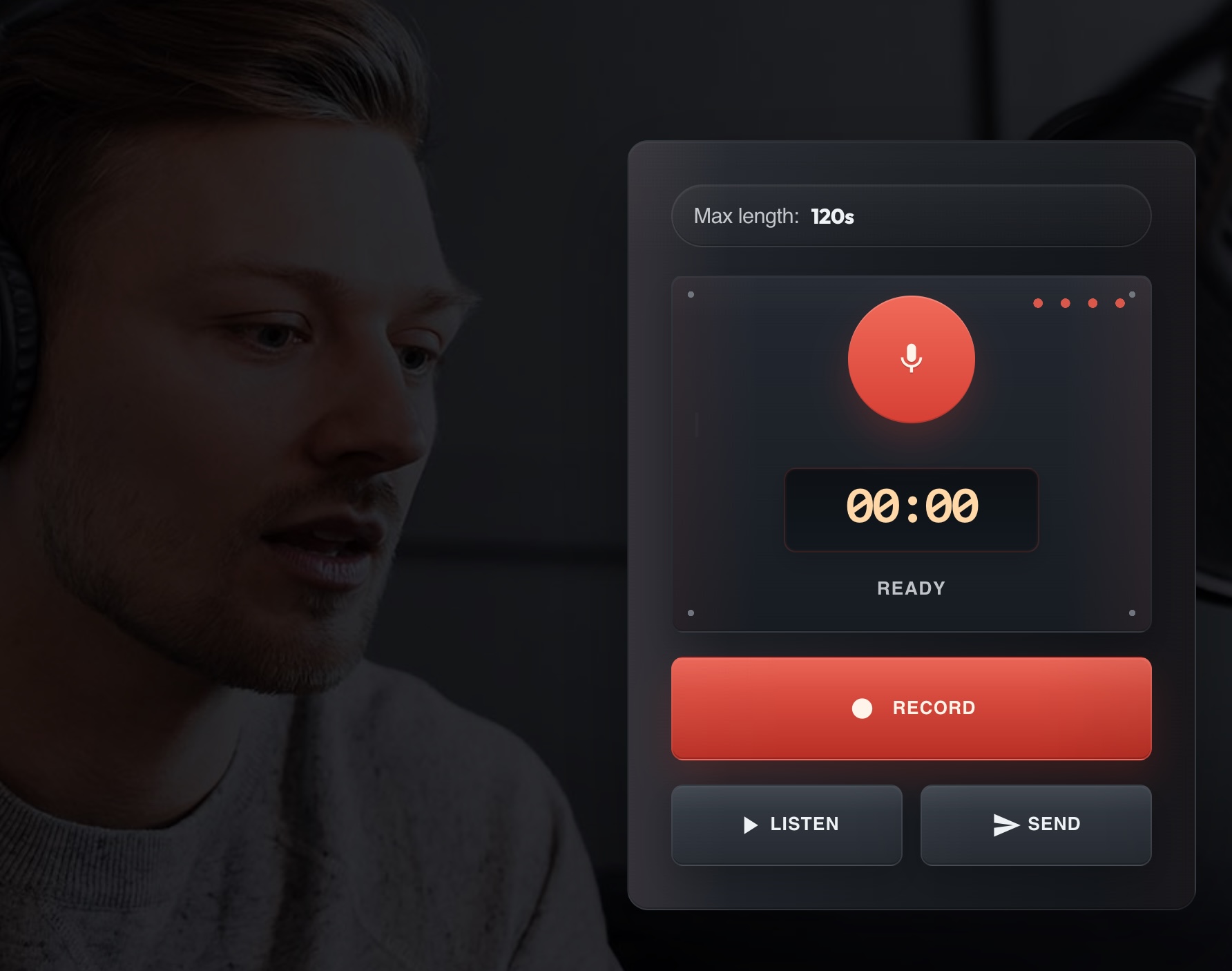
ProRadio® Voiceline is the new voice message plugin for Pro Radio that lets your audience record and send voice messages directly from your radio station website.
In practical terms, it turns your website into a real voice inbox for your station.
Your listeners can open the recorder, speak, review their message, and send it in seconds. Then the station manager can review it from WordPress, approve it, delete it, download it, and in Premium also convert it instantly to MP3 for immediate on-air use.

Why this matters for a real radio station
This is not just another plugin feature. It is a direct bridge between your station and your audience.
- It boosts interaction: listeners participate with their own voice, not just with a like or a click.
- It makes your station feel alive: your website becomes part of the show, not just a static page.
- It creates emotional connection: hearing a real listener message is far more powerful than reading a short text.
- It supports live radio: stations can collect messages, review them quickly, and bring them on air.
- It strengthens your brand: your radio feels closer, warmer, and more personal.
For a radio station, this means more than engagement. It means presence. It means making the listener feel seen, heard, and part of the station itself.
The good news is that Voiceline Basic is included for free with any Pro Radio WordPress license, so every Pro Radio customer can start using it right away as part of the ecosystem.
For stations that want a faster and more professional workflow, Voiceline Premium is available separately at $5.66 billed yearly.
And if you are a ProRadio® Plus user, new or existing, Voiceline Premium is already included.
If you didn’t install it yet, check out the release notes for Pro Radio 9.0.
What the free version already gives you
Even the included version is already useful and ready to work.
- Frontend voice recorder on your website
- Admin archive to review incoming messages
- Elementor-ready integration
- Basic moderation workflow
- A clean starting point for audience interaction
That means any Pro Radio customer can immediately start collecting voice messages from the website without extra setup complexity.
The Premium version is where Voiceline becomes a seriously powerful tool for active stations.
The biggest advantage is simple: speed. You can literally save hundreds of hours a year compared to doing the same with whatsapp or other plugins.
With Premium, approved messages can be converted instantly to MP3, which means the station manager can download the voice in MP3 format and air it immediately.
No complicated manual workflow. No wasted time. No technical friction in the middle of live radio operations.
Premium advantages for real stations
- Instant MP3 conversion: download the file and air it immediately
- Admin email notifications: know immediately when a new message arrives
- User email notifications: notify listeners when their message is approved
- Additional form fields: collect name, email and phone when needed
- Up to 2 minutes recording length: much more flexibility for real audience participation
- Higher daily limits: better for active stations with real volume
- Premium skins: better visual appeal, better attention, better conversion
A panoramic view of how Voiceline works
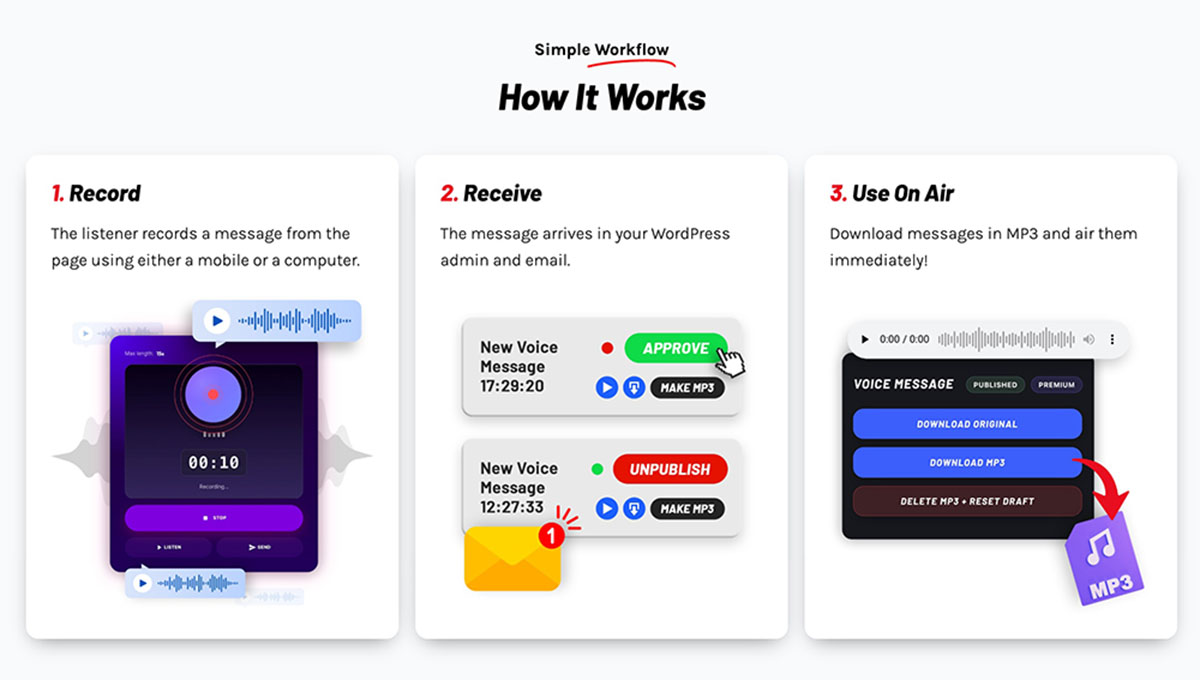
The overall workflow is intentionally simple.
- The listener records a message from the website, on mobile or desktop.
- The message arrives in WordPress for review.
- The station staff listens to it and decides what to do.
- If it is good, it can be approved and used.
- With Premium, it can also be converted to MP3 instantly and downloaded for immediate airing.
This makes Voiceline useful both for small stations that want to start simple and for professional broadcasters who need a practical message pipeline during live activity.
Easy to install, easy to place, easy to manage
One of the best parts of Voiceline is that it stays easy.
The setup follows the same logic Pro Radio users already know.
Installation is straightforward
- Refresh the Pro Radio license
- Install Voiceline from the standard plugin installation flow
- Open the settings page and check the storage folder
- Create the storage folder if needed
Adding it to a page is fast with Elementor
- Edit any page with Elementor
- Search for the VoiceLine widget
- Drag it into the page
- Save and test the form
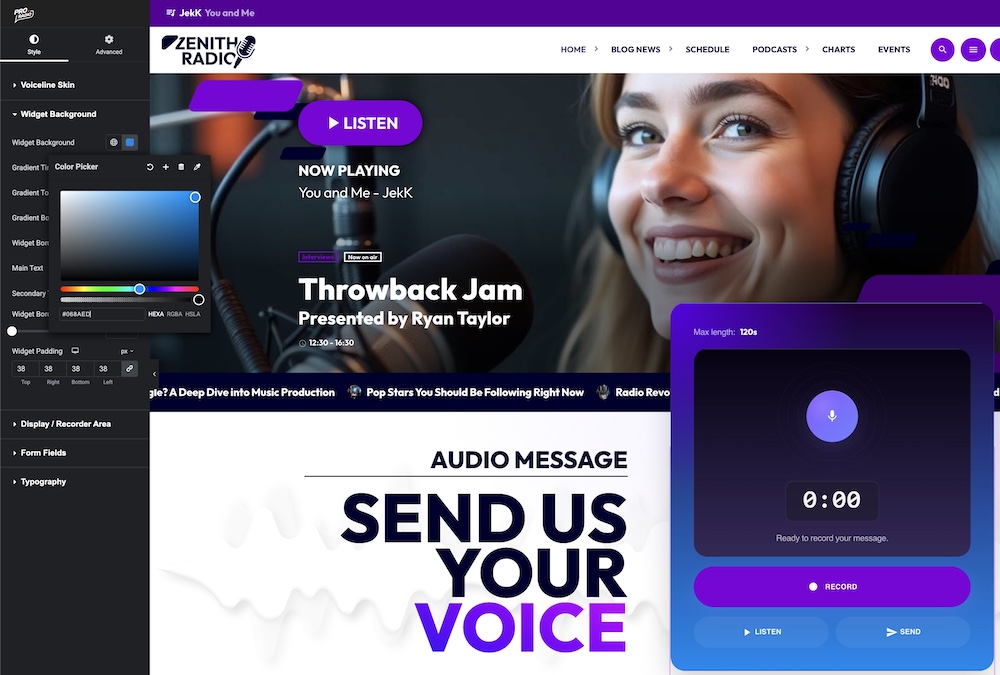
The frontend flow is extremely clear for the listener: Record, Stop, Listen, Send.
Moderation is simple and practical
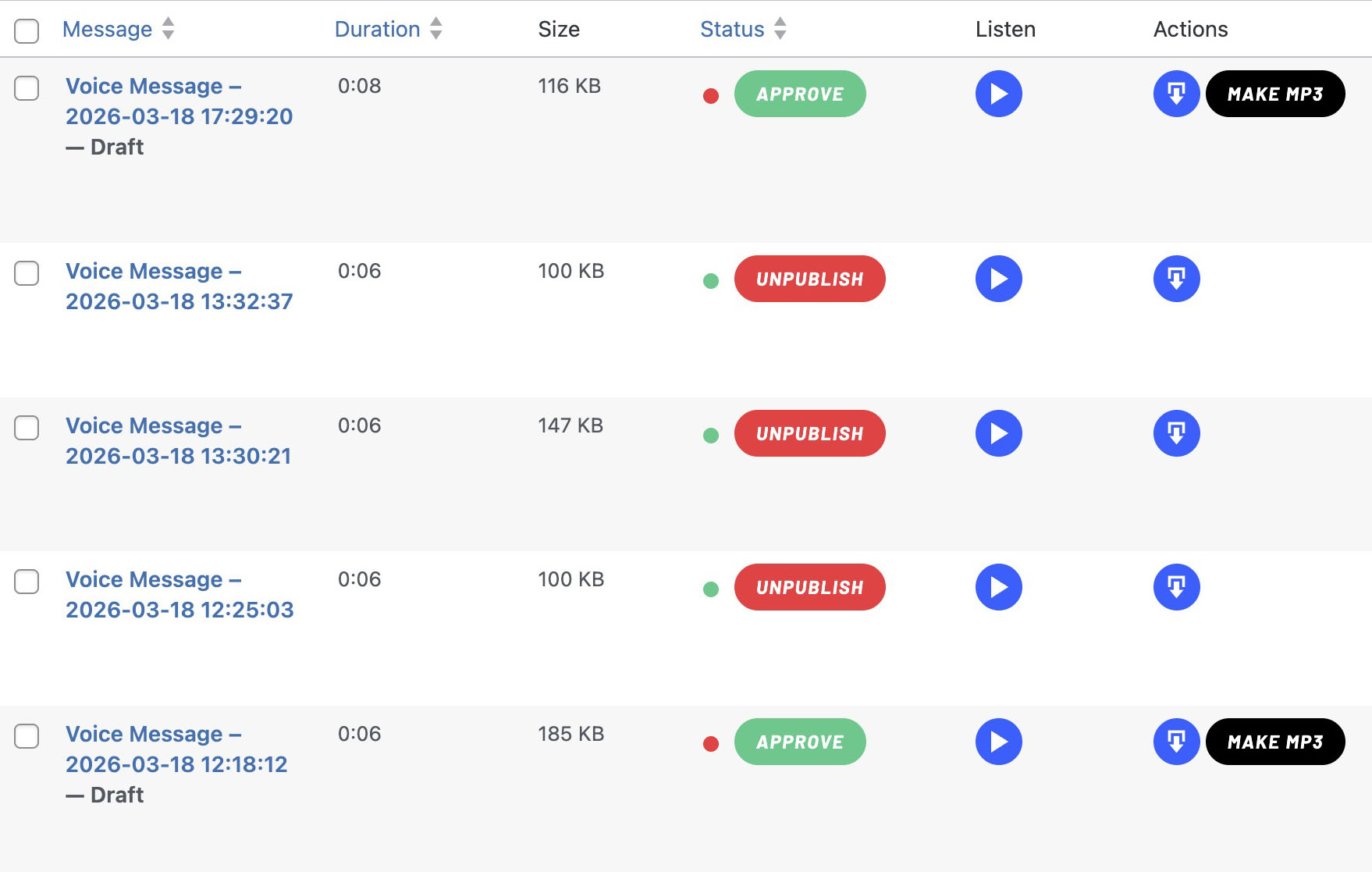
Every submitted message is stored for review in the admin area.
From there, the station manager can listen, review, publish, download, or delete the message depending on whether it is suitable.
That means the plugin respects the real needs of radio staff: control first, speed second, confusion never.
Customization is built in
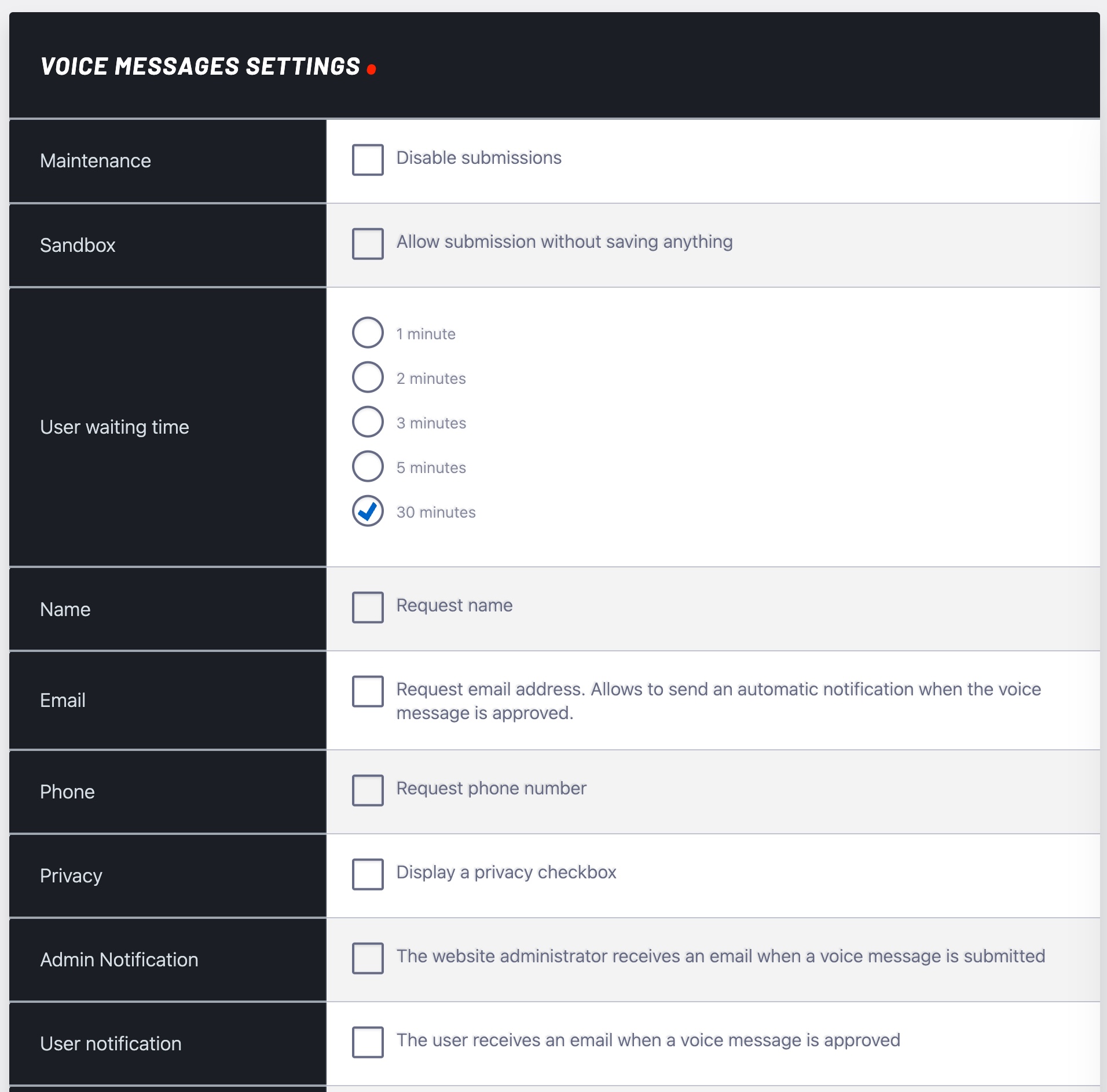
Voiceline also includes settings for storage checks, maintenance mode, and sandbox testing.
So before going public, you can test the flow, check the setup, and keep full control over when new submissions are accepted.
This is another part that makes Voiceline special.
Premium does not just unlock extra functions. It also unlocks beautiful pre-designed styles made to attract attention and invite action.
These skins are inspired by real recorder devices, and that matters more than it may seem.
Why? Because the visual instantly tells the user what to do. It feels familiar. It sparks curiosity. It makes recording feel tangible and real.
From futuristic to nostalgic
Some styles feel sleek and modern. Others carry a retro soul, with the charm of physical devices from another era.
That retro touch is not just decoration.
It speaks to memory. To warmth. To the years when communication felt slower but more meaningful. The years when voices mattered more, waiting mattered more, and human presence had more weight.
In that sense, Voiceline does something very rare for a website plugin: it does not just add a feature. It helps recreate a feeling.
Why Voiceline fits perfectly into Pro Radio 9.0
With Pro Radio 9.0, the platform keeps moving toward a clearer vision: a radio website should not just look good.
It should work for the station.
It should help the broadcaster create a stronger connection with listeners, reduce friction in daily work, and offer tools that feel built specifically for real radio activity.
Voiceline fits that vision perfectly.
It is practical. It is emotional. It is useful. And for many stations, it may become one of those features that immediately feels indispensable.
Try the free version, and step up when you are ready
If you already use Pro Radio, you can start with the free included version and see how your audience responds.
And if you want the faster workflow, the higher limits, the instant MP3 conversion, the notifications, and the premium skins, you can unlock Voiceline Premium separately, or simply get it included with ProRadio® Plus.
Quick note: if you don’t have Pro Radio yet, remember that both for Pro Radio and Pro Radio Plus you can use the coupon BLOOM till April 20th for a 20% discount. The coupon is also valid on every add-on like Voiceline, Sidekick, Podcast Importer, Business Tools and Dedications.
A price that is a bargain, this is why
The premium version is sold at $ 5.66/month* (BILLED YEARLY) and while it can sound steep, once you understand what’s beind, you’ll find out Voiceline hides advanced features behind a simple interface.
MP3 Conversion in a click
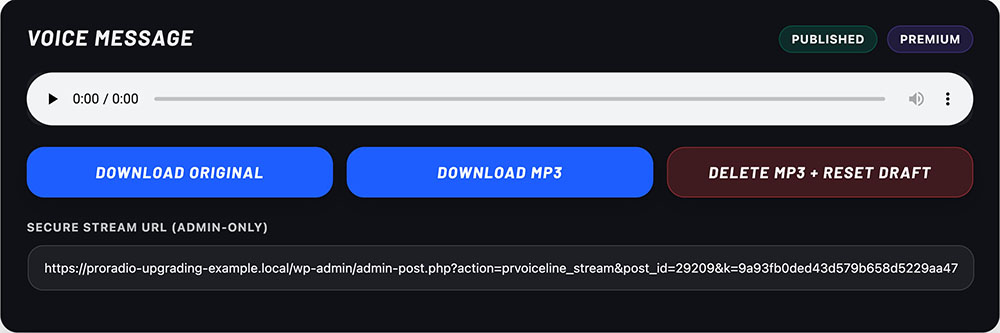
Perhaps you don’t know each browser saves audio in a different format, like OGG, WAV or M4A.
If you run a radio, you know you can’t just drop in any file in your daw or streaming server, they need conversion.
But a wordpress website can’t just generate mp3 on its own, it requires specific server components installed on the server itself.
So to make this feature possible, we created a special media server just to encode your voice messages in mp3 and send them back to your website, in a click.
Seems easy and simple, hides a full media infrastructure, with high security standards. Those live costs are supported by premium licenses.
As a result, you can click a button, download the MP3 and air it immediately.
Imagine doing it for 20 messages a day, that’s 20 minutes a day, that’s 120 hours of work a year you save just with this function.
Email notification and actions
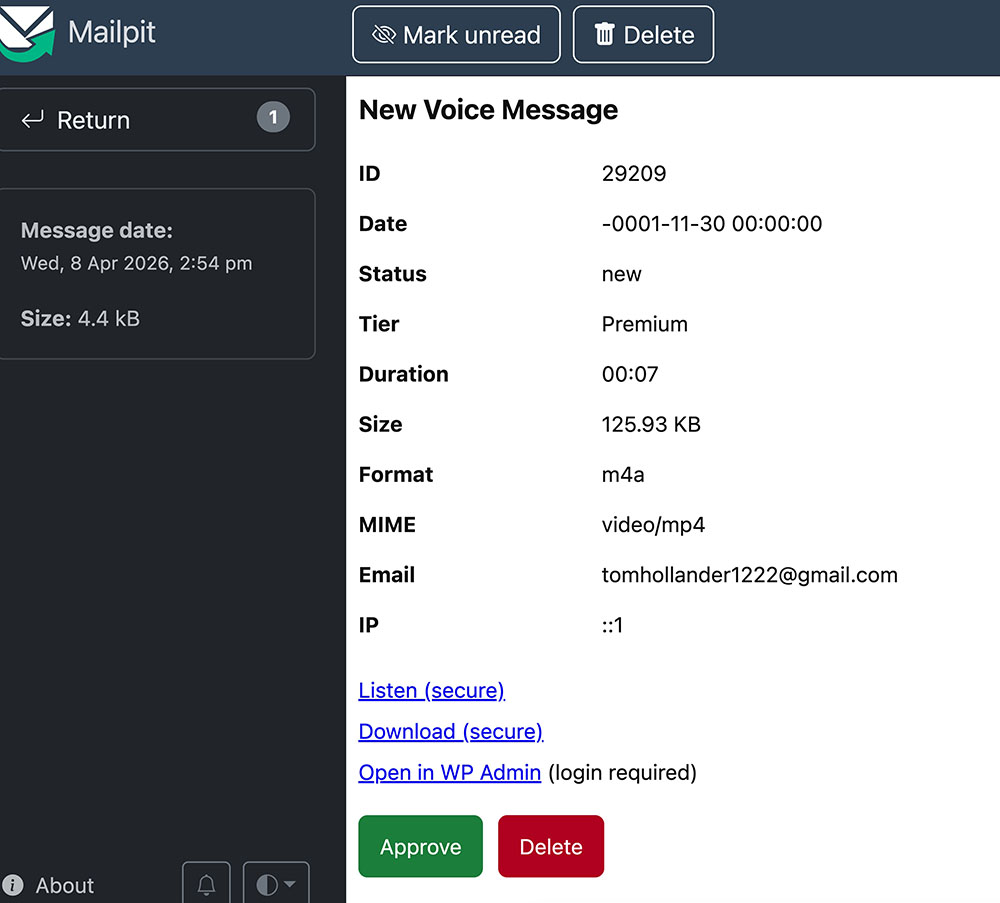
Voiceline Premium sends you an email when the message is received, and you can approve, convert or delete it in a click.
No need to log in your wordpress admin!
More saved time, to do what you really love.
Advanced security
Imagine if your site received messages with insults, racism, hatred, people’s names, confidential data, spam or other, and these files were public. As the site manager, you would be legally responsible for the consequences.
There are other voice messaging plugins on the market, but we have seen that they have huge security holes.
Imagine if Google indexed audio files containing swear words or insults from your media library. You would face legal consequences and reputational damage.
Voiceline, on the other hand, not only performs many technical checks on the files to ensure that they are not dangerous (such as viruses) but also saves the files in a protected folder accessible only with a random password that rotates continuously, and until you approve them, no one can find such files on your server.
This adds extra development costs that sum up to an apparently simple functionality, but your websites’ security is a top priority, and we can’t deliver a software that doesn’t comply with the highest standards.
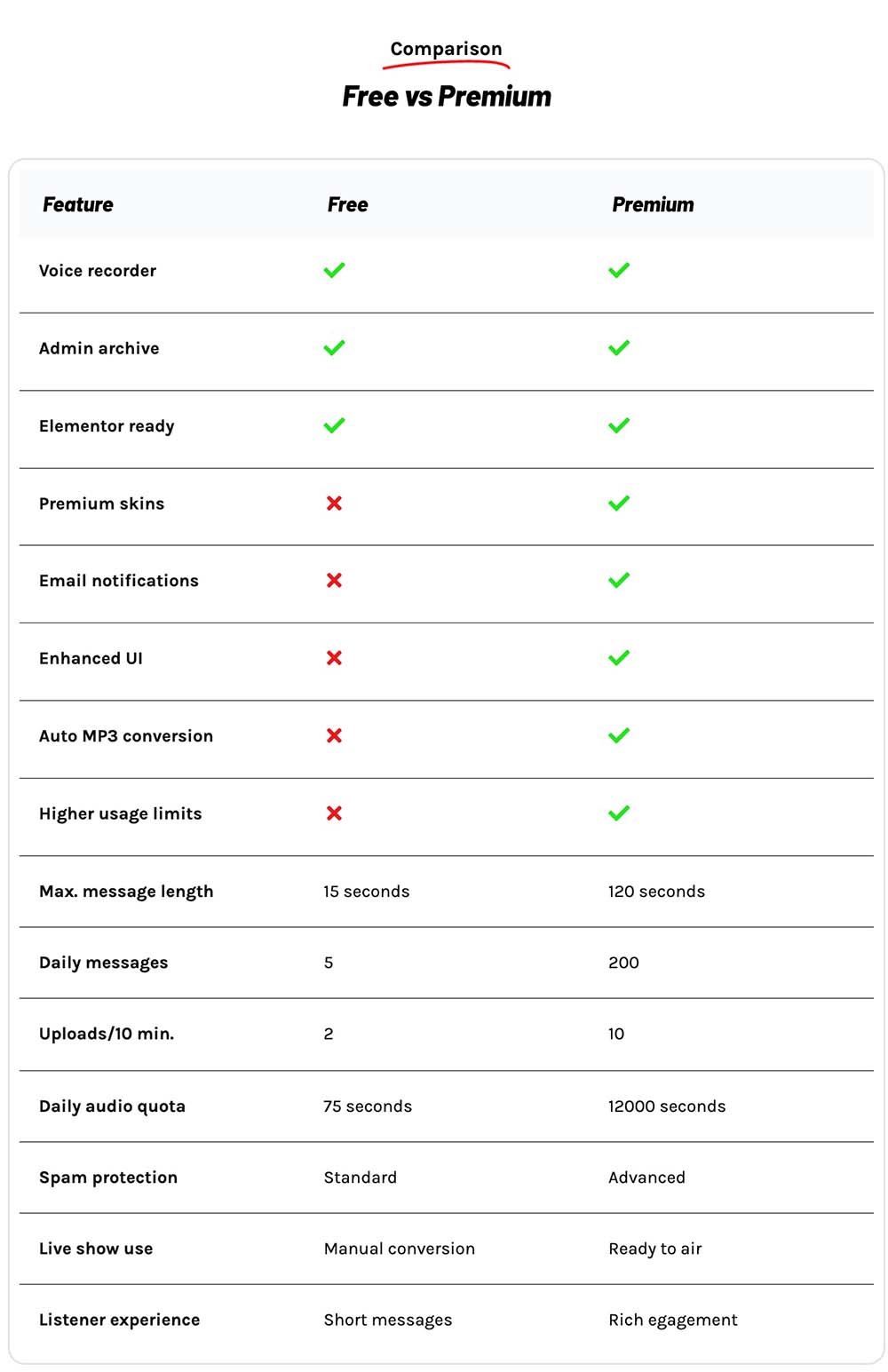
For a clear view on the advantages, check out the comparison table. More features to come!
Final thought
Radio has always been about voices, emotions, and real people.
Voiceline brings that truth back to the center of your website.
It gives your listeners a real place in your station, and it gives your team a simple way to turn those voices into real radio moments.
Try it, test it, and bring your audience one step closer to the heart of your station.
If you need more information, feel free to contact us. We will be happy to help.
Want to purchase Voiceline Add-on? Go to your Add-ons page here.
Need more info? Check out how to upgrade.
Remember that Voiceline is already in included in Pro Radio Plus!
AD

You may also like





Copyright 2019-2026 ProRadio® Qantum Themes SL® All Rights Reserved