




Pro.Radio 9.0 Has Landed: A Massive New Chapter for Radio Station Websites

AD
Hi guys! Welcome to all radio lovers. We are here with yet another intergalactic-scale update, and this one means a big leap in quality for your radio station website.
Pro Radio 9.0 includes upgrades and new features for many core functionalities, like Player, Dedications, Elementor widgets, Music Player, Ajax navigation, performance, and security.
This is not an update you want to skip, as it also brings to your pages a massive new plugin that can truly transform any radio website into a real live studio: I’m talking about Voiceline, included for free with any Pro Radio installation. The new plugin allows your visitors to send you voice messages in a click, from their phone or laptop. But we’ll get to this at the end of the post.
So now that we’re warmed up, let’s start with this juicy list of updates! Tip: the best ones are at the end!
Contents
hide
- 1. Pro.Radio® WordPress Theme 9.0
- 2. WooCommerce compatibility update
- 3. Pro.Radio® Sidekick 9.0
- 4. Pro.Radio® Music Player 9.0
- 5. Pro.Radio® Dedications 9.0
- 6. Pro.Radio® Ajax page load 9.0
- 7. Pro.Radio® Business Tools 9.0
- 8. Pro.Radio® Demo 48 – Zenith Radio
- 9. Pro.Radio® Elementor Widgets 9.0
- 10. Pro.Radio® Voiceline
- 11. Ready to upgrade?
- 12. Upgrade to Plus and enjoy more features and 500 new templates
- 13. Stay up to date
Pro.Radio® WordPress Theme 9.0
The latest version comes with improved stability, faster admin pages, thanks to lighter and more efficient functionality under the hood, which results in faster page loads on your admin screens, and increased security thanks to new integrity checks for plugin updates, source encryption, and data control.
WooCommerce compatibility update
Selling merchandise or ads with Business Tools is a great way to fund a radio station, and Pro Radio keeps up with WooCommerce by updating our templates to stay compatible with the latest WooCommerce version every time.
Pro.Radio® Sidekick 9.0
Pro.Radio® Sidekick is our special unique plugin able to store the current radio song titles on your WordPress website, generate charts, reorder songs by popularity and recency, and integrate our powerful radio station magazine AI to transform simple song playlists into professional magazine articles that attract new visitors and engage your listeners.
A few customers had an issue with WordPress skipping or deleting the Cron Jobs, which are the scheduled actions used to store current songs.
To solve the problem once and for all, Sidekick 9.0 comes with a custom link that triggers song history updates.
The new custom link is safe, as it does not bypass the Sidekick security throttle, preventing server overload and attacks.
Please check the advanced documentation to read more about this new feature, mentioned under “OPTION 4 – CUSTOM CRON”.
Pro.Radio® Music Player 9.0
The most powerful music player for radio stations on the market just got better. After many requests from our customers, we finally added 3 options for the radio station song feeds:
- Option to reverse artist and title display order
- Option to add the radio name to the music player, perfect for multi-radio websites on Pro Radio, where you can have unlimited channels
- Option to display artist and title on the same line, covering specific custom formatting needs
Pro.Radio® Dedications 9.0
The Pro.Radio® Dedications plugin is the exclusive widget that allows listeners to send song dedications, emojis, and requests. It features a unique song search option able to search both the iTunes database and your custom playlist of songs stored by the Sidekick plugin, meaning you can also search songs that are not on the market but are played only by your radio.
This plugin also sends administrators a handy email to quickly approve or reject a dedication when the Premium options are enabled.
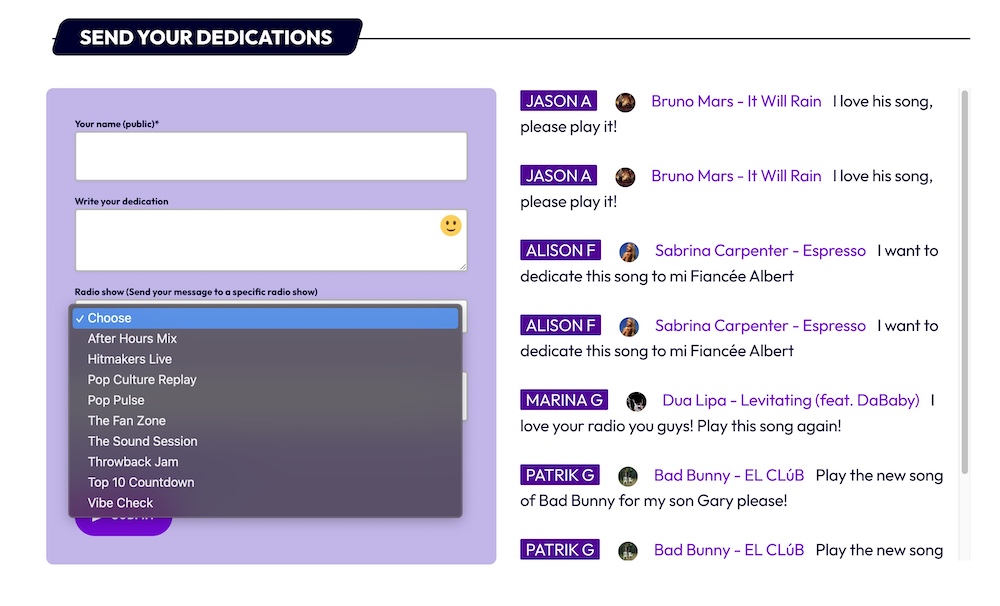
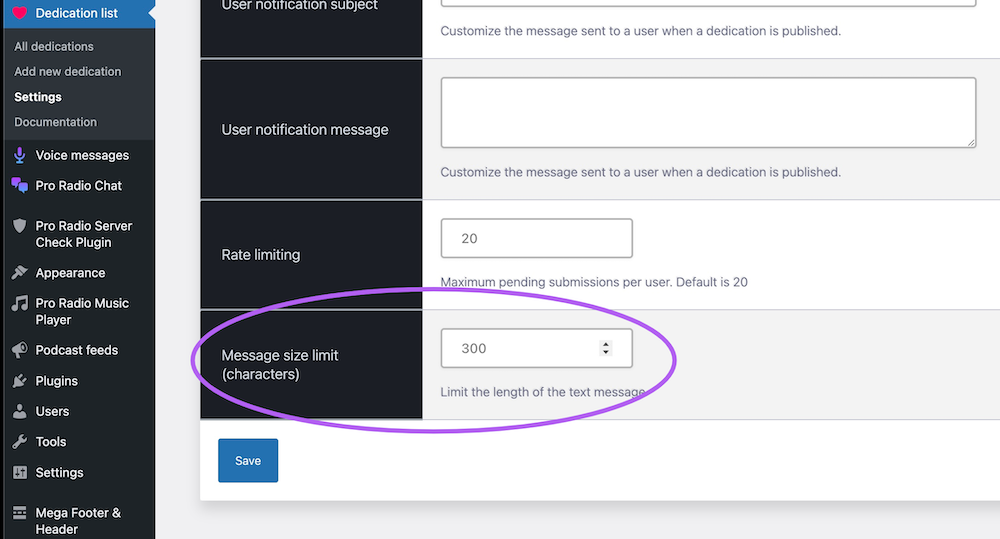
In version 9.0 we added a maximum text length that you can manage from the plugin options, and a new dropdown to choose the radio show you want to send the message to.
Remember that the free version is included with Pro.Radio®, and premium features are available both as an addon or through Pro.Radio Plus access.
Pro.Radio® Ajax page load 9.0
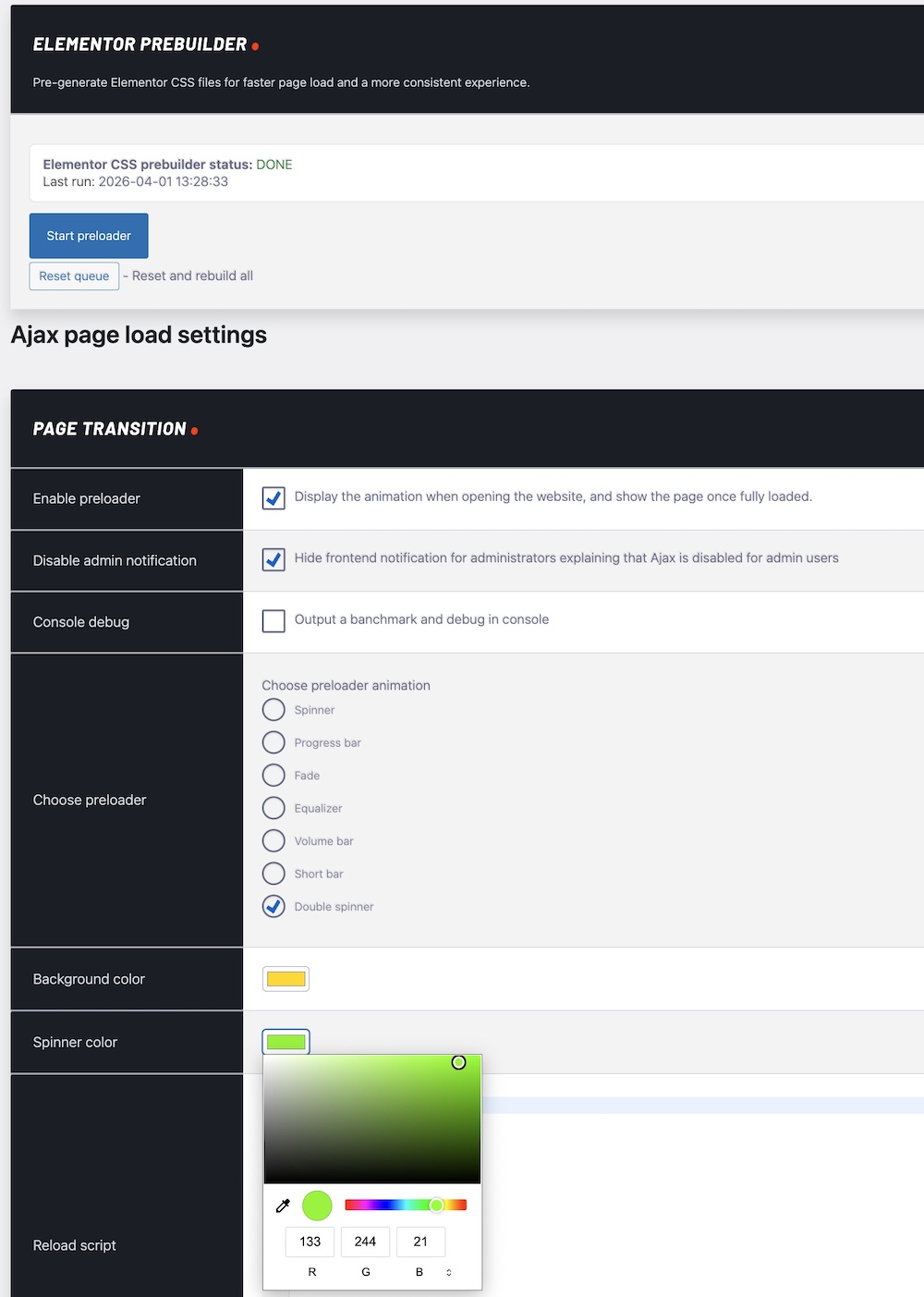
We’re talking about the plugin that keeps the music playing when you change page, the most beloved feature of Pro Radio. It boosts the engagement of your visitors and allows them to explore your content while listening to the radio. Well, this plugin got a great improvement too.
It is now lighter on the admin side by removing redundant messages, it has better filtering for Elementor pages, and it fixes the CSS loading order.
This means no more broken pages when navigating Elementor pages with Ajax, and faster admin pages.
Pro.Radio® Business Tools 9.0
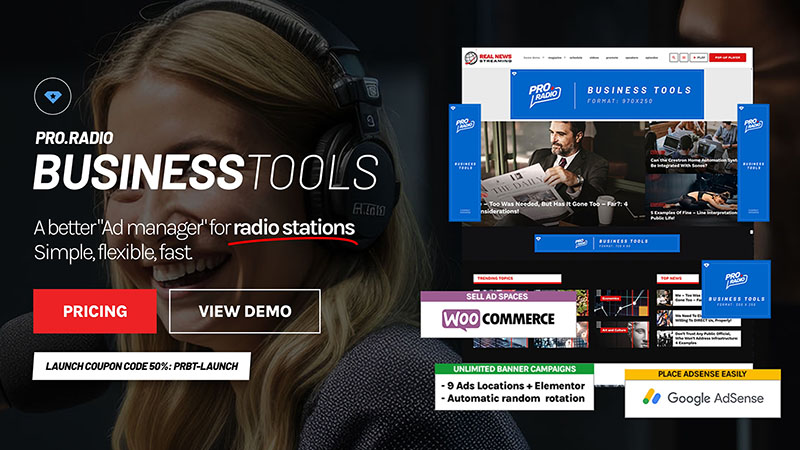
Business Tools is our premium plugin for professional radio stations to manage custom ads or AdSense with ease, compatible with Ajax page loading and with WooCommerce so you can sell ads on your own directly to clients. This plugin, which is available separately or included with Pro.Radio Plus, has been updated to fix an error that could occasionally occur while editing pages with Elementor.
Pro.Radio® Demo 48 – Zenith Radio

For those of you who are new to Pro.Radio, this is not only a WordPress theme for radio stations, but a true arsenal that allows even inexperienced radio managers or web designers to build a truly professional radio station website.
And this arsenal is based on a solid library of full radio station websites, each with 3 to 20 homepages to choose from, remix, edit, and modify without writing a single line of code.
Since Pro.Radio was launched, we have kept a constant commitment to delivering new templates and demos every month, and here we are with number 48, called Zenith Radio.
This new demo comes included with any Pro Radio license. If your Updates access has expired and you want to install it, just drop us a line!
It is part of a new series of demos focused on performance, neat design, ease of editing, and clean layouts, conceived to adapt easily to any requirement without over-complicated sections, and perfect even for newcomers who want to start from a clean and easy-to-use design.
Discover more on the dedicated demo page here or explore it live at this link.
Pro.Radio® Elementor Widgets 9.0
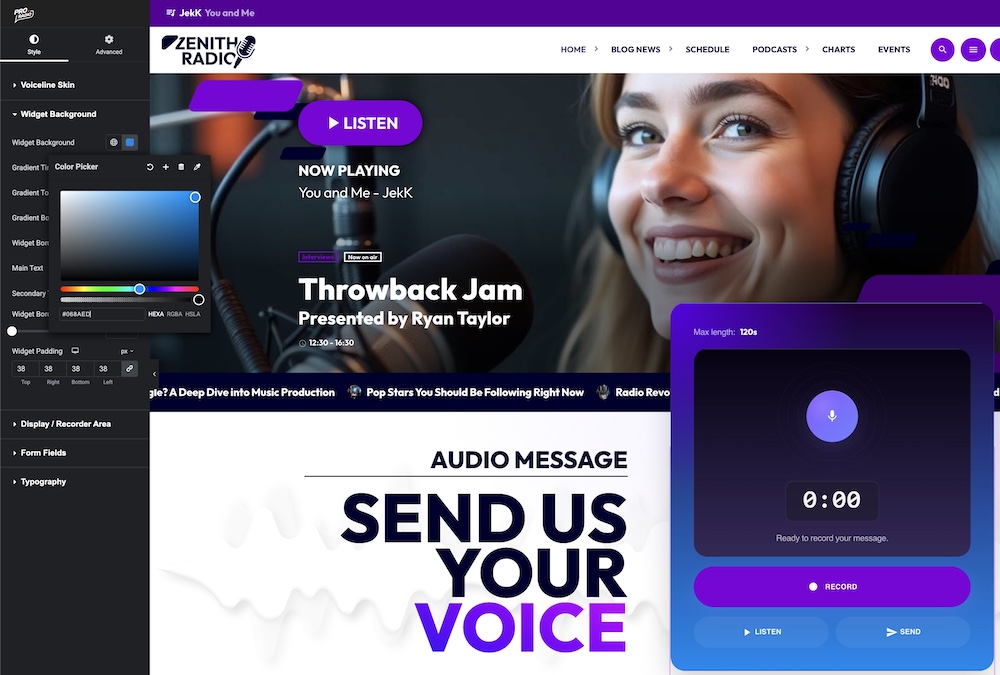
Pro Radio features over 50 custom radio station widgets for Elementor. We just added the Voiceline recorder widget to let listeners send voice messages from your website, and a message playlist widget to display an interactive list of published messages.
- Added Voiceline recorder widget
- Added Voiceline message playlist widget
Pro.Radio® Voiceline
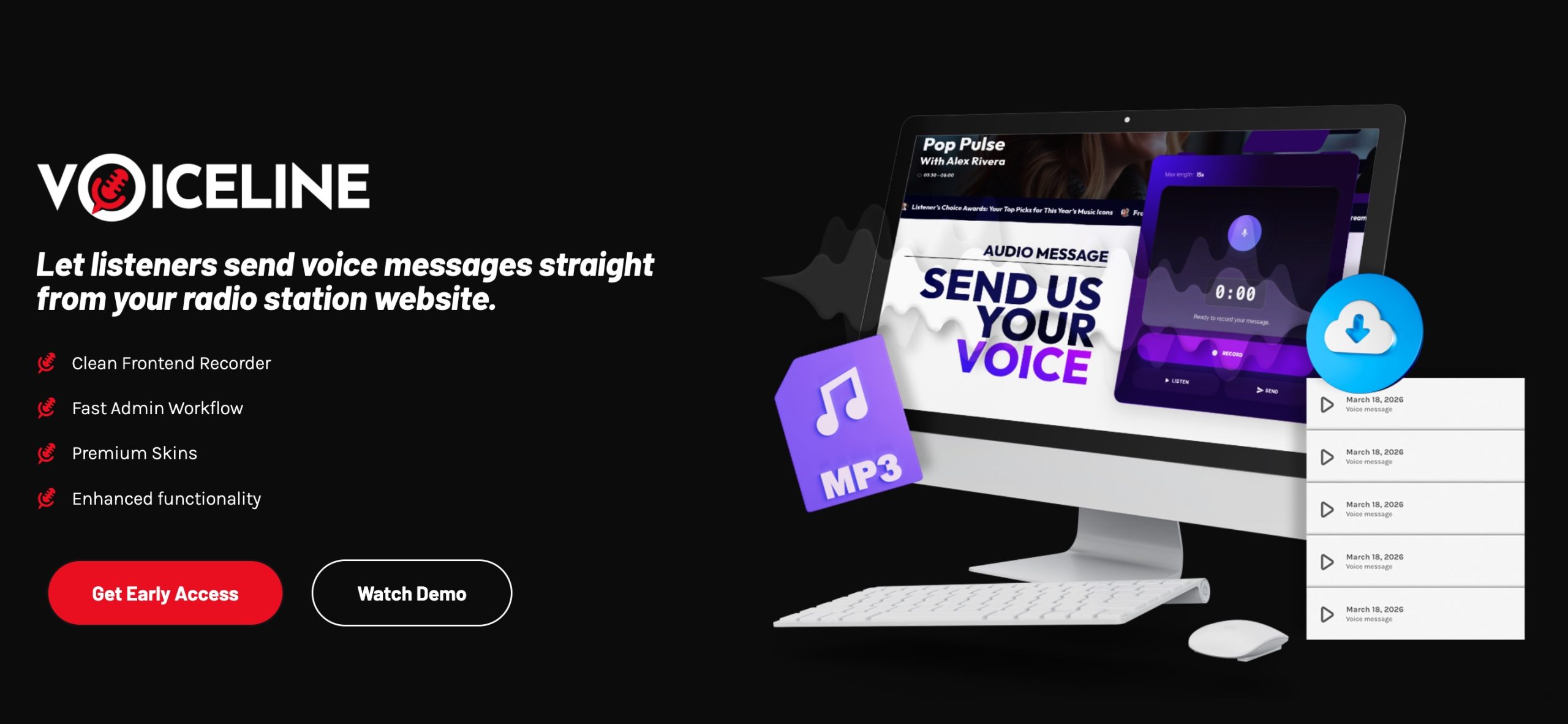
Here we are at the sweet part, as it should be, at the end. You’re about to discover the new Voiceline plugin.
Because this is one of the most relevant innovations in the history of Pro.Radio WordPress Theme.
User interaction has always been a key component that links listeners and presenters.
The possibility for a fan to send their own voice and hear it from the speakers has something magical about it.
It is a key part of long-term affection for a radio station, and when radio was only FM and messages came through the phone, this was always one of the most important parts of the whole interaction.
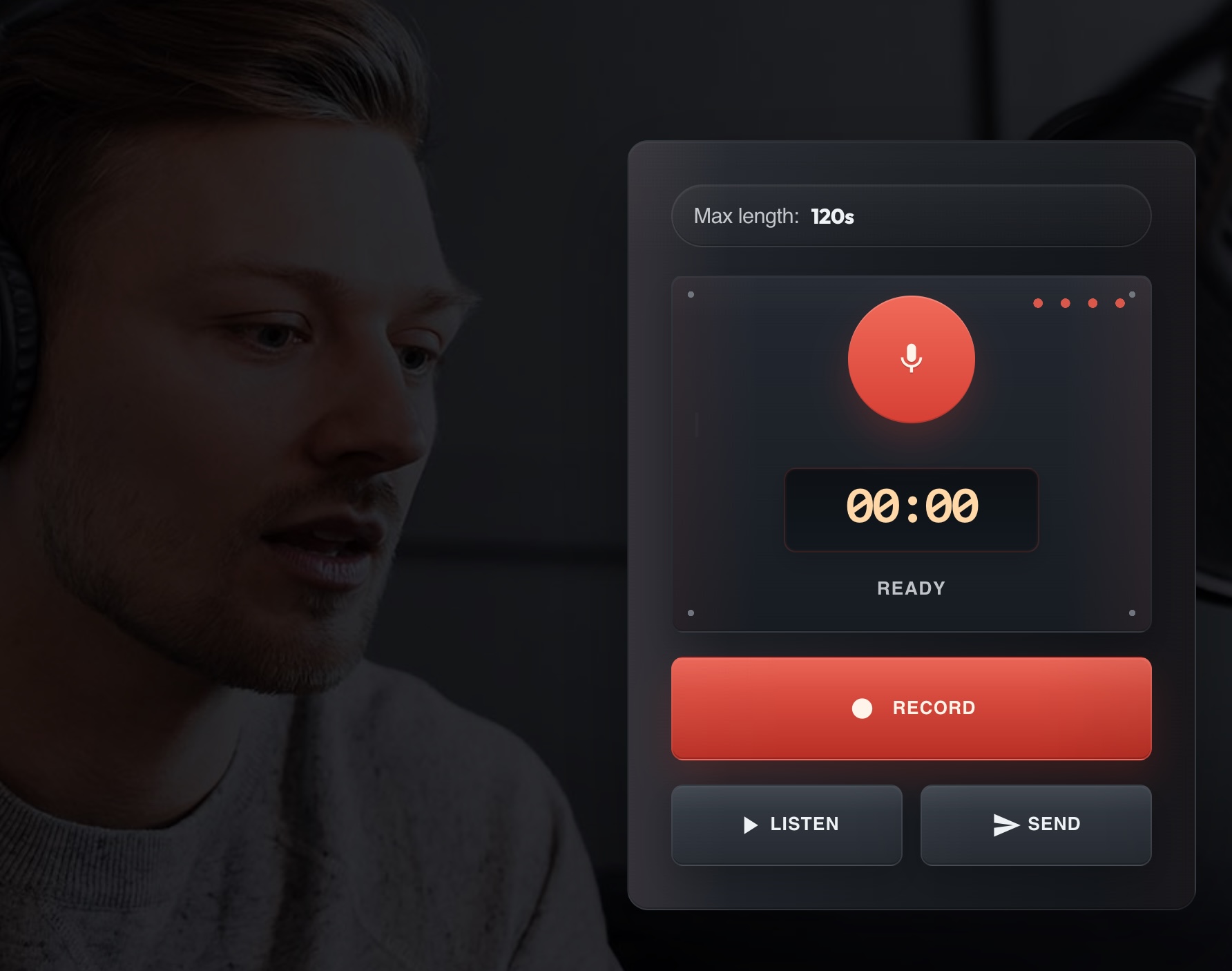
But nowadays things have become more complex. Most listeners come from the web, from the phone while doing sport, or from the laptop while working.
Yes, many radios have WhatsApp for messages, but that is hard to manage because you need to download messages from WhatsApp, convert them manually, and you do not have the email and name of who sent them.
Frankly speaking, it is quite a nightmare for busy radio stations.
Plus, WhatsApp or voicemail have a big problem: you cannot throttle requests.
And if you ever managed WhatsApp messages for a radio station, you know how intense some listeners can be.
So our customers needed a better tool. Something cool, slick, easy to manage, and integrated with the website.
Something that, once it is on your website, lets your listeners scream, “WOW, that is cool!”
Something that lets your investors see you are ahead of time.
But also something that saves you time and protects you from message fanatics sending unlimited voicemails.
And why not, something that lets you easily display a list of messages on your site, so people can listen to them with a click, and not only on the radio.
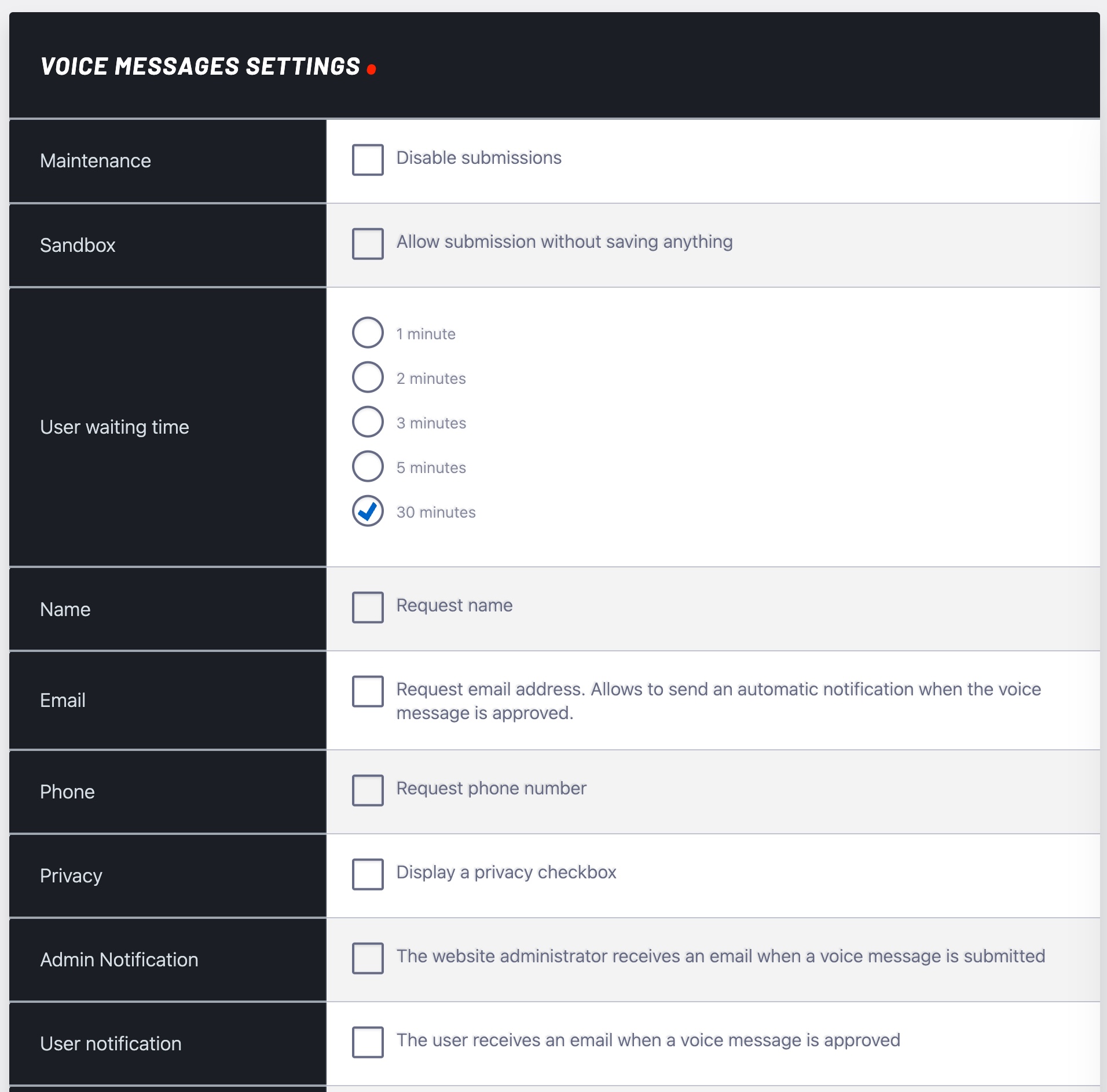
So, after months of hard work, we came out with Voiceline. It is not only cool, but also safe, as we put extra effort into making sure unpublished messages are not publicly reachable and are only available through a private temporary signed link, and that spammers will have a hard time filling up your voicemail.
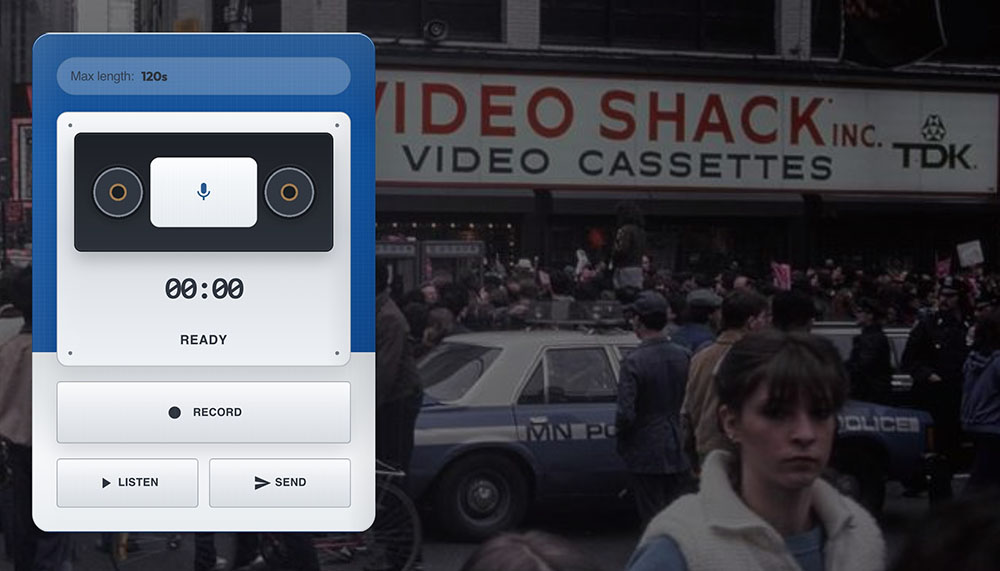
And not only is it a great plugin, but it also comes with a premium version, included as always with Pro.Radio Plus, that does much more!
The free version is included with any Pro Radio license, so you can give it a spin.

The premium addon will be out in about 2 weeks, but it is already available in early access for all Plus customers. With the Voiceline Premium version you get great advantages:
- 2 minutes recording limit instead of 15 seconds per message
- Increased total daily recording limit to 120 minutes, perfect for busy radios
- Automatic MP3 file conversion in a click, so you can download a message and air it instantly
- 8 super-cool easy-to-use design skins inspired to real life devices, to engage and entertain
- Custom user limits to decide how many messages a listener can send
- Email notifications for you and your listeners
- Quick email actions: download, delete, publish, convert
- More advanced anti-spam and blacklist tools for annoying listeners
- Offload MP3 conversions to our new media server, so your hosting doesn’t have to lift a finger
So yes, if you’re serious about radio, the premium version will truly give you a boost. Want to know more? Check out Pro.Radio Voiceline Premium here.
Ready to upgrade?
The latest Pro Radio 9.0 update is now available for all users with active Updates and Support. Updating is easy and totally automatic. Learn more.
If your coverage expired, you can reactivate it here or take advantage of the Pro Radio Plus launch offer before it ends.
Upgrade to Plus and enjoy more features and 500 new templates
With Pro Radio Plus we wanted to open the door to many smaller and mid-size radios that need advanced tools, without forcing an enterprise budget.
Upgrade or switch to Pro Radio Plus and you’ll get:
- Pro Radio Sidekick Premium features
- Pro Radio Business Tools for campaigns, sponsorships, and promotions
- Pro Radio Podcast Importer for automated podcast integration
- Pro Radio Dedications Premium
- Pro.Radio Voiceline Premium
- Over 500 extra Elementor templates to build pages in minutes
Many improvements in this update — from Sidekick reliability and maintenance tools to the new widget options — shine even more when combined with the full Plus ecosystem.
Stay up to date
Subscribe to our newsletter to get exclusive access to content, discover new templates before anyone else, enjoy amazing discounts, and much more!
AD

You may also like


Copyright 2019-2026 ProRadio® Qantum Themes SL® All Rights Reserved