

'/%3E%3Cpath%20fill='%23b2b2b2'%20d='M241%20382q0%2016%2017%2026%2017%2011%2042%2011t42-11q16-11%2017-26V269H241'/%3E%3Cpath%20fill='%239f7e00'%20d='M241%20379q0%2014%208%2023%209%209%2021%209%2014%200%2021-9%209-9%209-23V269h-59'/%3E%3Cpath%20d='M241%20339v-70h59v110q0%2014-9%2023l-6%205v-68h-15v72q-8%200-14-4v-68zm59%2040c0%2022%2015%2032%2029%2032%2021%200%2030-18%2030-32v-40h-59'/%3E%3Cpath%20fill='%239f7e00'%20d='M266%20277v5h2v12h-3v-5h2v-5h-9v5h2v5h-4v9h3v18h-5v10h34v-10h-5v-18h3v-9h-4v-5h2v-5h-9v5h2v5h-3v-12h2v-5zm42%20101q0%2010%206%2017%206%206%2015%207%2010-1%2016-7%206-7%206-17v-29h-43'/%3E%3Ccircle%20fill='%230044ad'%20cx='329.5'%20cy='372'%20r='6'/%3E%3Cellipse%20fill='%230044ad'%20cx='300'%20cy='340'%20rx='16'%20ry='21'/%3E%3C/svg%3E)

Pro.Radio® 9.5 – Custom Elementor headers, New Elementor widgets for radio stations, New player features, New design options, Support for WP 7.1

Dear radio lovers, welcome to this new Pro Radio update bulletin! Summer holidays are over (at least for us! Lucky you if you’re still on the beach!) and it was time to reveal a new version of Pro Radio WordPress Theme.
We’re at version 9.5, and it comes with new widgets, design options and code improvements for your radio.
The main objective stays the same: get your stream heard by as many users as possible, and we’re here to do whatever it takes to get you there!
This update involves several fixes for the core theme and 6 plugin updates.
We’re starting with the fixes, the most boring part, and getting to the juicy stuff at the end of the post.
Wanna relax? Instead of reading, you can check out the video podcast below!
Let’s start!
- 1. Pro.Radio® 9.5 – Core theme fixes
- 2. Pro.Radio® Elementor Widgets PR.9.5: new widgets and features
- 3. Create custom page headers with Elementor for any internal page
- 4. Pro.Radio® Music Player PR.9.5
- 5. Pro.Radio® Podcast Importer : PR.9.5
- 6. Pro.Radio® Core PR.9.5
- 7. How to update
- 8. Updates and Support service expired?
- 9. And what’s next?
Pro.Radio® 9.5 – Core theme fixes
The updates to the core theme files are essentially code fixes and support for WordPress 7.1 and for the new plugin versions. Below is a list of the improvements:
- UPDATES to support WordPress 7.1
The new WordPress version comes with “under-the-hood” changes that were breaking basic stuff, like, for instance, the date picker used in the Events and Shows admin. A few minor changes were required to restore the functionality. - FIX: styles inclusion: dequeue duplicated child style
That’s a small performance fix to prevent the style.css of the child theme from loading twice, fixing an error in previous versions. - FIX: template-parts/pageheader/customcontent.php fix PHP error if Elementor disabled
This solves a PHP error happening if users had a custom header set and, for some reason, disabled Elementor. - FIX: template-parts/header/play-btn.php fix error if player disabled and button active
This fixes a PHP error happening if you add a play button to the header menu and then disable the player plugin. - FIX: customizer – container colors now correctly apply to Desktop only
This is a minor fix to the customizer CSS output for the menu bar, which was overwriting the mobile menu colors. - FIX: customizer – mobile menu colors correctly applied to mobile and tablet
If you set menu colors for mobile, they correctly apply to mobile only. - FIX: customizer – mobile logo correctly showing on mobile and tablet instead of tablet and desktop
The error was causing the desktop logo to appear on tablets, causing issues on some devices and color combinations. - FIX: Carousel below fold loading issue fix
This was a bad one: because of a race condition (an error happening under certain performance situations), if you had a post carousel in the bottom part of an Elementor page, one element of the upcoming carousel groups was hidden and never appeared. This was happening because the page didn’t know the item was already loaded. - FIX: Auto refresh function fixed ( runAutoRefreshWidgets )
This is a small JS fix to improve loading and prevent visual glitches happening under specific circumstances. - FIX: Nocache headers sent incorrectly when some third-party cache plugins were installed
Pro Radio comes with an open REST JSON endpoint to expose the daily schedule so you can build your own apps around it. Apparently, some caching plugins were triggering “no-cache” headers because they were relying on the REST cache settings for the entire website. This was causing some websites NOT to be cached when they should have been, when using some specific plugins. This fix improves the performance of any website using such plugins, or certain server-side caching methods + plugins. - FIX: Missing particles in header of archives
The header particles effect from the customizer wasn’t correctly displaying on archive pages. - IMPROVED: better translations
Translations for 8 languages have been rebuilt, with better context, so specific radio-industry keywords such as “music charts” are now correctly translated for the radio context, instead of using incorrect literal translations.
Pro.Radio® Elementor Widgets PR.9.5: new widgets and features
First of all, a new cool widget for music radios. This was requested by a couple of customers and totally made sense.
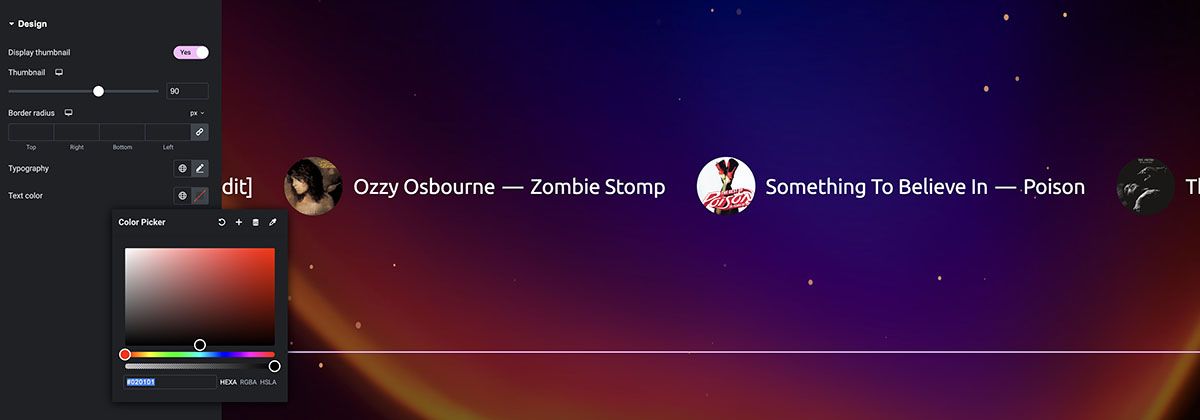
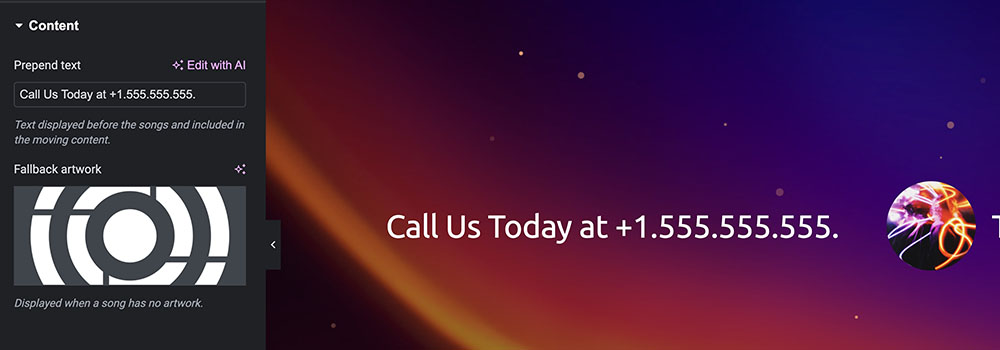
The widget is called Songs Slider. It creates a scroller of songs extracted from your songs archive using the Pro Radio Sidekick plugin.
You can create a scroller that includes: latest songs, top voted, top played or most popular songs from the past day, week, month or year.
Also, you can add custom text before the songs, for instance “CALL US LIVE AT THE STUDIO AT 555.555.555.” or anything you want.
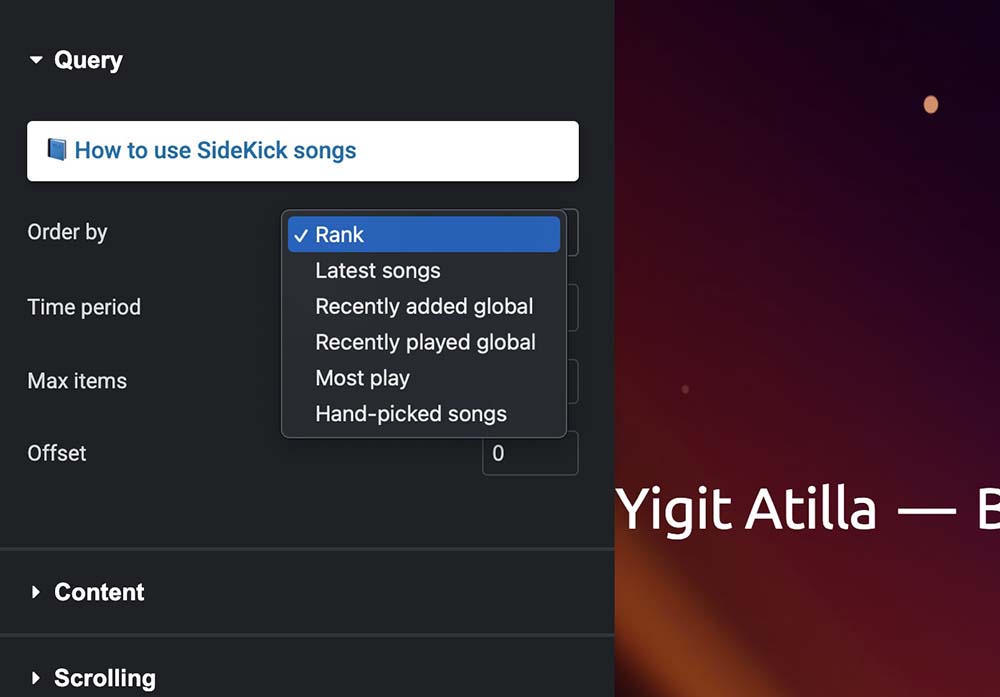
With Elementor, it allows you to control text font, colors, size and more.
A cool animated effect to enrich your homepage, boost engagement and inspire interactions.
Dynamic page title widgets:
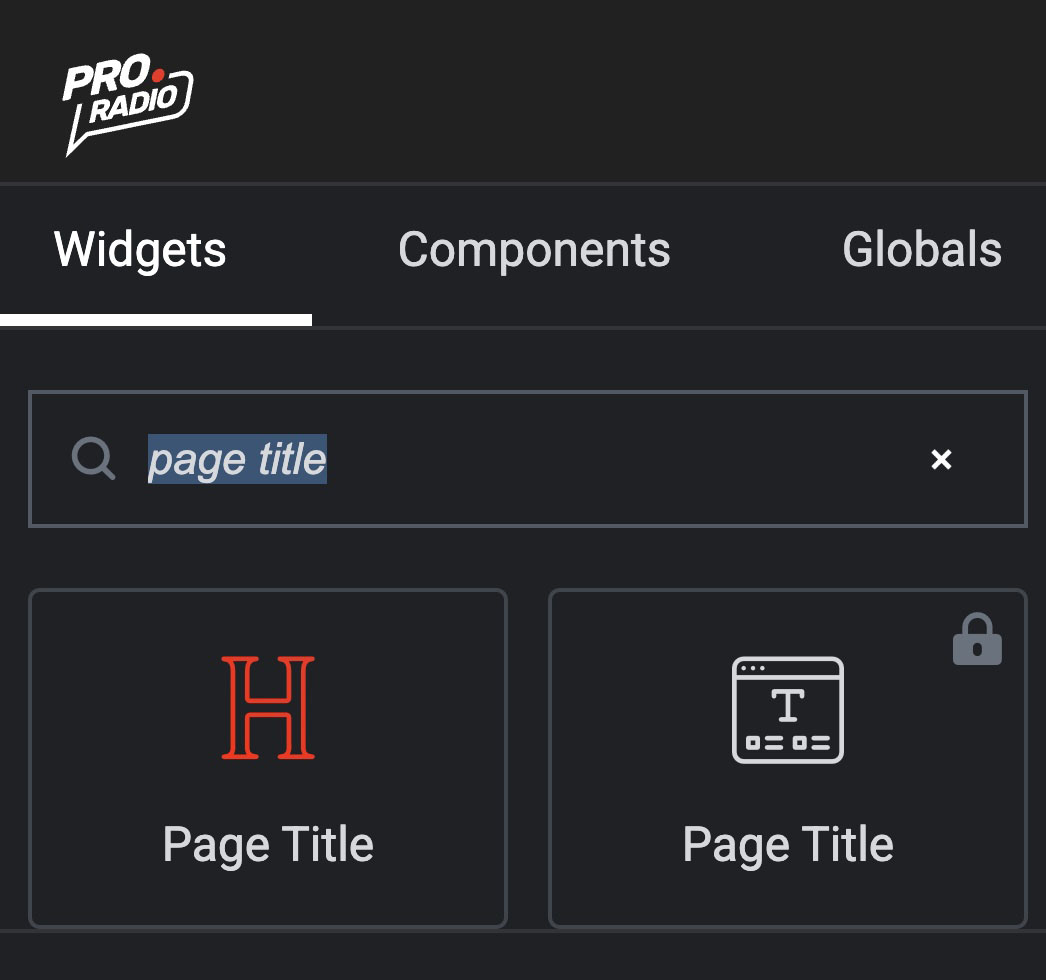
The Page Title widget. This is dead simple: a basic widget that displays the current page title. It can be used with Mega headers or, as we’ll see down below, with the brand new Mega Page Header option, to create your custom global page headers using Elementor. And no, it’s not the MegaHeader we all know, it’s totally different!
Then there is the Captions widget. Right, that’s not really new: it’s the usual captions. But there’s a twist in it! It can now, like the Title widget, automatically display the current page title. Again, another widget to make your custom page title from scratch in Elementor, and replace all page headers for any internal page at once.
And finally, translations: the Pro Radio Elementor Widgets plugin also needed a language fix: all translations have been improved and correctly contextualized.
We know it was funny sometimes to see translations that made no sense, but that wasn’t on purpose. There are literally thousands of strings. And machine translations were sometimes inaccurate. Now that we have better tools at our disposal, translations were updated and made much more professional, totally in tone with a proper radio station website, whichever language you speak.
Create custom page headers with Elementor for any internal page
So this is a big one. You all knew the old classic MegaHeader and MegaFooter options. If not, here’s a refresh: this plugin allows you to replace the default menu and the default footer with a custom one built in Elementor.
Now, this feature was extended.
In fact, you no longer need to use only the header that you have from the customizer (I’m talking about the default single page header that you see in posts, pages, shows, archives, podcasts and so on). In fact, you can build your own custom page header with Elementor, using the widget “Page Title” or the Captions along with the dynamic page title option, and design your unique headers from scratch in Elementor.
Once your header is ready for prime time and ready to go public, it’s time to publish it.
First, open a standard post or page, click Customize, then open Layout, page header. From here you’ll find a dropdown.
Choose the special header you just did, and it will replace the default header on all pages.
Of course, it will replace the existing header, so no worries about any page that didn’t display the standard header, like your homepage probably, or any page using the Page Visual Composer template or the Page Elementor Canvas template.
Everything keeps working as before. This will only apply to archives and single pages using the default template.
Pro.Radio® Music Player PR.9.5
Small but powerful improvements have been added to our beloved WordPress radio and podcast player with non-stop functionality.
The improvements are essentially 2:
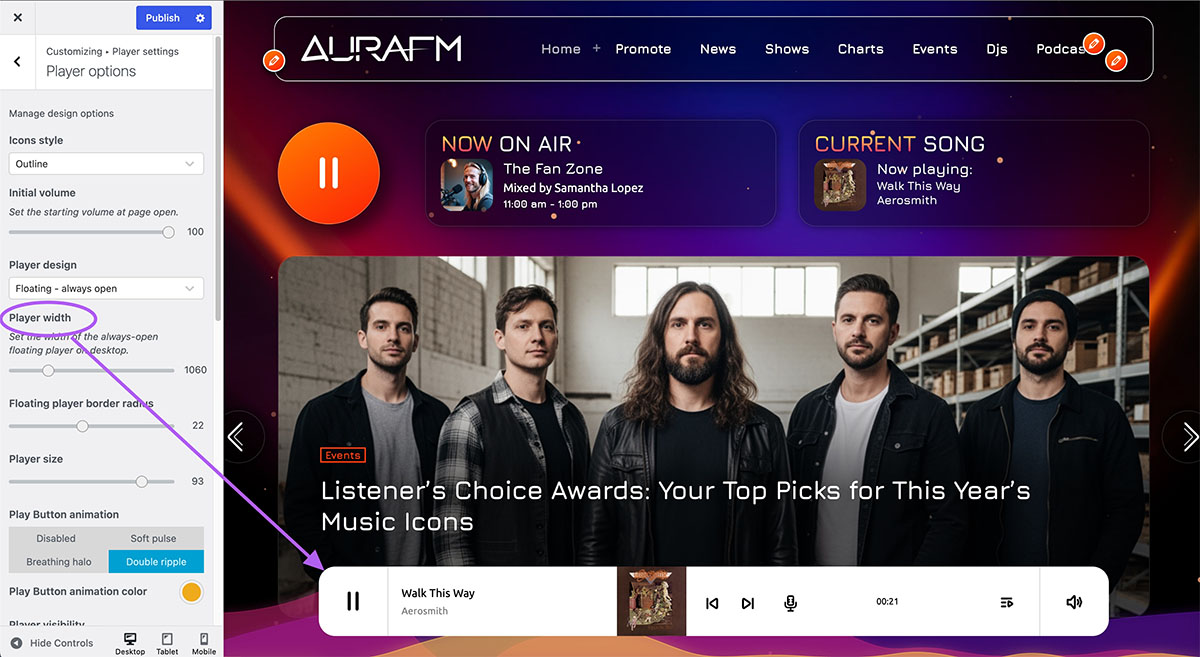
The first one is a new design option. In version 9.4 we added a new floating bar template, but its size was limited to using all the space on the screen. Now, you can set a max width, and match the layout width of your choice.
The second one is performance. The new music visualizers are now way faster, and the player render time is much faster than before.
Less time to start, less time to listen, happier listeners for your radio!
Pro.Radio® Podcast Importer : PR.9.5
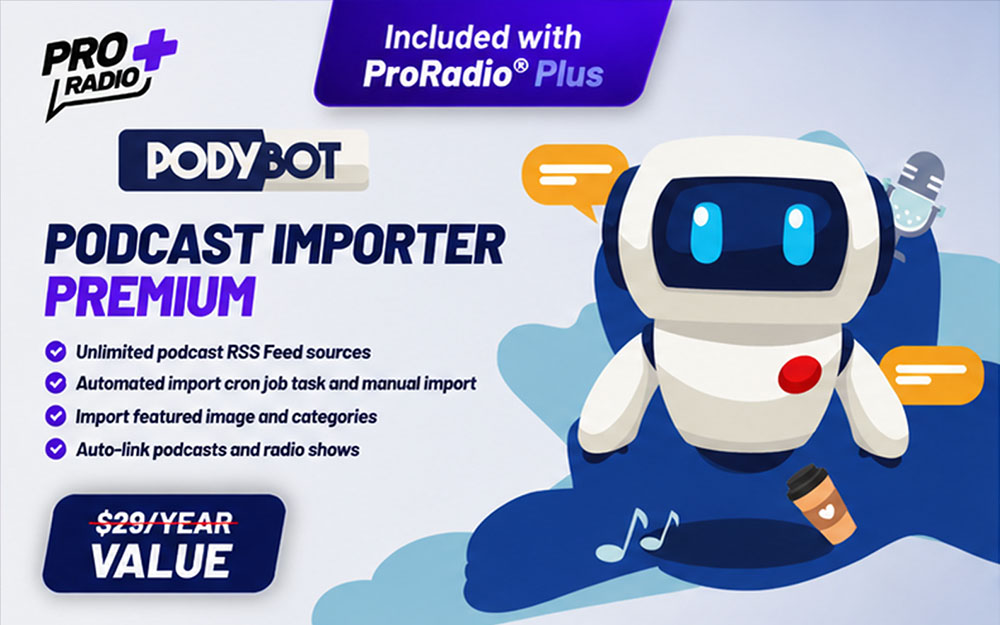
The last improvement is about Podcast Importer (AKA Podibot plugin).
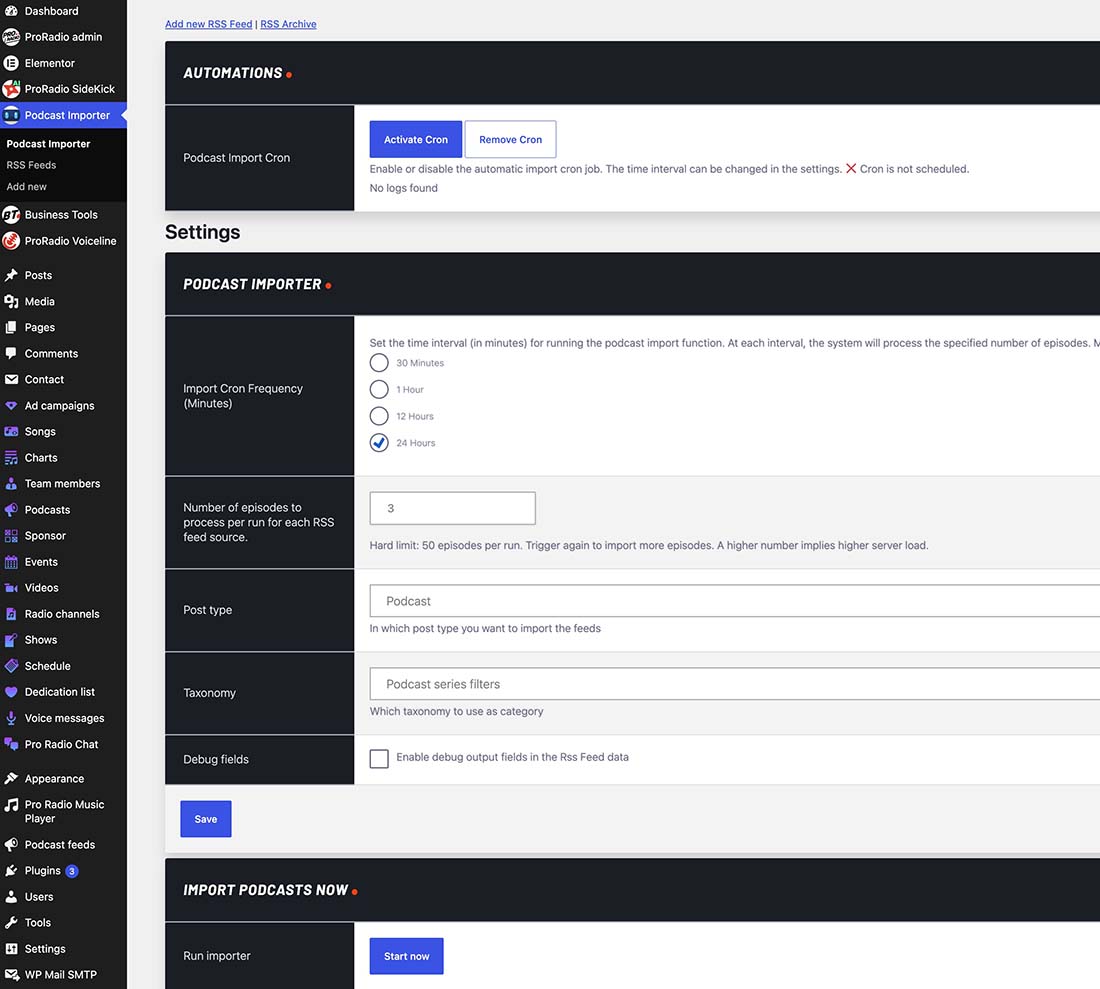
Pro Radio, as you know, comes with a cool podcast importer plugin. The basic version that comes bundled with any license can import 1 feed and 1 episode a day for basic usage. The Premium version, instead, has almost no limitations, except for security and performance boundaries, and it’s meant to be used by big radios that need to import 50 or 60 episodes of different authors on a daily basis.
This plugin has had unexpected success, and it’s being used by lots of national websites out there, which really make massive use of it.
Thanks to one of those radios, and its friendly and collaborative manager who exposed a couple of issues, we improved the plugin for any Pro Radio user, and here’s what changed:
UPDATE 1: Now, the de-duplication filter works in two ways: using the GUID parameter AND, if that’s missing, the title. The GUID is an optional parameter belonging to well-formatted podcast RSS feeds. Not every feed has it. So our original importer relied more on the episode titles, to snatch and skip duplicated entries. But it turned out this is not a one-size-fits-all decision. Some podcasts, in fact, have tons of episodes all with the very same title.
In such a case, the importer was only importing the first episode, and skipping the rest.
This was of course a problem, so we implemented a double control that also relies on the GUID parameter, so different episodes with the same title are now correctly recognized and imported into your radio station website.
UPDATE 2: the second big change is in how the download link is handled: for each podcast RSS feed you set in the importer, in fact, you can now choose what to link.
With the previous podcast importer version, it only linked to the podcast source URL. But now you can add a download button that triggers the direct download of the MP3 file from the player.
Pro.Radio® Core PR.9.5
Not much to say: the Core plugin was simply updated to meet the compatibility requirements for WordPress 7.1 and higher. You didn’t update your site to the latest WP version yet? We strongly recommend you do so ASAP, since, thanks to the relentless work of AI red team pentesters, previous versions were found vulnerable to certain complex new types of attacks, and you really want your site to be on the latest WP version.
So we can call this a heads-up to update your site today, to ensure your data stays safe, with the tranquillity that Pro Radio is ready to work with the latest version on the shelf.
How to update
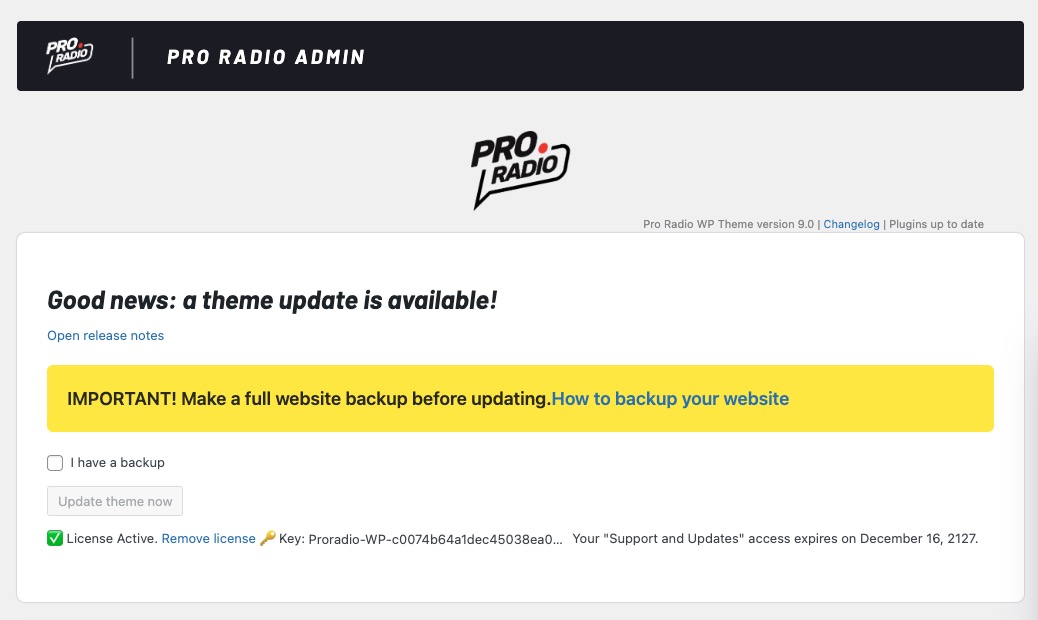
Updating Pro Radio WP is super simple:
- Open your WordPress admin, and click ProRadio Admin on the left, or the big yellow banner about the update.
- Click Update
- Then also update the plugins.
It goes without saying that you should back up your site first.
Why? Is the update dangerous? No, of course not: it’s super well tested. But on cheaper servers, WordPress may run out of time when unzipping a plugin.
What does it mean? That, for instance, big plugins like Elementor will be missing files. That results in a crash, and you can’t even open the admin.
So we recommend tons of ways to make a full backup before updating, as 1 case in a million can cause your admin to break, but if you do it in the right way, that won’t happen, and if it happens, you fix it with literally 1 click, on the Restore button. So update, but don’t blindly click buttons without reading. Make a backup first, then update.
Updates and Support service expired?
No worries! We’re here to help, even if your service expired a year ago and your account on Pro Radio was paused. Nothing is lost and you don’t need to buy a new license, you only need to reactivate the updates.
How to do it? Drop us a line, and we’ll take care of the rest. You only need to reactivate the updates service, no need to purchase a new license. And if your account was paused because it hasn’t been accessed for a long time, we will reactivate it for you. Just use our presale form, and send us a message indicating your site URL, account email, or license key, so we can find your account and fix everything.
Extend Updates access 👉 https://shop.pro.radio/submitticket.php?step=2&deptid=1
And what’s next?
Thanks for asking! Actually, you didn’t, but I know you’ve been thinking it.
We DO have tons of bullets in our belt. As a small teaser, Pro Radio 9.5 includes compatibility with a new series of INCREDIBLE new demos, only for Pro Radio Plus users.
And as I mention that, it just came to my mind that if you have a standard license, even with expired support, you can switch to Plus, access all premium plugins and updates, and the new templates and Elementor library, with a 100% discount on your original license! How to? Check out this link!
Then we also have a new recording studio, and new powerful podcasts will soon be on our YouTube channel, with strategic tips to grow your radio. No web tutorials here, but new, professional, proven strategies to bring your radio from zero to hero. So stay tuned, update your site, and be ready to take your station where it’s never been before!


You may also like
Copyright 2019-2026 ProRadio® Qantum Themes SL® ESB02979078 All Rights Reserved