




Upgrade Your Radio Website with 3 Fresh Free Templates of the Week
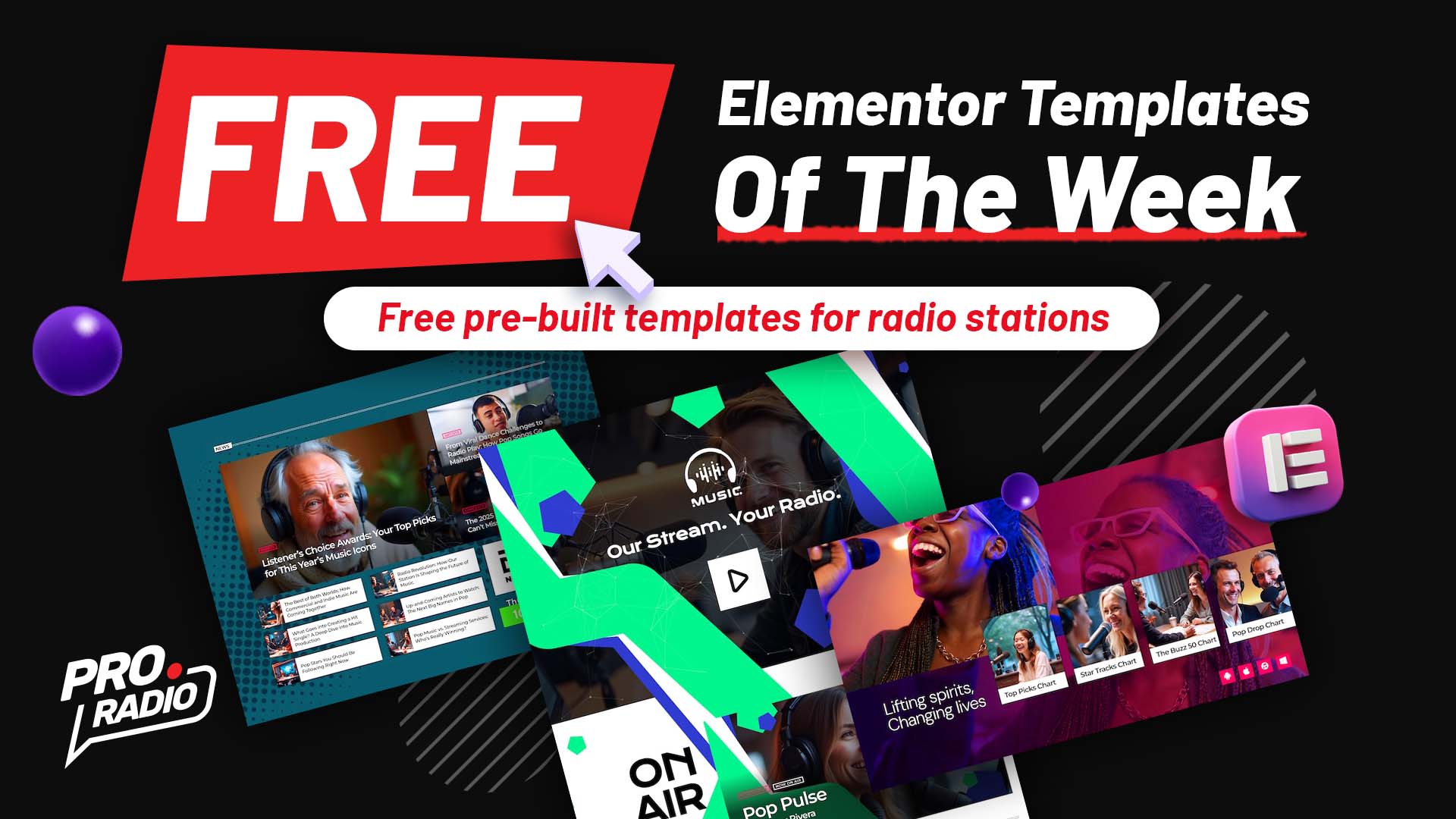
Available this week only! Download three brand-new free Elementor templates from the Pro Radio library and give your station a bold new look. Once imported, you can keep and use them forever — no Pro Radio Plus subscription required.
Bring Style and Functionality to Your Radio Site
This week’s free designs include a news section, a hero header with player, and a colorful splash page — three dynamic layouts crafted for professional broadcasters, podcasters, and internet radio creators who want to keep their audience engaged and their website looking sharp.
What’s New This Week
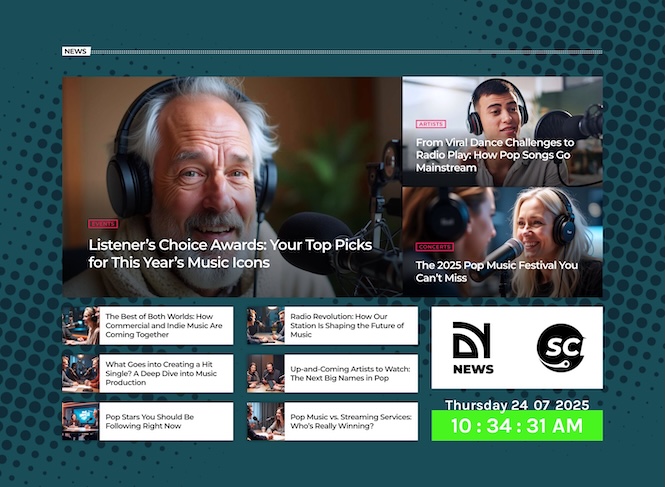
Demo 40 blog news section 01 clock: Posts, Sponsors & Clock
This news section is perfect for keeping your audience informed and entertained. It features a post mosaic for highlights, a post inline area for recent updates, a dedicated sponsors space for your partners, and a built-in clock widget to keep visitors connected in real time. A clean and dynamic way to present your radio news, interviews, and on-air updates.
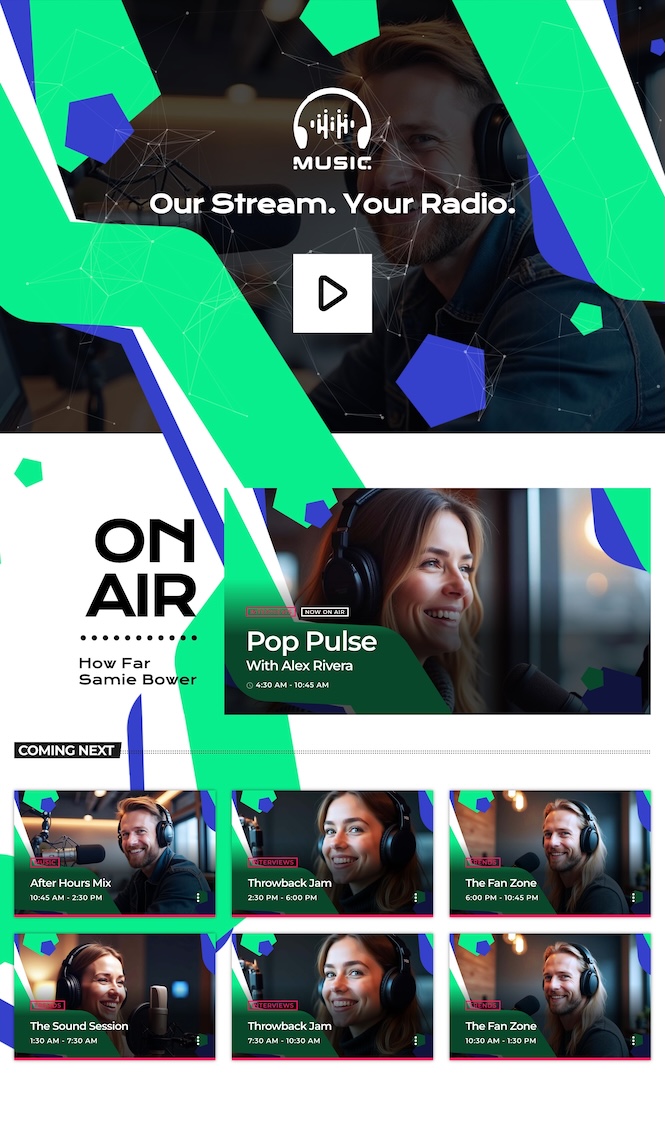
Special10 header section 01 shows: Logo, Slogan & Central Player
Make a powerful first impression with this new stunning header. At the top, your station logo and slogan set the tone, followed by a large central audio player for immediate engagement. Below, you’ll find the show on air and coming next blocks, helping visitors tune in and see your schedule at a glance. It’s the ideal homepage header for both FM and internet radio stations.
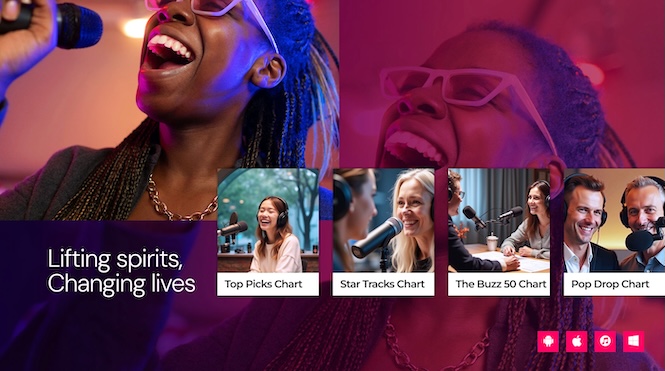
Demo 30 Splash Page: Charts & Streaming Apps
This colorful splash page brings your brand to life with a vivid and energetic design. Showcase your top charts, link your streaming apps, and guide listeners to your broadcasts or music platforms. It’s a fun, modern layout that works perfectly as a landing page or temporary homepage for special promotions or events.
How to Add These Templates to Your Site
You can import all three templates for free this week through the Pro Radio Elementor Library. They’re installed seamlessly on top of your existing design — no content will be replaced.
- Open the Elementor editor in your WordPress dashboard.
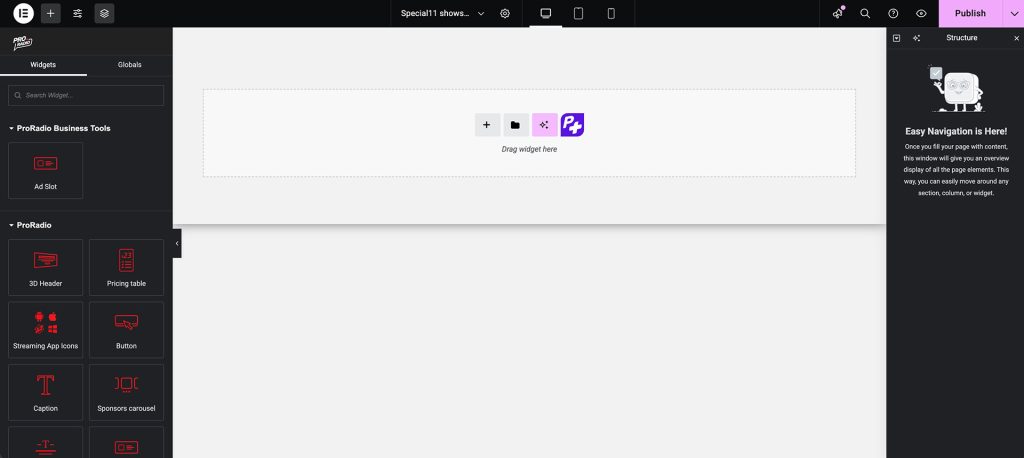
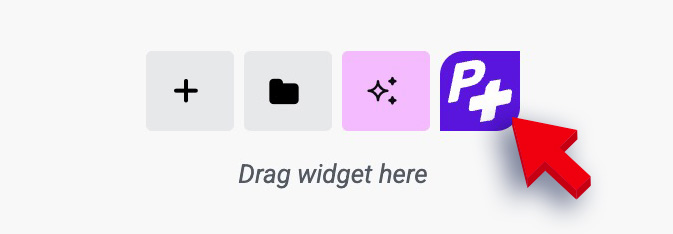
- Click the purple P+ button to access the Pro Radio templates library.
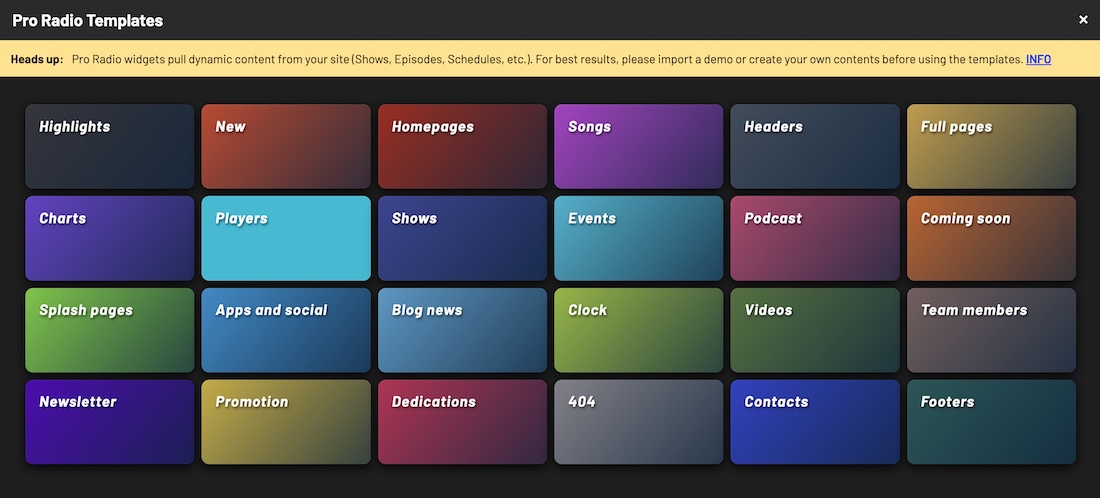
- Search for this week’s releases: Demo40 blog news section 01 clock (in Blog News), Special10 header section 01 shows (in Headers), and Demo30 splashpage 03 (in Splash pages).
- Insert them into your site and customize colors, titles, and links to fit your radio brand.
Why You’ll Love These Templates
- News section organizes content and sponsors in a professional, media-style layout.
- Header gives your homepage a striking identity and lets listeners play your station instantly.
- Splash page connects your audience with your charts and streaming platforms in one vibrant view.
Free for a Limited Time Only
These three exclusive radio website templates are free to download and use this week only! Give your station a sleek upgrade with Pro Radio — the most powerful radio WordPress theme for broadcasting, podcasting, and webradio websites.
Stay tuned for next week’s new designs! Subscribe to our newsletter to get the latest free templates, tutorials, and Pro Radio updates straight to your inbox.
Quick Setup Tutorial
With the Pro Radio Elementor Library, creating or updating sections on your radio website takes just a few minutes.
Import, adjust, and publish — the fastest way to design a professional, engaging station website.

You may also like




Copyright 2019-2026 ProRadio® Qantum Themes SL® ESB02979078 All Rights Reserved