




Voice messages from your radio website: approve and air them in one click, even from email

AD
Since the launch of Pro Radio, Voiceline has been one of the most popular plugins in the ecosystem, and our customers have shared many excellent ideas for how to make it even more useful.
Today, we are releasing a new Voiceline update with a powerful feature designed to save your station hundreds of hours every year and make daily radio management faster, smoother, and more efficient.
Contents
hide
- 1. The real advantage: less time wasted managing messages
- 2. Why this is better than scattered systems like WhatsApp
- 3. Compatible streaming panels
- 4. Approve from anywhere, even when you are away from your desk
- 5. What happens after approval
- 6. More speed, less friction, more free mental space
- 7. Voiceline helps make radio feel human again
- 8. Website use and on-air use
- 9. Why Premium makes the difference
- 10. Included with Pro Radio, expanded with Premium
- 11. Final thought
The real advantage: less time wasted managing messages
Radio stations receive listener messages at all times, not only when someone is sitting calmly in front of the computer. A dedication can arrive while you are out, in the studio, in the car, during a break, or between other tasks that matter more.
That is exactly where this Voiceline update makes a real difference.
With the improved email approval flow, you receive the email notification, open it from your phone, listen to the message, and approve it in one click. Then the system can continue the job automatically with MP3 conversion and FTP upload.
This means less time wasted on repetitive admin work and more time available for the things that actually matter: programming, speaking on air, managing the station, creating content, and growing your audience.
Why this is better than scattered systems like WhatsApp
Many stations end up receiving dedications and voice messages through random channels like WhatsApp. It may seem convenient at first, but in reality it quickly becomes messy.
Messages get mixed with private chats, team conversations, photos, notes, and unrelated notifications. They are harder to organize, harder to approve properly, and harder to move into a real radio workflow. You risk losing time, losing control, and missing good content.
Voiceline is different because it was built specifically for radio stations.
Instead of hunting for messages inside a generic chat app, you receive a structured notification, you listen, you approve, and the message can move forward in the proper publishing pipeline. Everything feels more professional, more organized, and much faster.
Compatible streaming panels
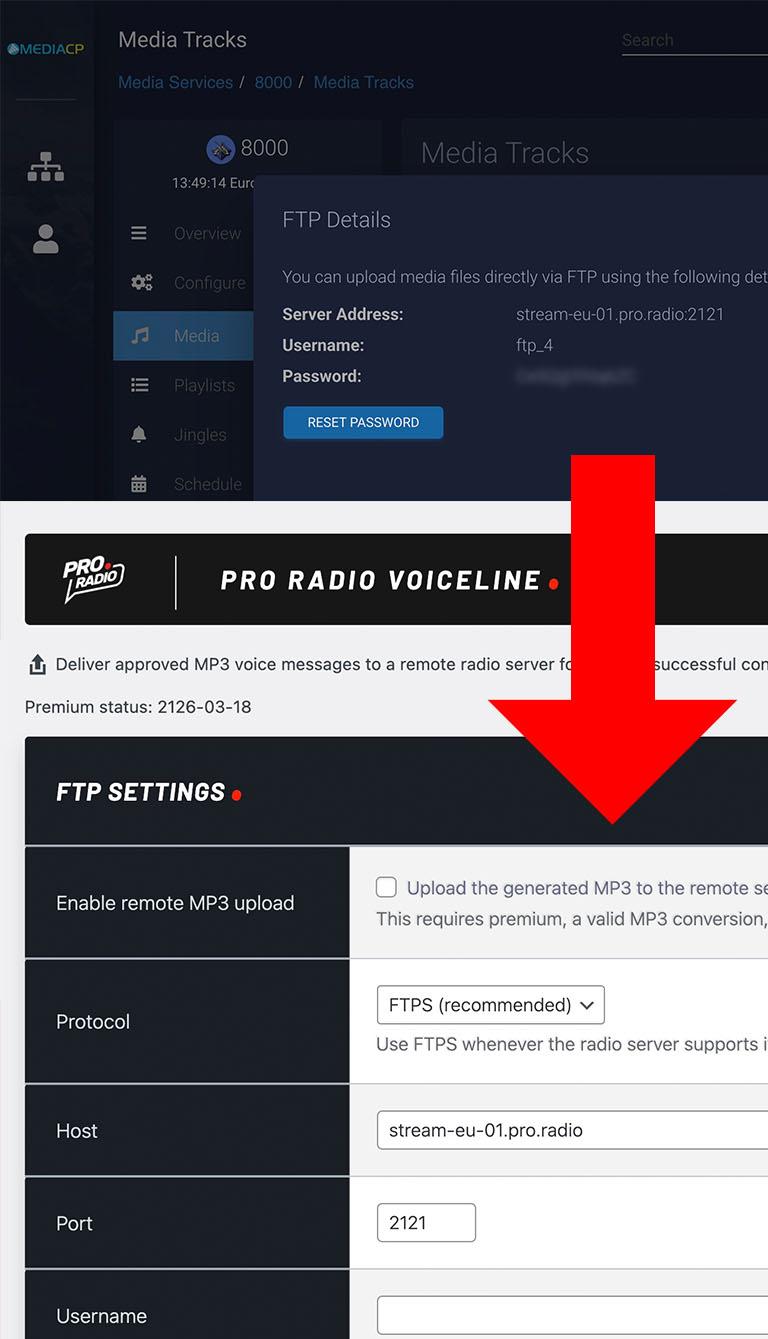
This workflow is especially useful for radio stations using streaming panels that support remote media upload for AutoDJ libraries.
Voiceline Premium can work with platforms exposing remote upload access through FTP or SFTP. Compatible examples include SonicPanel, MediaCP, and Centova Cast for FTP-based workflows, and platforms such as AzuraCast where SFTP access is available and correctly configured.
This gives radio stations much more flexibility, allowing approved voice messages to be converted to MP3 and pushed to the remote media library automatically, ready for easier broadcasting workflows.
Approve from anywhere, even when you are away from your desk
One of the strongest improvements in this update is freedom.
You do not need to be in the backend. You do not need to wait until you return to your office. You do not need to postpone the approval until later and risk forgetting it.
Now, wherever you are, you can get the email, open it on your phone, listen to the listener message, and approve it immediately.
For a busy station manager, this is not just a technical detail. It is a practical time-saving feature that makes the station more responsive and easier to manage during real life.
What happens after approval
The new Voiceline is much more powerful than before.
When a message is approved through the email link, Voiceline Premium can now trigger the full path automatically:
- Approve the message
- Convert it to MP3
- Upload it by FTP
So the approval email is no longer just a moderation shortcut. It becomes the starting point of a smarter workflow.
If the MP3 already exists, the system can still try the FTP upload. If conversion or FTP upload fails for any reason, the message remains approved, so nothing is lost and you can retry later from the admin area.
That is the right behavior for a radio station, because a temporary technical issue should not block the editorial decision.
More speed, less friction, more free mental space
This is the real point of the update.
When the software removes small repetitive steps, you recover mental space. You stop wasting attention on little operational actions and keep it for the important work.
That is especially valuable in radio, where the day is already full of interruptions, urgent tasks, live timing, content planning, social media, sponsors, music scheduling, presenters, and technical checks.
If a listener sends a message and you can handle it in seconds from an email, even while away from the computer, that is real saved time. And saved time means more freedom.
Voiceline helps make radio feel human again
One of the most beautiful aspects of ProRadio® Voiceline is that it puts the listener back at the center of the scene.
A voice message is more personal than a text message. It carries emotion, spontaneity, accent, energy, personality. It makes the radio feel closer, warmer, and more alive.
That is why we consider Voiceline one of the most valuable tools published in the Pro Radio ecosystem. It helps transform the station website from a simple online presence into a real participation tool.
And now, with a faster and more complete email approval flow, that participation becomes easier to manage in everyday life.
Website use and on-air use
Voiceline is useful in two directions.
It helps you collect listener messages that can be prepared for broadcasting, and it also allows you to publish approved messages on your website when they are converted to MP3.
Using the dedicated playlist widget, your station can showcase recent approved voice messages directly on the page. Visitors can press play and listen right away.
This makes the website feel more active, more community-driven, and more connected to the real voice of the audience.
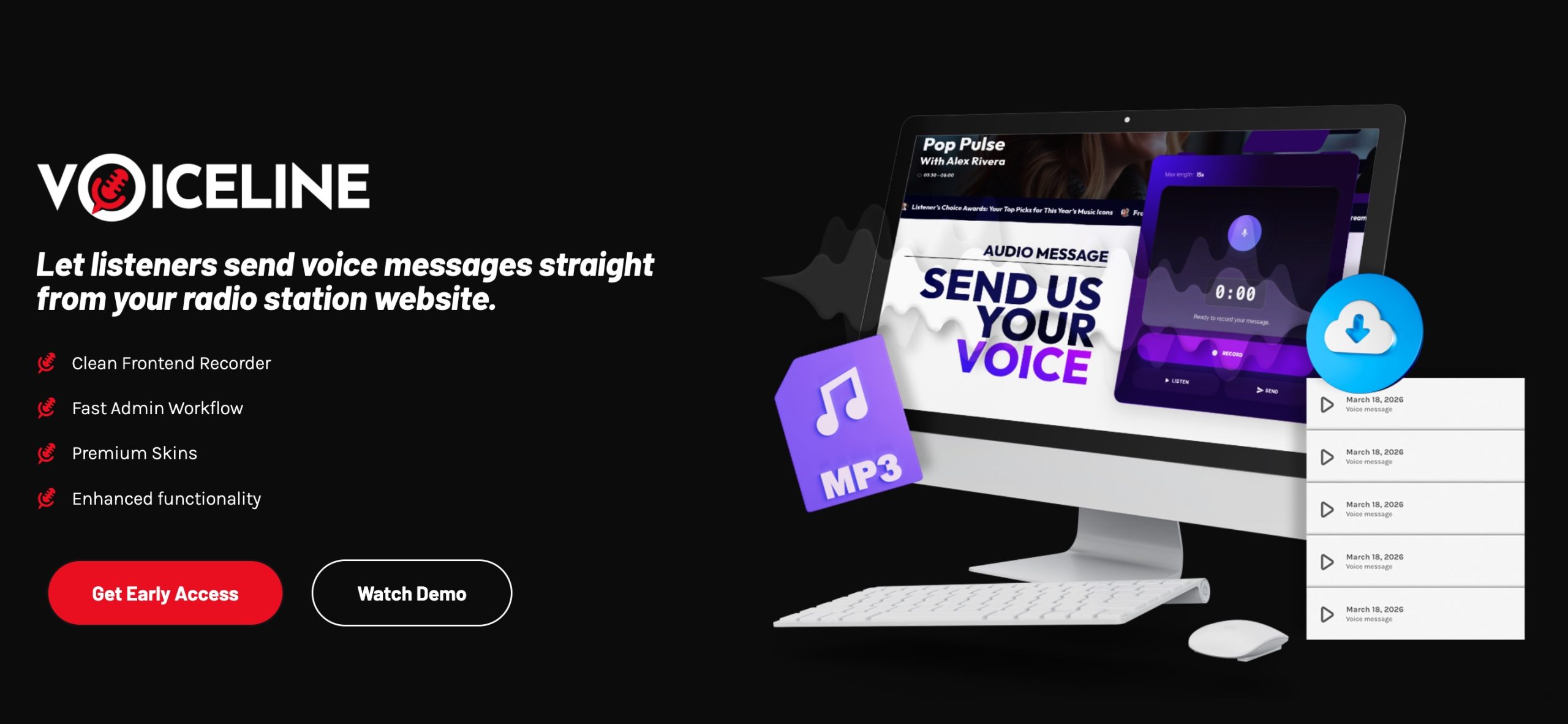
The free version is already a great starting point because it allows any Pro Radio customer to begin collecting voice messages. You can receive voice messages, download them and convert them on your computer, to air the messages manually from your streaming platform.
But Voiceline Premium is where the workflow becomes much more practical for daily station management.
Premium includes:
- One-click MP3 conversion
- Optional FTP upload
- Admin email notifications
- User email notifications
- Additional form fields
- Up to 2-minute recordings
- Higher daily limits
- Playlist and widget support based on MP3 files
In simple words, the free version lets you start. Premium helps you use it in a faster, more serious, and more radio-oriented way.
ProRadio® Voiceline is included for free with any Pro Radio WP license.
For stations that want the advanced workflow, Voiceline Premium is available separately, and it is also included in ProRadio® Plus.
So if you already use ProRadio® Plus, or if you plan to upgrade, you can unlock the most powerful Voiceline features inside the same ecosystem.
Final thought
This update is important because it improves one of the moments where radio managers really feel the difference: handling listener messages quickly, without interrupting the whole day.
You receive the email. You listen. You approve. The system continues the rest.
No messy WhatsApp threads. No wasted time going back and forth. No need to wait until you are back at the computer.
Just a faster, cleaner, more useful workflow that gives you more free time to dedicate to the relevant stuff, while making your radio station feel more alive and more connected to its audience.
AD

You may also like




Copyright 2019-2026 ProRadio® Qantum Themes SL® All Rights Reserved