




Pro Radio 10 – A New Era For Your Radio Station
AD
Dear radio lovers, welcome to possibly the biggest update since the launch of Pro Radio.
We are at version 10 of the most popular radio station WordPress Theme, already so complete and mature that it’s become a true radio station website builder, where WordPress is just a brick of the foundation in this big ecosystem of radio station tools.
This update is really huge, interesting and truly relevant for the future of your radio station.
This is not just a way to hook readers to the post, I mean it. The quality of the update, and the innovations brought to the table, are so huge that you’ll feel the impact of the upgrade on the real-life results of your radio station. We’re talking about a deep software redesign reducing loading times by 50%, design innovations that will hook your visitors to the pages, and an improved interface that can simplify your work by A LOT.
There are 9 major improvements in this version: a new admin interface, a new demo installer, a new AI assistant, new Customizer design effects and animations, new Elementor background animations, new Elementor animations for logos, new templates for Elementor, a new caching system that will halve the CPU usage of your website, and a couple more tweaks worth mentioning.
Pro Radio 10 is a leap into the future, and sets the foundation for even bigger innovations that are planned, and yet to come.
Before going further, a quick note for all users: Pro Radio Ajax Page Load is now part of the theme. Upgrading will disable the old plugin. You can delete the old Pro Radio Ajax Page Load plugin.
That said, let’s start!
New customizer animations
No videos, no images, no extra weight: you can now add incredible animated backgrounds to your entire website with a click. The effects are responsive, lightweight and totally customizable. Under the Customizer you’ll find a new section named Animated Background.
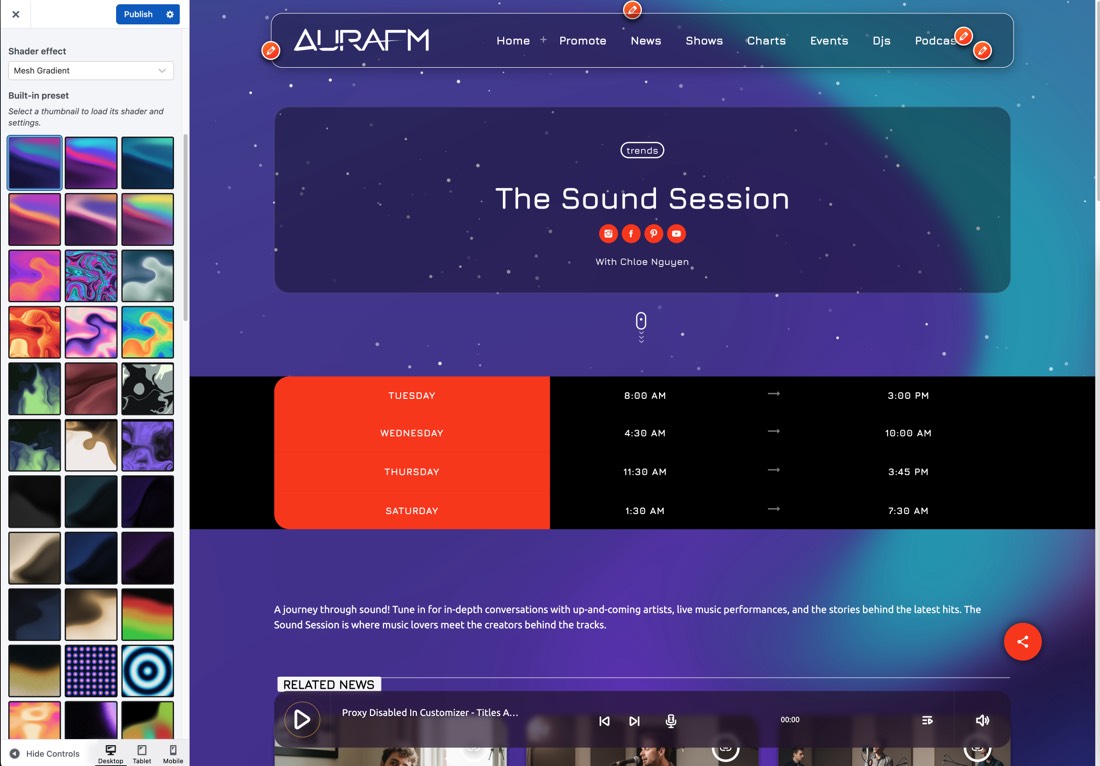
How to use the new Pro Radio animated backgrounds
- Go to Appearance > Customize
- Click Animated Backgrounds
- Enable Paper Shaders
- Optionally enable “Make backgrounds transparent” if you want to hide color backgrounds
- Choose the effects you like, and have fun tweaking them
But that’s not all! You don’t need to invent effects from scratch, it comes with over 30 cool presets to choose from. And each preset can be customized with over 20 parameters like colors, speed, shape, textures and more.
Instantly add a wow effect to your website, without adding extra weight or loading time!
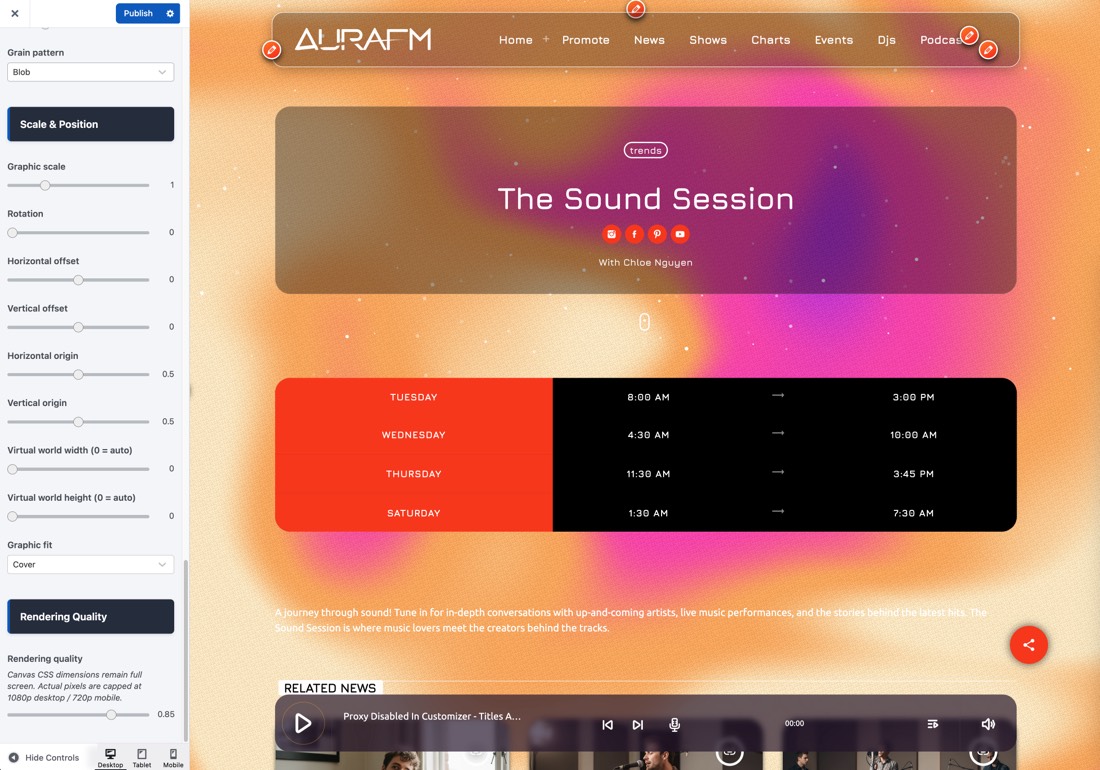
New Elementor animated backgrounds
The same background animations are also available in Elementor: add a cool animated background to any container of your choice, making sure to turn your radio website into an entertaining, fun and attractive music hub.
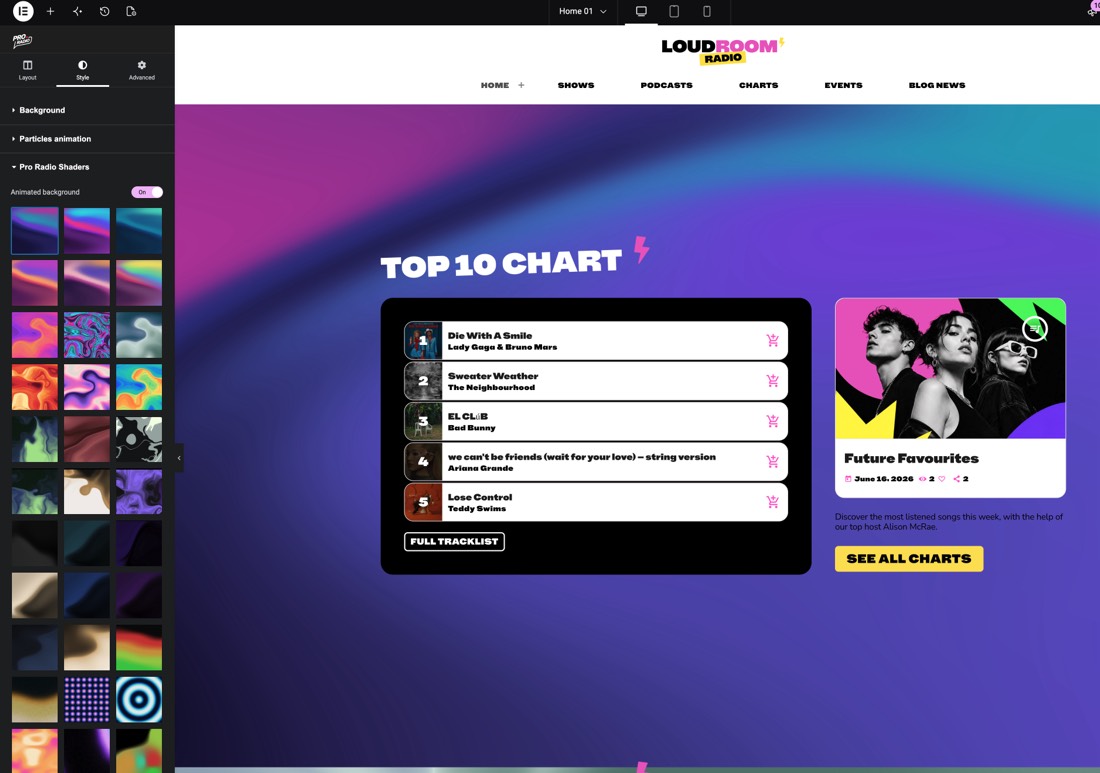
How to use the animated backgrounds in Elementor:
- Edit a page with Elementor
- Select a container
- Click the Style tab and enable Pro Radio Shaders
- Pick a preset and make it yours by clicking Customize Preset
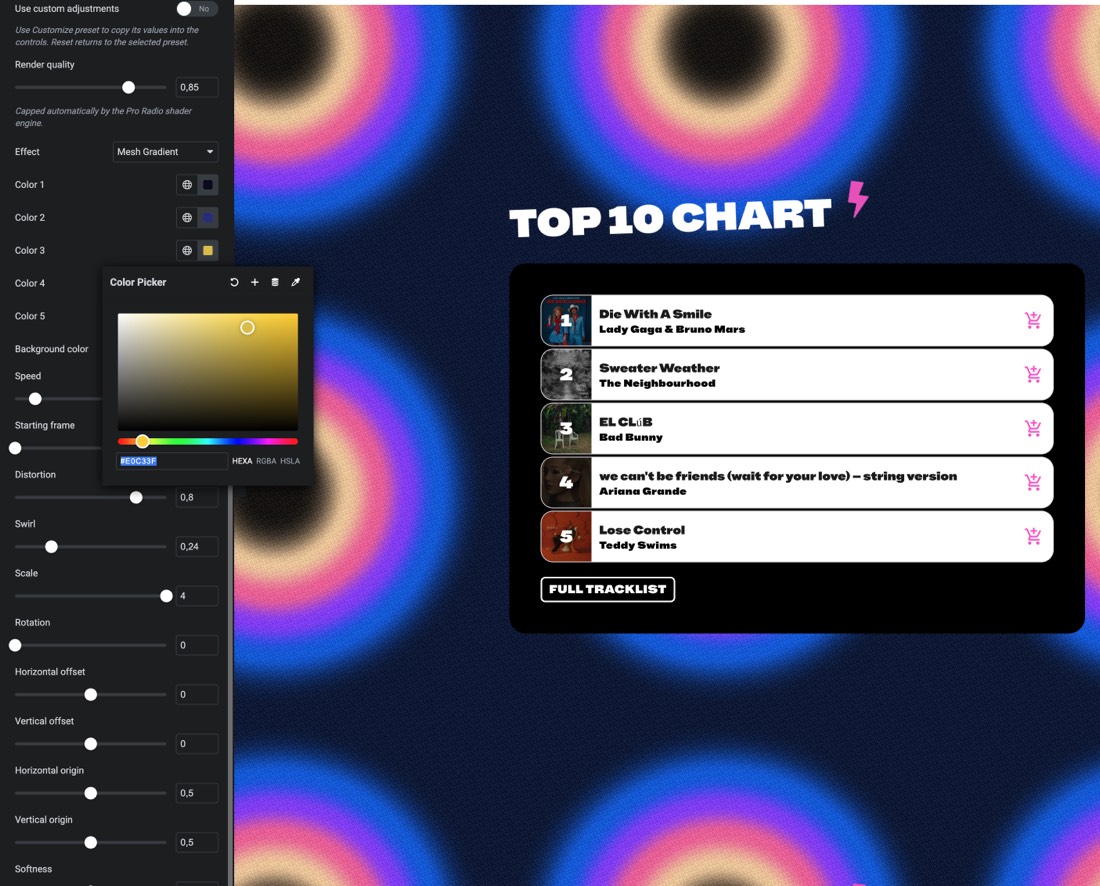
And yes, in this example we posted some pretty psychedelic examples, but you don’t need to turn your site onto an Austin Powers cameo, that’s just to get your attention and let you see some colorful example. We also feature many elegant, subtle and gentle animations, and you can pick similar smooth colors for a non-disturbing smooth background.
New Elementor animated logo
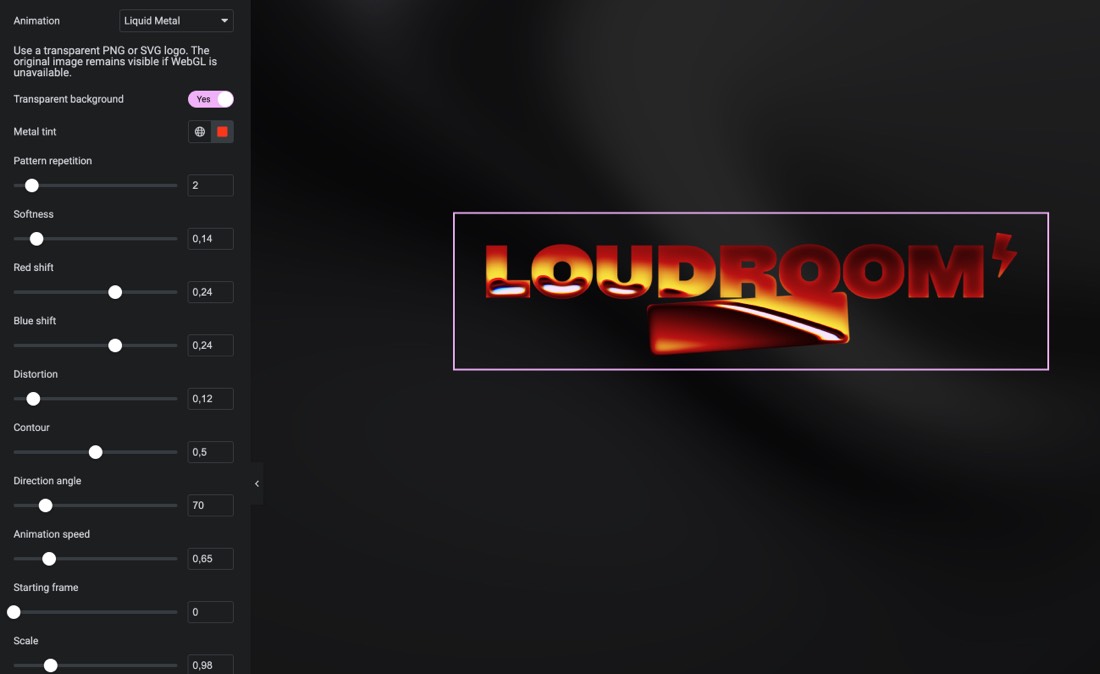
Elegant and subtle, or powerful and unmissable: you can turn your logo into the cult visual of your radio with stunning animations that can be customized with a click of the mouse. Any color, lots of effects. Zero programming or videos. And most importantly, no impact on your performance.
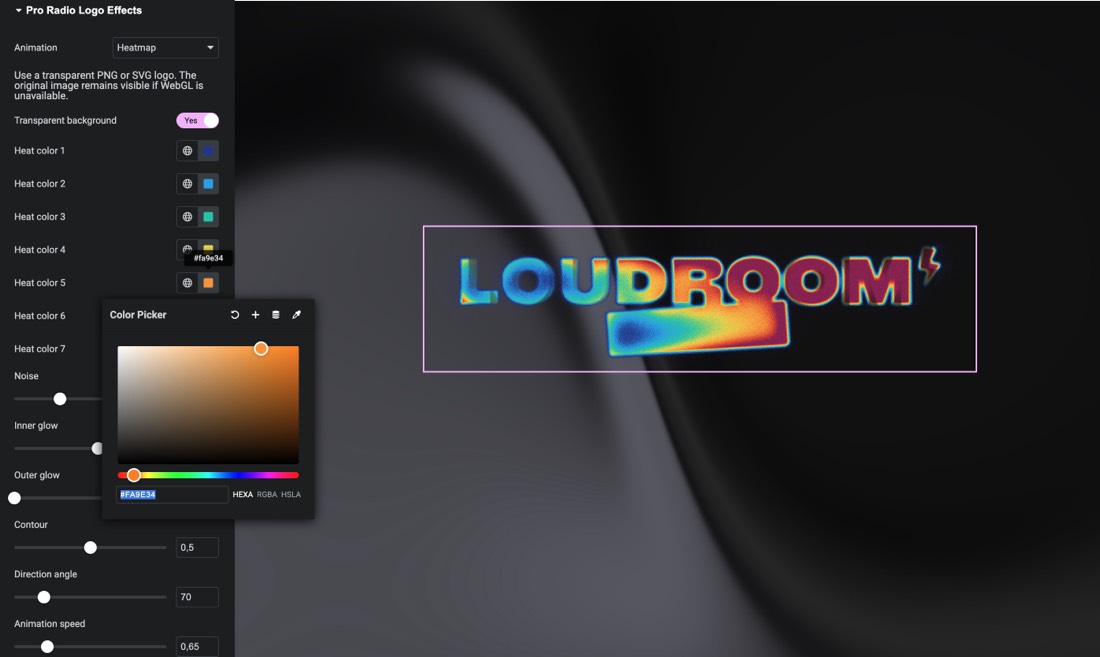
There was a time when, to show a cool logo animation, radios had to make a 3D model, render the object and make an animation in After Effects. Total cost: over a thousand bucks. Now, giving an instant premium feeling to your pages requires only a Pro Radio website, and a touch of your creativity.
New performance options
This chapter is huge, and it will soon receive the attention it deserves with a dedicated article and video tutorial, but you must know that Pro Radio 10 comes with a massive, really deep reanalysis and restructuring of its core functionality concerning radio shows, song playlists, radio titles and Ajax page load.
The problem: some of our customers, also hosted on our servers through Pro Radio cPanel hosting, grew over the years from a few hundred visitors to some millions a month.
Pro Radio includes complex structured data, extracted in real time when a visitor opens your pages, such as weekly schedules, upcoming radio shows, live song playlists, and similar live data that can change minute by minute.
If your visits are low, this has zero impact on the website.
But as your business grows, repeated calls to heavy queries have a real impact on your server performance.
This problem didn’t have any easy solution, so Pro Radio went through a massive re-engineering and core rewriting. This translated into a powerful, shared micro-caching system.
Complex queries to the database have been translated into small, secure and recyclable tiny files, and now, a hundred visitors asking for the same schedule or playlist generate only 1 database query, instead of hundreds.
We tested the impact of the new system on our servers for a month, and resource usage proved us right, with CPU and memory consumption lowered by about 50%.
Don’t worry anymore about sudden traffic peaks, and don’t worry anymore about performance degradation when you have an important guest, DJ or interview on your radio website: this new caching system is built to make your site resilient and lightweight.
The Ajax system was optimized with a click-prediction system that preloads a page on mouse hover over any link.
And all of this doesn’t require ANY programming, any API key, any subscription, or any complex setup.
We made the new performance system available to everybody, without any extra cost, with a simple click of a button. From your left menu under Pro Radio Admin, access Ajax and Performance, and enable the Performance option. The system activates all caching layers for you.
And in case of any problem, the system will notify you about the issue and autonomously disable the features you can’t use.
For advanced users, there is also a granular options panel, which grants access to each specific function and debug log. We know every server is different, and the new Performance panel can adapt to your website, whatever hosting or caching system you use.
A truly big innovation, that leads to real benefits, with the simple click of a button.
New demo installer
You may know Pro Radio comes with almost 60 installable demos, and all of them were available through a dedicated plugin.
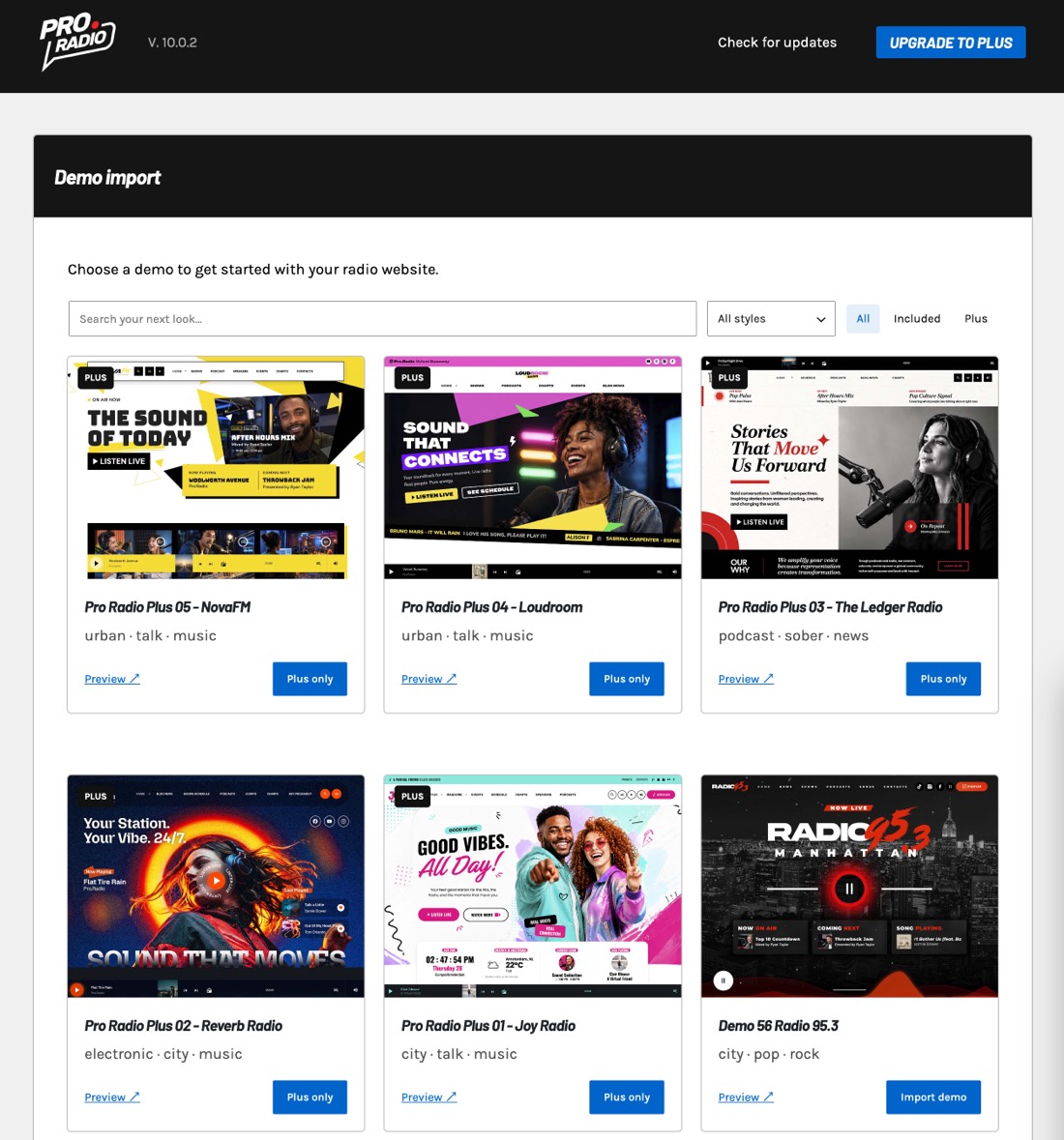
Now it was time to bring this function in-house, and the new Demo Importer is now part of the theme itself, adding 2 powerful new features to a new, simplified and reliable installation experience.
New feature number 1: Installation resume
The new installer has an internal step tracker, which means if your server times out, or you close the page by mistake, it will resume the installation where you left off. No complex procedures required, no server compatibility issues, no fear of clicking something. Faster, easier and more reliable.
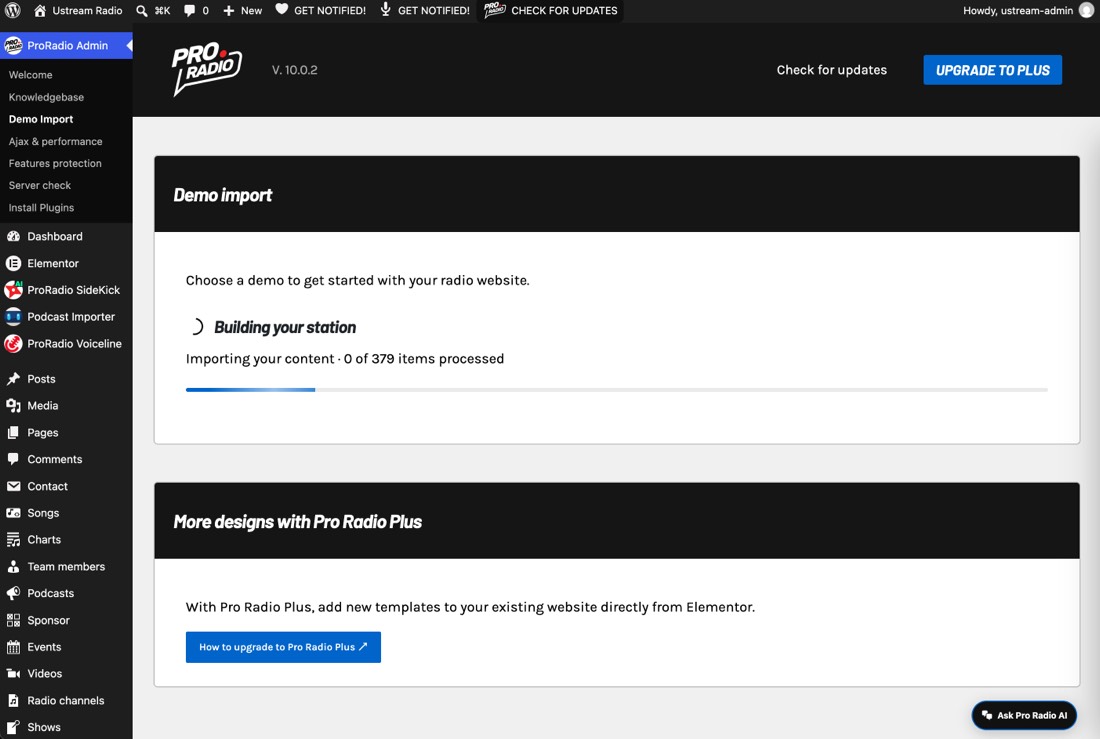
New feature number 2: Demo exchanger
If I had to choose the most popular question since Pro Radio was conceived, that’s “how to change demo on an existing site”.
Yes, with Pro Radio Plus you can import new templates in Elementor straight away, but a full, total replacement of a demo website while keeping the existing content, until now, was not something possible.
With the new installer, we’re setting the foundation for this to happen.
The new demo importer, in fact, flags and timestamps all demo content.
So, if one day you want to change demo, Pro Radio will know what to keep and what to replace, offering a true, full, site-wide website restyle, in a single click. This function is not there yet, but every demo imported with version 10 will be replaceable, without rebuilding a site from scratch or making staging versions.
New AI Support chat
No worries! Support is always there, replying as fast as possible, but what if simple questions could be answered in the blink of an eye? In the age of AI, this opportunity means saving a lot of time, and building your site much faster.
So, while our full documentation, our videos and our support are still there, you now have a reliable, custom-trained AI assistant at your disposal, right inside your WordPress dashboard!
It doesn’t know everything, only Pro Radio-related questions. So don’t try to ask our assistant the meaning of life, how to become rich overnight or how to conquer a partner, it won’t reply.
But if you need to configure your Shoutcast radio, change a schedule, or manage your radio shows, you get instant support from a live assistant built only for this.
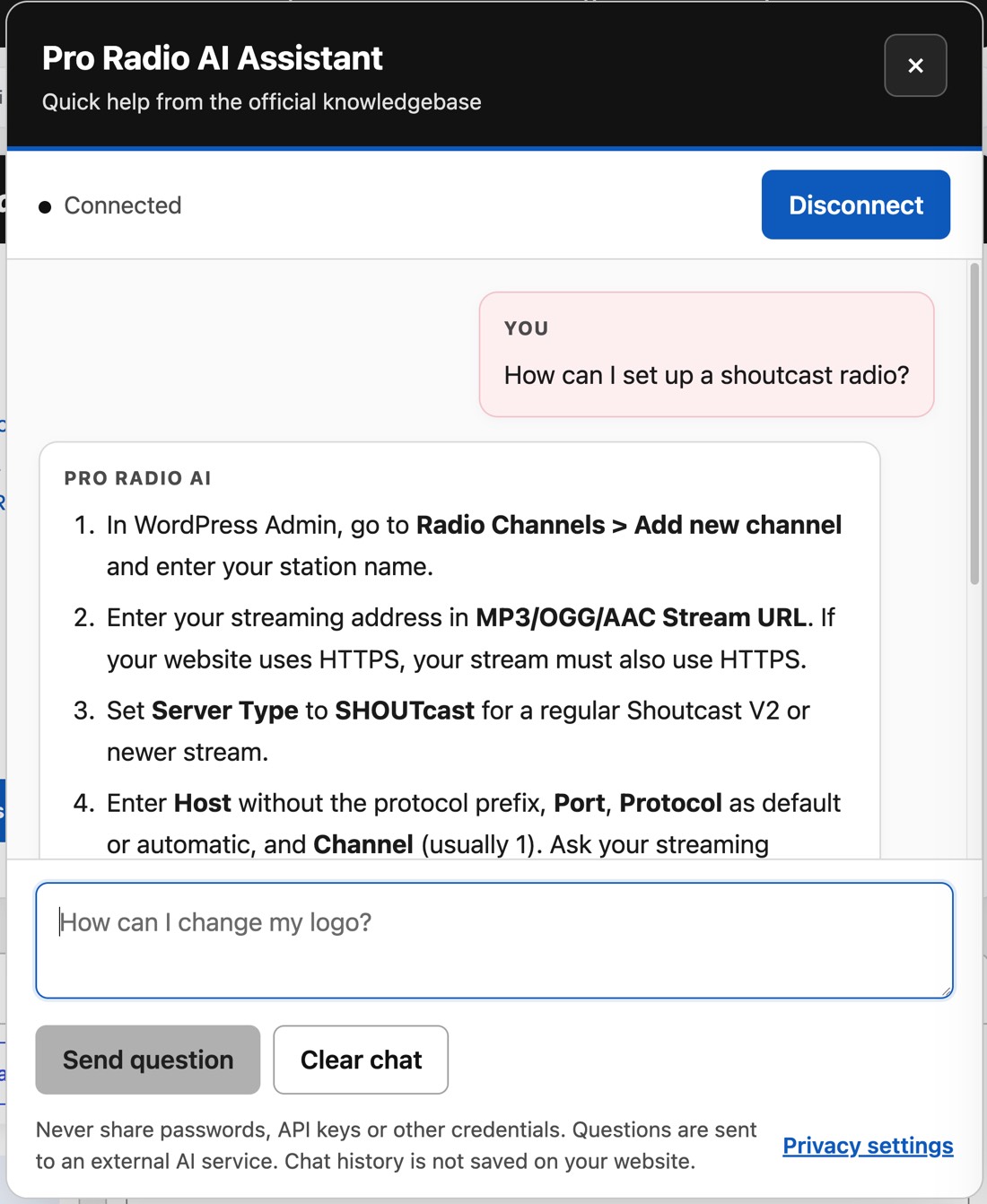
New control center
As you already saw from previous screens, we also redesigned the Pro Radio control center (or dashboard).
The WordPress dashboard now features a handy quick menu, and a toggle to hide the dashboard.
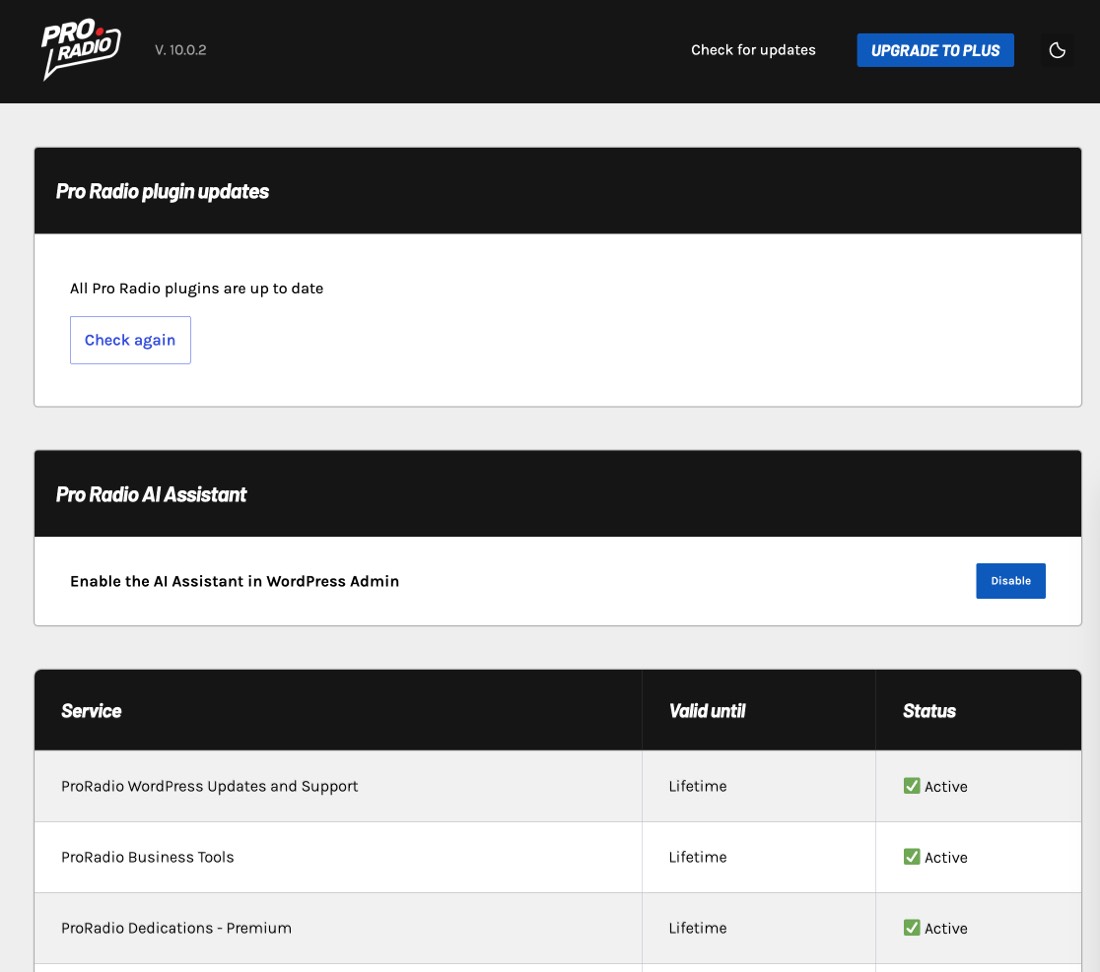
The theme activation screen is cleaner and more intuitive, offering easier troubleshooting for any activation or update issue.
All dashboard pages are more consistent and easy to use, and they feature a light and dark mode toggle right in the menu. So when you edit your radio station late at night, your eyes will thank you.
New customizer design
Tired of that old ugly WordPress Customizer interface? The over 400 options added by Pro Radio can be challenging to navigate, and it was time for a makeover.
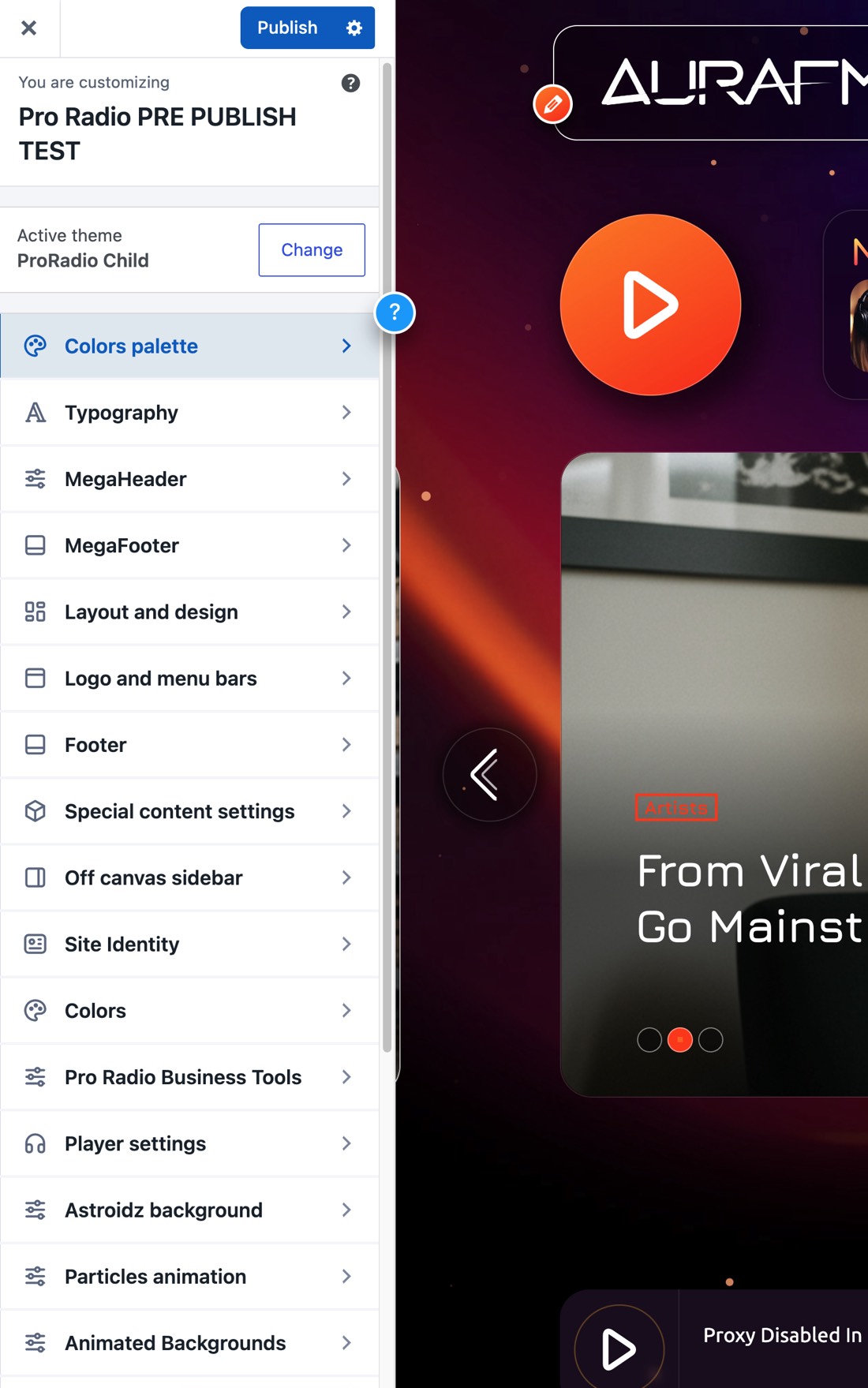
The new Customizer features icons for every section, to help you navigate your options and remember where they are.
Colors and fonts have been optimized for legibility and for modern hi-res screens, and the internal sections have been improved for easier navigation.
New custom fields design
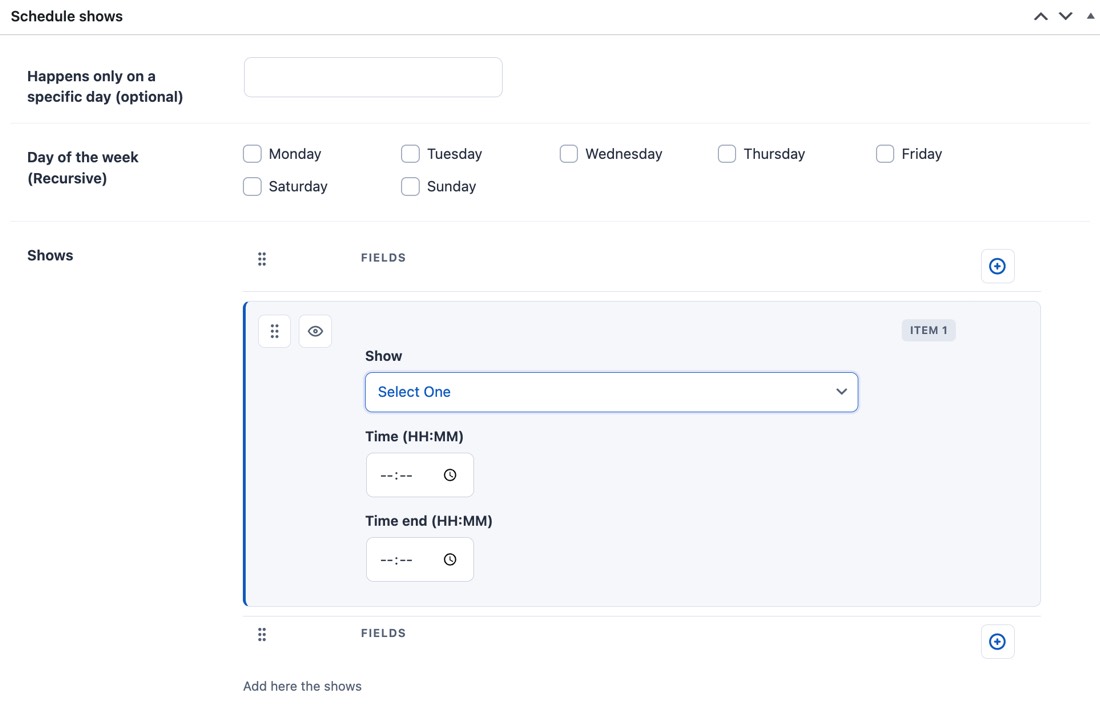
Also, our custom fields framework had a revamp: the old boxy fields are now nicer, more pleasant to see and smoother to use.
New Elementor Pro Radio Plus templates
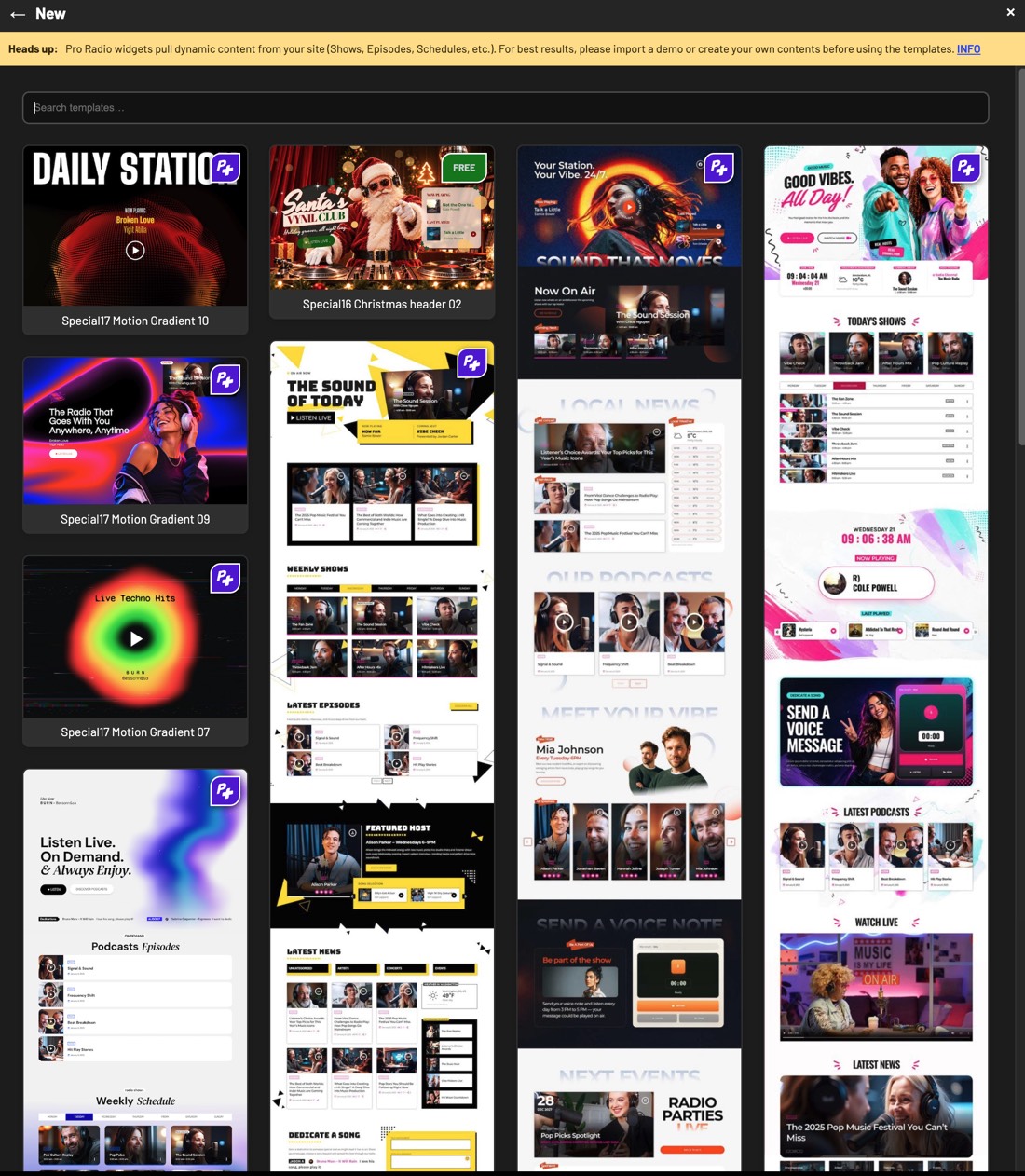
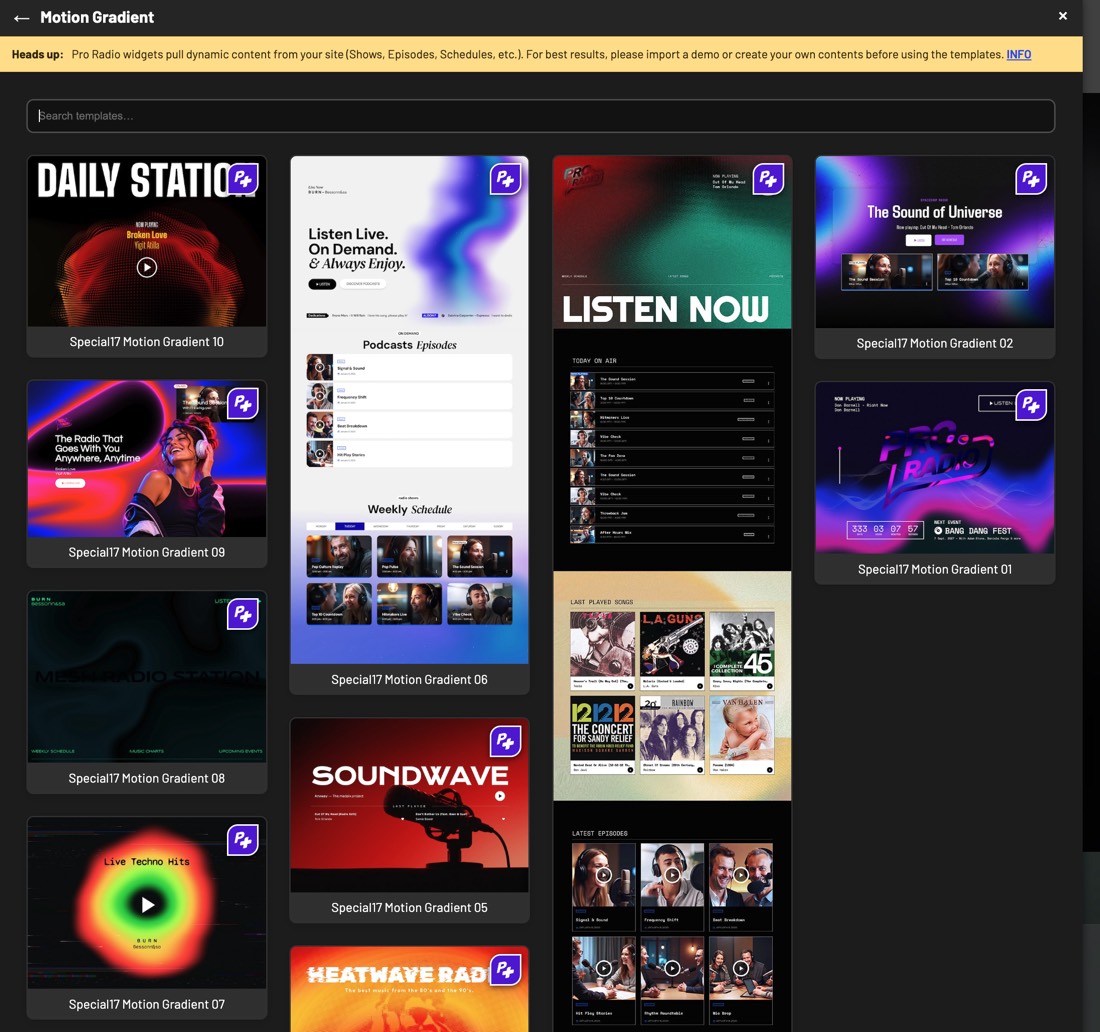
In the Elementor Pro Radio Plus importer you will find tons of new templates, with animated backgrounds and with the new demos for Pro Radio Plus. How to import them?
- Edit a page with Elementor
- Click the purple P+ icon
- Import the template of your choice, for an instant website restyle
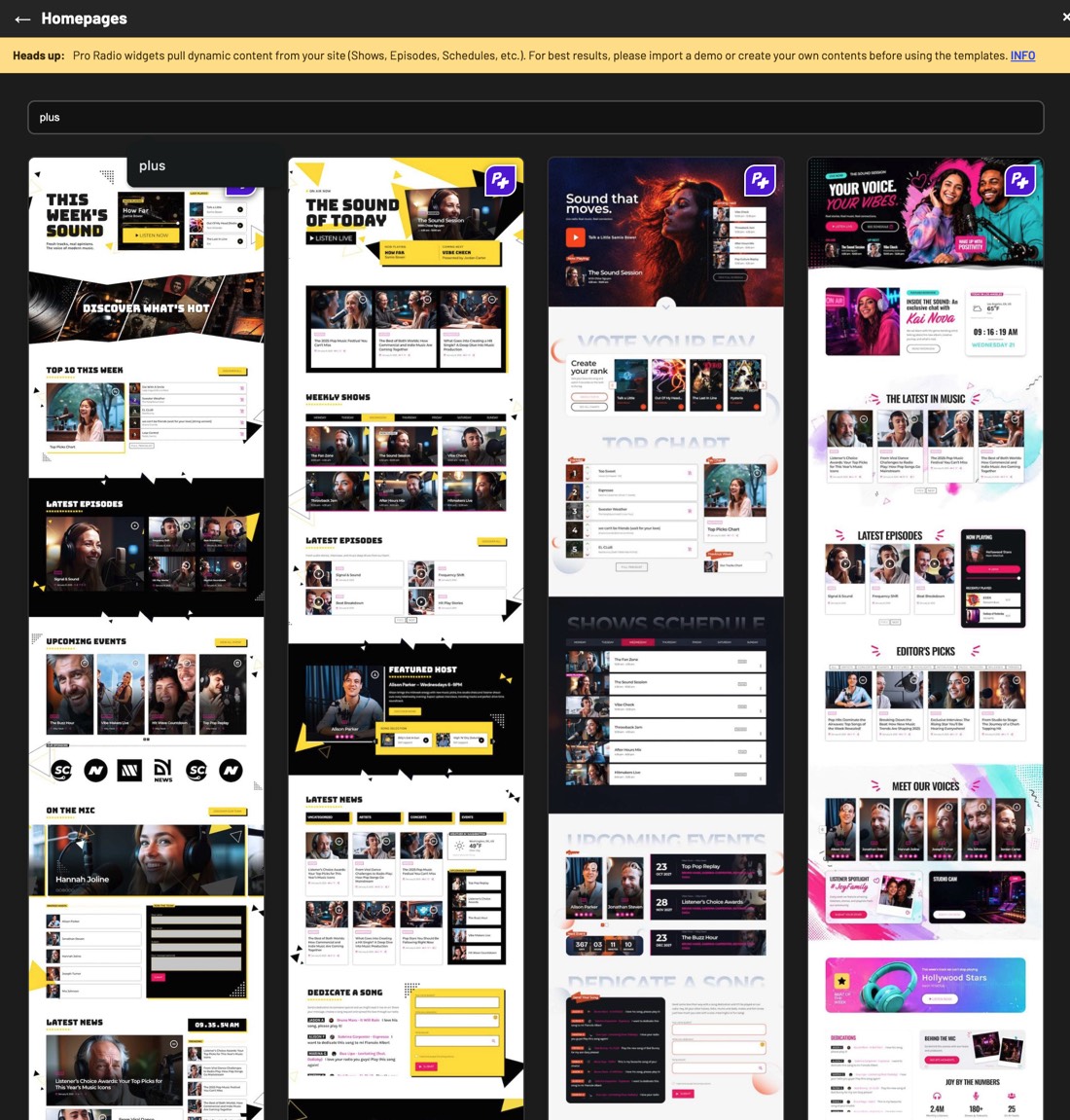
New Pro Radio Plus demos
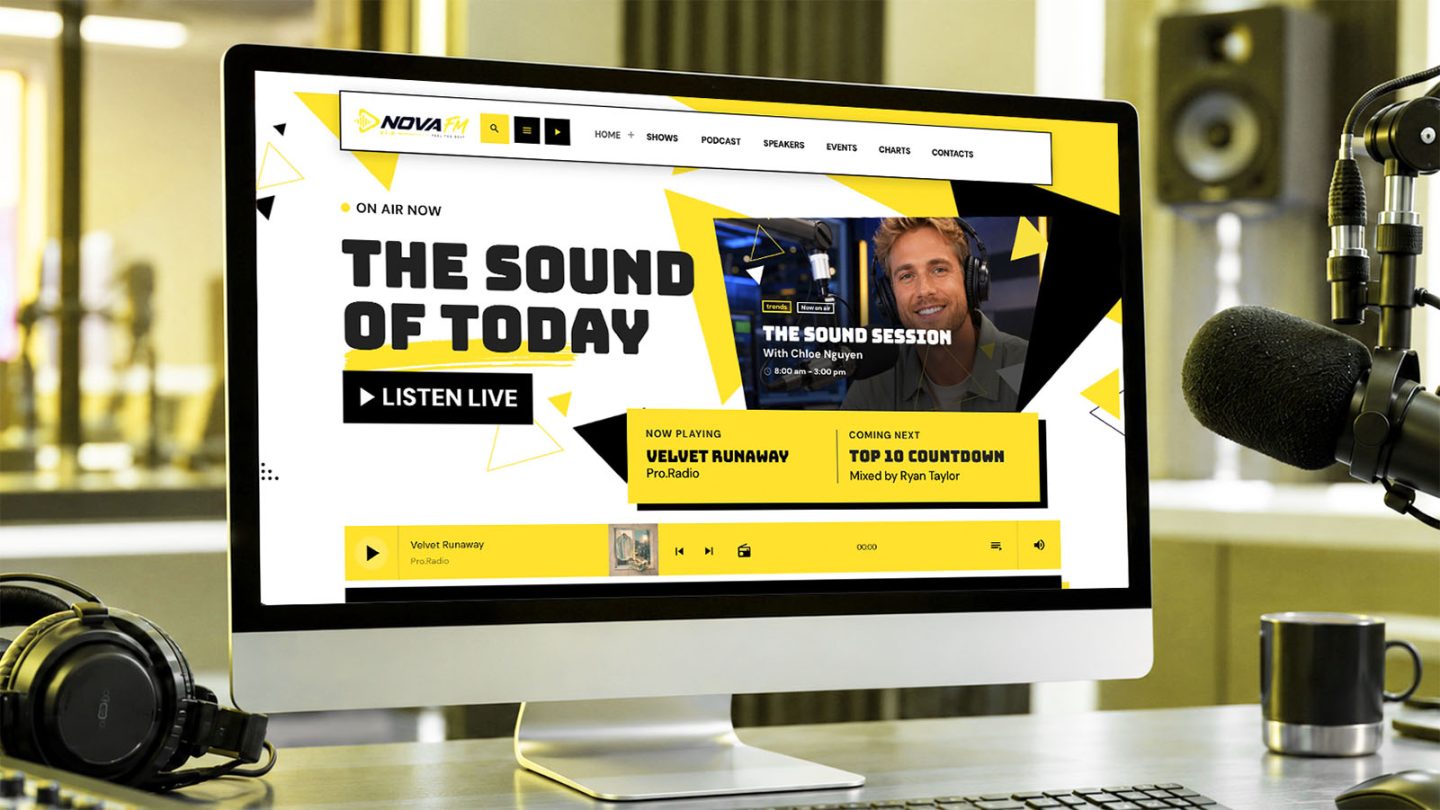
Enjoy the new Pro Radio Plus demo 5: Nova FM
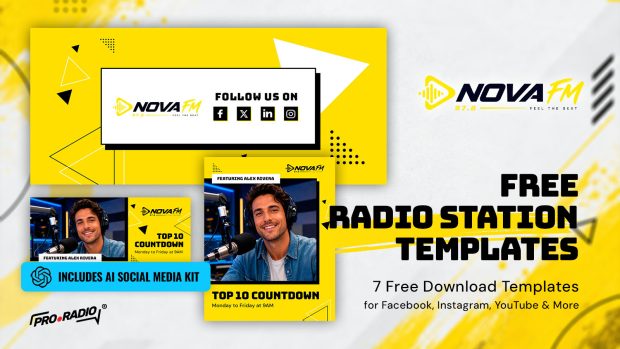
Yellow, black and white: pure energy, pure branding power, and it comes with templates for your social networks.
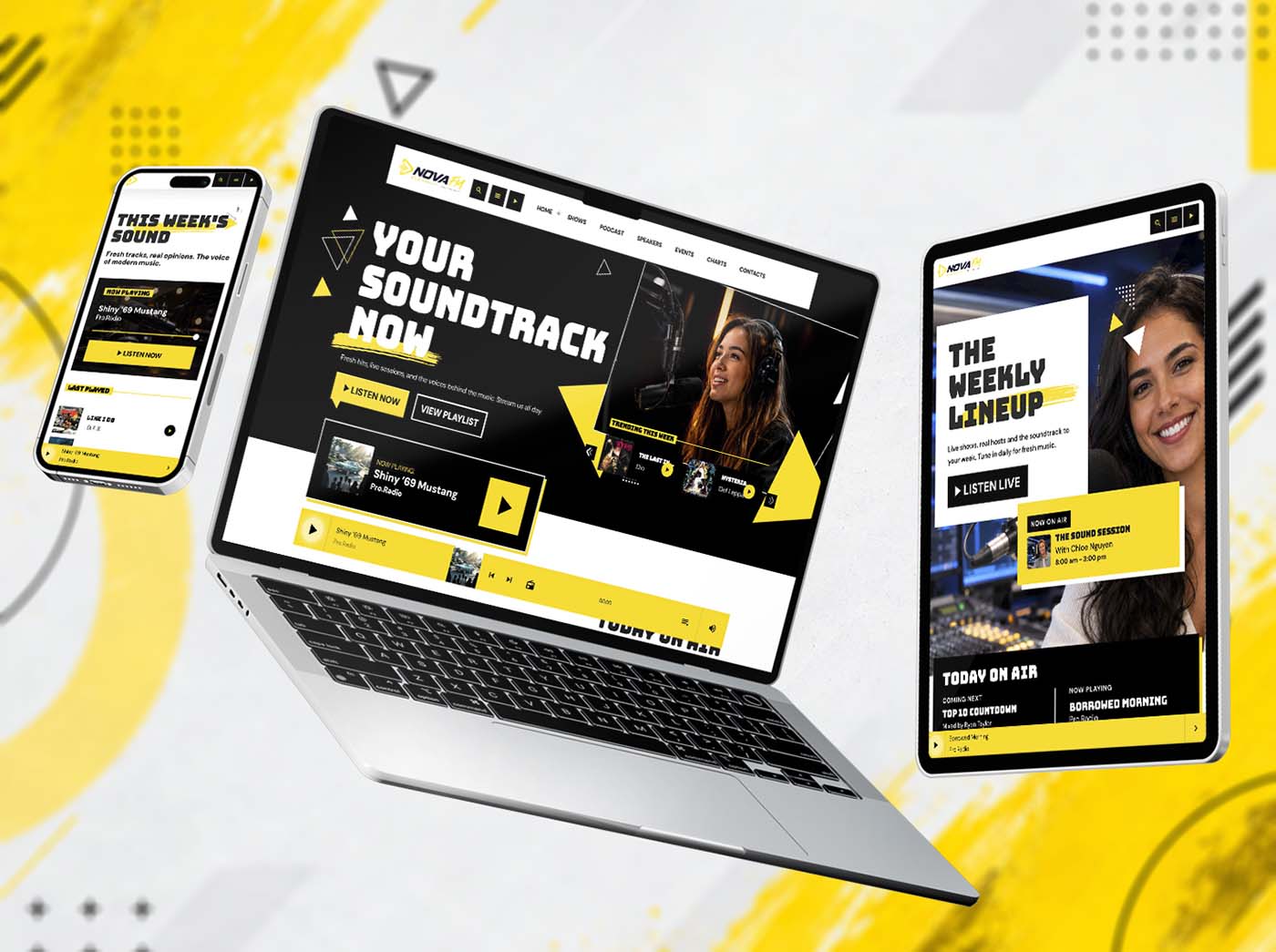
This means making a strong, powerful and present radio station in an afternoon, with plenty of homepages to choose from, and a powerful design your visitors won’t forget.
You can import the new demo from scratch or, using the Elementor P+ templates, replace your existing website pages with the new demo, in a click!
The new demo is for Pro Radio Plus only, remember you get a 100% discount to upgrade from your existing license! How to upgrade to Plus? Click here to find out!
How to update
Updating Pro Radio to the latest version is easy: from the left menu click Pro Radio Admin, and follow the instructions on screen.
Need more assistance? We have a video tutorial on this page.
Extending Updates and Support
If your support period has expired and you can’t access the new Pro Radio theme updates, just send us a message and tell us your site link or license key, and we’ll send you the instructions via email.
Upgrading Pro Radio WP to Pro Radio Plus
Pro Radio Plus is like Pro Radio WP, but on steroids. It comes with 6 Premium Plugins that are basically aimed at automating most of the radio station maintenance, such as updating charts and tracklists, writing articles with AI, importing podcasts, managing and selling ads and much more. For instance, with Plus you have Voiceline Premium included, to receive audio messages from your site and upload them automatically to your streaming server in MP3! It also comes with additional demos, and a powerful Elementor library with over 600 Elementor templates for your radio.
If you already have a license, you’re lucky as we’re giving a 100% discount for the upgrade, which means the entire price you paid for your existing license will be discounted from the Plus upgrade.
For more info, check out this link here.
That’s all folks!
Like you could truly ask for anything else… or maybe you do? Let us know! Every suggestion, request or feedback is always welcome, this is how we grow and how Pro Radio stays on top when it comes to building a radio station website.
We truly hope this update will help your radio grow stronger and better.
Hope you enjoy, and see you next month on Pro Radio!
AD

You may also like
Copyright 2019-2026 ProRadio® Qantum Themes SL® ESB02979078 All Rights Reserved