




How to Quickly Fix Plugin Conflicts on Your Radio Website (In About 5 Minutes)
Why this happens (and why it’s common on radio websites)
Radio station websites are naturally complex: you’re not just publishing posts, you’re running a full media platform with a music player, schedule, podcasts, DJ profiles, advanced Elementor widgets, design effects, and a lot more. Pro Radio puts all these pieces together so they work smoothly as one system, but we also understand that sometimes you’ll still need extra third-party plugins for specific needs, like weather widgets, content importers, special forms, membership tools, and so on.
Here’s the catch: while Pro Radio components are designed to work perfectly together, some third-party plugins don’t follow WordPress best practices and can cause instability, conflicts, or weird “only sometimes” bugs.
In fact, around 99% of support requests we receive are typically related to issues caused by third-party plugins.
The fastest method: isolate the culprit
If you’re seeing errors, broken layouts, missing features, slowdowns, or random glitches, the quickest way to solve it is to isolate the plugin that’s causing the problem.
This is the exact troubleshooting flow we use for our support sessions, and it usually takes around 5 minutes.
The 5-minute plugin conflict checklist
- Disable all plugins
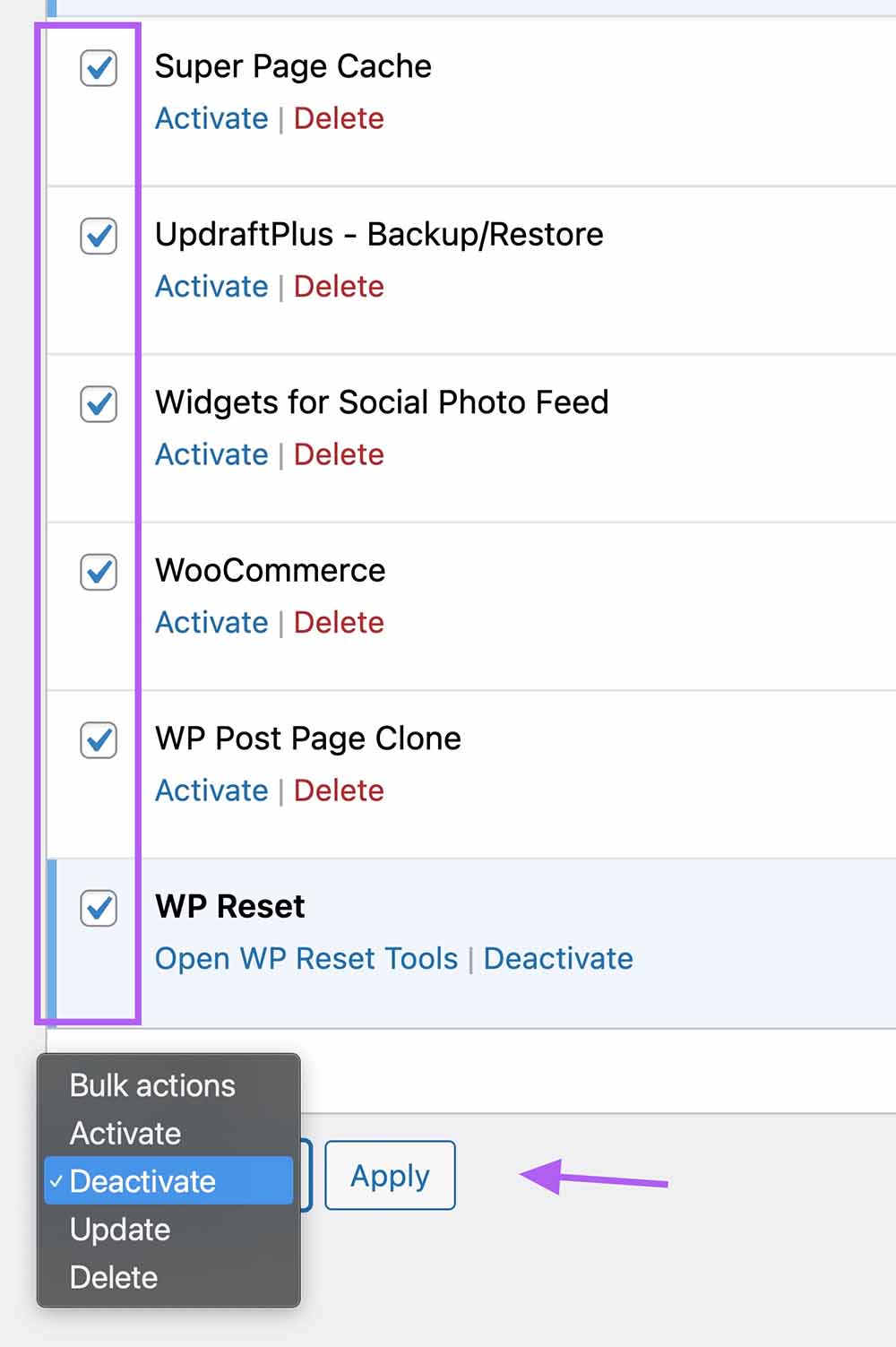
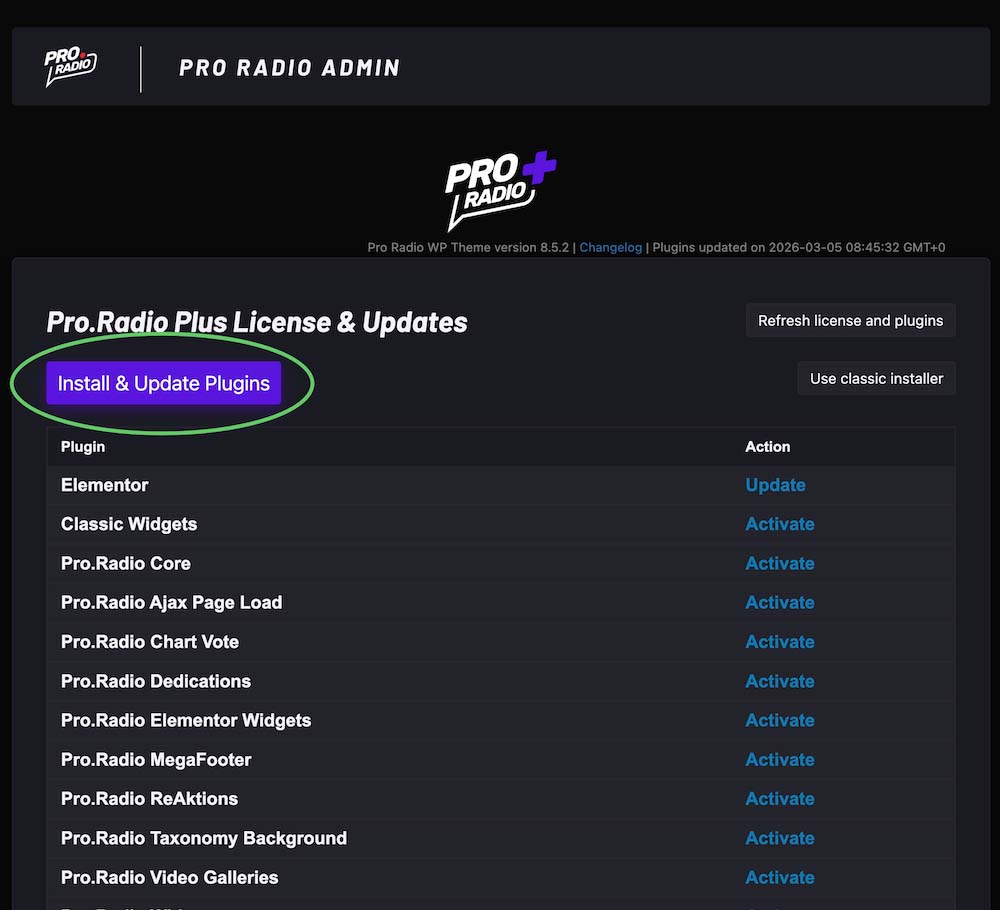
- WordPress will show a notification asking you to activate the required Pro Radio plugins > enable them all
- Test the site: is the problem still happening? If yes, get in touch with our support, we’ll take care of it.
- If the issue is fixed, start reactivating your other plugins 2–3 at a time
- Test the site a lot: some issues appear only after a while (often due to caching or delayed scripts)
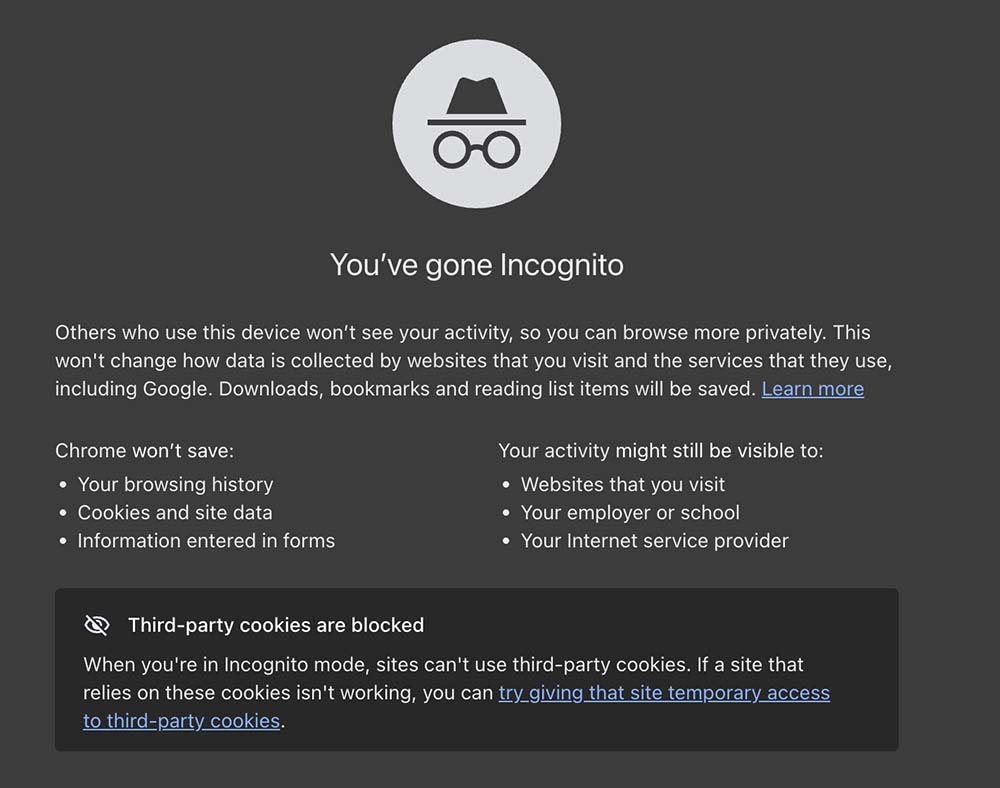
- Test from an incognito/private window (very important)
- Keep enabling the next 2–3 plugins, testing each time, until something breaks again
- Sometimes, simply doing this process “fixes” the issue because it resets a bad cache mix or clears a stuck condition
- If the site breaks again, you now know the conflict is in the last group of plugins you activated
- Activate them one by one to find the exact plugin, then decide the next move: replace it, reconfigure it, or investigate deeper (sometimes a single option inside a plugin is the real trigger)
A common special case: AJAX page load compatibility
Sometimes the issue isn’t a “bad plugin” in general, it’s simply that the plugin isn’t compatible with AJAX page loading.
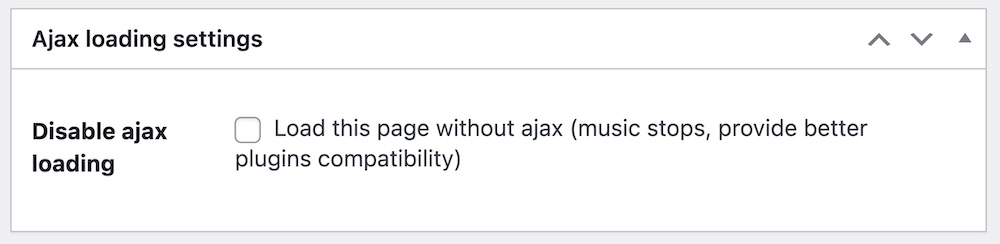
The fix is usually simple:Edit the page that contains the incompatible plugin content using the Classic Editor, then below the editor select Disable ajax page load. That page will load normally (non-AJAX) and the plugin will typically work fine again.
Working safely: don’t break your live public site
If your site is already public and you don’t want to risk downtime while testing, clone the website first and troubleshoot on a private staging copy.
Good options include:Softaculous cloning (very quick if your hosting provides it)
- UpdraftPlus (backup + restore into a staging location)
If you have a Pro Radio Plus license, you can also request a staging subdomain to be added for free to your license (the URL must include test. or staging. or something similar).
Not tech-savvy? You still have options
If you don’t feel comfortable doing this process, or you simply don’t want to touch a working website, our support is still available.
While support doesn’t cover issues caused by third-party software, we can still evaluate your case and provide a custom quotation to fix the problem for you.
To get a free quotation via helpdesk, just contact us.
Final note
Hopefully this guide helps you solve the most common “something is broken” situations quickly, without stress and without wasting hours guessing.
Stay tuned for more updates, and for new exciting templates on Pro Radio!


You may also like
Copyright 2019-2026 ProRadio® Qantum Themes SL® All Rights Reserved