Background
trending_flat

Pro Radio 7.4 – Fresh features for your station

 Get ready for a smoother, faster, and more dynamic experience with the latest Pro Radio 7.4 update. Here’s what’s new: New Clock Widget for Elementor Now available in Elementor: the new Clock widget. It displays the current date and time based on your website’s time zone—perfect for helping listeners understand your show schedule at a glance. This widget is cache-free, updates every second, and pulls the correct time from your WordPress settings. Fully customizable, you can choose what to display (hours, minutes, date, etc.), pick the format, set fonts, and style it as you like—giving you the freedom to create a unique clock that fits perfectly in your site design. New Upcoming Shows Grid & Lists A brand new way to display your current and next shows: the Upcoming Shows Grid. Unlike the old carousel, this version loads faster, […]

trending_flat

Pro Radio 7.3 Is Bursting with New Features—Check Them Out!

Hello dear streamers, DJs, and presenters! We’ve been hard at work on more enhancements for your radio station, and our latest update is finally here. Packed with functional improvements, fresh features, and practical tools to save you time, Pro Radio WordPress Theme version 7.3 is ready to make your station shine. https://www.youtube.com/watch?v=oxG2yxLP8EI   Fixes and Improvements Even the best software occasionally needs a tune-up. That’s why we’ve made it a priority to address minor issues as soon as they come to our attention. In this new release, we’ve resolved a few bugs related to Elementor widgets: Accurate show detection for cross-midnight broadcasts: The current show is now correctly recognized in both the weekly Shows Schedule and the Upcoming Shows carousel, even if it ends after midnight. Improved current show display in the custom player widget: Previously, shows that crossed midnight […]

trending_flat

Spark Up Your Radio! Pro Radio 7.2 is Here with an Exciting Set of New Features!

https://www.youtube.com/watch?v=zc_q3Nc5DIA   Hello broadcasters and presenters! Welcome back to another Pro Radio WordPress Theme Update. We're bringing you a great new improvement designed to boost listener engagement and enhance your audience's experience. New Design Functionality We've added an exciting new design effect to Elementor: background blur! This effect applies to containers and sections, adding a stylish blur filter to underlying content. Please note, the blur isn't applied directly to the container you set but instead affects everything beneath it. How to use the Blur effect: Create a container with a background. Insert another container within the first one. Edit the inner container and select the Blur option under the Style settings. Enhanced Multimedia Chart Functionality Our most exciting update is about music charts! After recent improvements such as Sidekick, the auto-chart generator, AI Chart Writer, and song voting, we're introducing […]

trending_flat

A New Beat for Your Station! Pro Radio 7.1 Brings Smarter Streaming & Stunning Updates

Pro Radio 7.1 brings exciting new upgrades designed to improve your radio station’s online experience. This update introduces three major enhancements that refine playback, increase streaming provider compatibility, and add a fresh new demo to the available templates for your website. Let’s take a look at what’s new! https://www.youtube.com/watch?v=lHQuIm8qj9U   Song Titles and Artwork Now Appear on Media Controls The latest update to the Pro Radio music player ensures that your listeners can now see song titles, artists, and artwork directly on their device’s media controls. Whether they are using an iPhone, Mac, Android, or Windows computer, the player now sends track information to the lock screen or system media panel. This means users can instantly check the current song without opening their browser. The seamless integration enhances the listening experience, making it more intuitive and engaging for your audience. […]

trending_flat

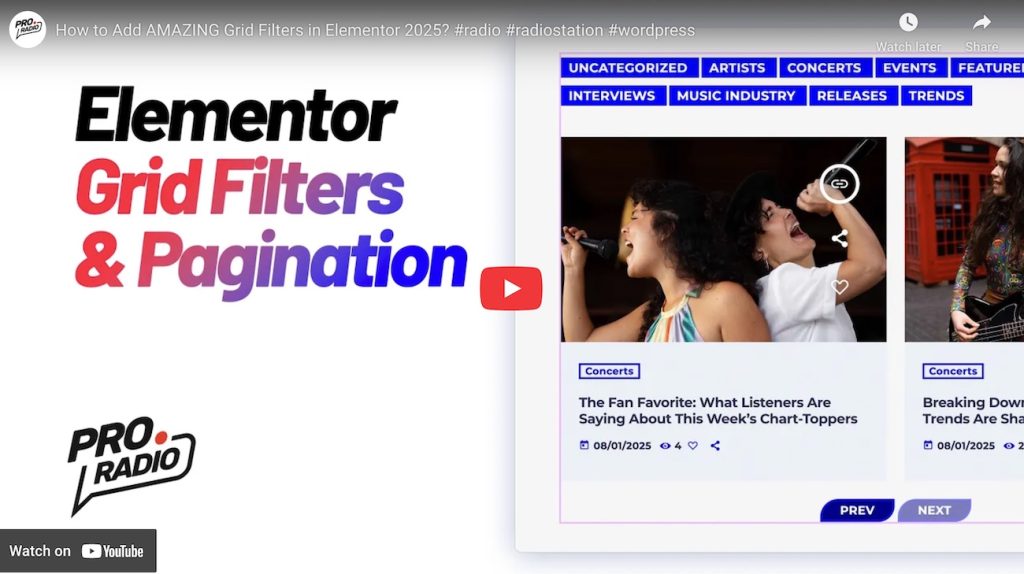
How to Use Grid Filters & Pagination in Your Radio Website Template

https://www.youtube.com/watch?v=Y01s2MBKLRw   How to Use Grid Filters & Pagination in Your Radio Website Template A well-organized radio station website should provide an easy way for visitors to browse content efficiently. Whether you're managing a radio website template with music shows, podcasts, or blog articles, implementing grid filters and pagination can significantly improve user experience. In this guide, we’ll walk you through how to set up and customize these features using Elementor. Why Use Grid Filters and Pagination? Grid filters allow users to quickly sort through content based on categories, such as show genres, podcast types, or featured events. Pagination enhances navigation, ensuring that large amounts of content don’t overwhelm visitors. Together, these features create a seamless and intuitive browsing experience. Setting Up Grid Filters in Elementor To enable grid filters in Elementor, follow these steps: Edit the Page with Elementor […]

trending_flat

Pro Radio 7.0 A new era for your radio station website

https://www.youtube.com/watch?v=_JfNPoWDG-I https://www.youtube.com/watch?v=Y01s2MBKLRw   Introducing Pro Radio 7.0: The Most Innovative Update Yet! The Pro Radio 7.0 update is here, bringing groundbreaking features and game-changing improvements to your radio station website! This update isn't just an upgrade—it's a revolution, delivering long-awaited enhancements and fresh tools designed to supercharge your online radio experience. With new customization options, powerful podcasting features, and a range of new Elementor widgets, Pro Radio 7.0 sets a new standard for radio station websites. Let’s dive into the details and explore everything this update has to offer! Pro Radio Theme Upgrades The Pro Radio WordPress Theme has received significant updates, particularly in the realm of podcasting. Three new Podcast Archive templates have been introduced: Archive Podcast Horizontal Archive Podcast Small Archive Podcast Sidebar The single podcast template has also been upgraded, providing more flexibility with options to: Display […]

trending_flat

Pro Radio 6.9.8 – Podcast Importer, new Elementor song features, more Google fonts, improved functionalities.

https://www.youtube.com/watch?v=3jN2QRXEPlQ   Hello dear speakers, DJs, and radio lovers, we are happy to introduce a great new update for your radio station website! Pro Radio 6.9.8 is out with a BIG surprise for all of you! We are, in fact, adding a new plugin, included for free with the Pro Radio WordPress Theme, that allows you to import external RSS podcast feeds into your website. Let's check out all the updates and discover the new features now available with the Pro Radio Website Builder! New Podcast Importer Plugin: meet PodyBot! We’re excited to introduce PodyBot Podcast Importer, a new plugin designed to seamlessly integrate any audio podcast feed into your radio station website as podcast episodes. While there are other plugins available that offer similar functionality, after testing all the options, we decided it was time to create our own […]

trending_flat

Pro Radio 6.9.6 is out! New installer, New Ajax page load, Improved Sidekick functionalities.

Hello, dear radio enthusiasts! Welcome to another exciting update for the beloved Pro Radio WordPress Theme, the ultimate radio website builder on the planet! Watch the video https://www.youtube.com/watch?v=v3jxsE05cYw We are thrilled to introduce some fantastic new features and improvements designed to make your radio website faster, better, and easier to manage. Let's dive into the details! New Plugins Installer We've completely overhauled the Pro Radio Admin interface! The new design is clearer and more user-friendly, making plugin installation and updates seamless and automated. With just one click, you can install or update all plugins, saving you time and effort. Plus, we've ensured that plugin updates are always visible, preventing issues caused by outdated plugins. Enhanced Ajax Page Load Plugin The Ajax page load plugin has been entirely rewritten and is now faster than ever! The redesigned admin interface features seven […]

trending_flat

Speed up your website! Pro Radio WordPress Version 6.9.4 comes with a Turbo Boost!

We’re thrilled to introduce the latest update to the Pro Radio WordPress Theme: version 6.9.4! This release focuses on optimizing the slideshow widget, ensuring a faster and smoother user experience. Below, we’ll guide you through the key improvements and steps to update seamlessly. Why This Update Matters The slideshow widget is an essential feature for many Pro Radio users, enhancing website visuals and engagement. In version 6.9.4, we’ve fine-tuned its performance to significantly reduce loading times, ensuring your content loads quickly and keeps your audience engaged. The new theme version decreases the slideshow render time by 1.5 seconds by improving the javascript functionality. How to Update Your Pro Radio Theme and Plugins Follow these steps to upgrade effortlessly: Backup Your Website Before making any updates, create a full backup of your site using tools like cPanel, UpdraftPlus, or similar plugins. […]

trending_flat

Pro Radio WordPress Theme Critical Update: Version 6.9.2

https://www.youtube.com/watch?v=50GHnr9_hzE   We are excited to announce the release of Pro Radio WordPress Theme version 6.9.2! This update is essential for ensuring your website remains compatible with the latest version of Elementor. Below, we’ll walk you through the details of the update and how to proceed seamlessly. Why This Update Is Critical Recently, Elementor rolled out a major change to its core files. If you’ve updated Elementor to version 3.26, you may have encountered a critical error on the front end of your website, while the back end remains functional. This error happens due to the changes introduced in Elementor, which now require an updated version of the Pro Radio theme and its associated plugins. Updating to Pro Radio 6.9.2 will fix this issue and ensure your website runs perfectly. How to Update Pro Radio Theme and Plugins Step-by-Step Guide: […]

free bonus

Subscribe to our newsletter!

The best thing you can do today for your radio station! Free tutorials, template downloads and discounts.

Login to enjoy full advantages

Please login or subscribe to continue.


Go Premium!

Enjoy the full advantage of the premium access.

Stop following

Unfollow Cancel

Cancel subscription

Are you sure you want to cancel your subscription? You will lose your Premium access and stored playlists.

Go back Confirm cancellation