Background
trending_flat

Pro Radio Theme Update 6.9.0 – Required updates for Elementor

Hello, dear radio lovers! We have exciting news for your radio station website: a new update for the Pro Radio WordPress Theme is now available! This update introduces functional improvements to ensure compatibility with the upcoming Elementor version 3.26, which includes significant changes under the hood. Updating is essential to maintain your website's functionality with the latest version of Elementor. How to update Pro Radio WordPress Theme To update the theme, you can use the automatic procedure. After updating the theme, make sure to also update the Pro Radio plugins, clicking on the button "Install and Update plugins" available from the ProRadio Admin screen. Select all of the plugins you see in the list, choose Update from the dropdown, and wait for the confirmation message. Everything will keep on working as before. Support Period Expired? If your Updates and Support […]

trending_flat

Pro Radio 6.8: Exciting New Features to Drive Engagement and Supercharge SEO!

Hello, radio enthusiasts! We're excited to bring you the latest update of the Pro Radio WordPress Theme, packed with new features, enhancements, and powerful tools to improve your radio station website. Discover what’s new and see how you can engage your listeners even more! (full changelog) Video presentation of the update https://www.youtube.com/watch?v=P8Cf39Gi8Yo   Plugin: Pro Radio Elementor Widgets - Post Widget Improvements The latest version of Pro Radio Elementor Widgets, which adds over 45 custom widgets to Elementor for radio stations, now includes an exciting new feature! All archive and carousel widgets now have a filtering functionality to let you sort content with ease. Now, you can sort posts by top liked, top shared, top viewed, and top rated! Fully integrated with ReAktions, this feature boosts your radio station’s news and archive functionalities, applying not only to blog posts but […]

trending_flat

Important Security Update for Elementor: What You Need to Know

Hey Pro Radio users! We’ve got some important news regarding the latest update to Elementor (version 3.24.4, released on September 23, 2024). This update tackles a couple of security issues that could potentially impact your website. Don't worry—I'll explain it all in simple terms, and we’ll get through it together! What’s the Issue? Elementor fixed two specific vulnerabilities in their Heading and Counter widgets, as well as in their Template Library. These issues could potentially allow sneaky hackers to inject unwanted code into your website. Think of it like leaving your front door unlocked—not great, right? That’s why it’s important to “lock the door” by updating as soon as possible. You can find more details about the vulnerabilities in these official CVE reports: CVE Reference What Should You Do? If you're using Elementor on your Pro Radio theme (and let’s […]

trending_flat

Pro Radio Update 6.7.2: new songs features and updates for Elementor

Hello dear radio lover, and thanks for sharing the latest news on the Pro Radio WordPress Theme! Version 6.7.2 is out, and comes with a couple interesting news for your radio station website, let's find out what's new. Video: how to backup your website and update Pro Radio https://www.youtube.com/watch?v=ifdQwRBHdT0&t=209s&ab_channel=ProRadio How to renew an expired "Updates and Support" service If your service was not extended and you can't renew it automatically, please contact us from this link https://shop.pro.radio/submitticket.php?step=2&deptid=1 we will take care of this for you. Just write "Extend support" and you'll receive the Proforma invoice. Once extended, click "Refresh license" and your website will trigger the updates. Added support for Elementor 3.24 A new Elementor version rolled out yesterday, version 3.24. While there is no big functional difference for our average users and radio websites, under the hood there have […]

trending_flat

Pro Radio 6.7: Boost site loading time by 1 second!!

We're Excited to Announce the Release of Pro Radio 6.7 The latest version of our popular Radio Station WordPress Theme is here! This update introduces a significant performance enhancement that can reduce your website's frontend loading time by about 1 second. Stick with us to discover what this new feature is, how it works, and how you can take advantage of it. Overview of the Enhancement The Pro Radio WordPress theme offers an extensive range of customization options, with over 350 settings for colors, fonts, and design elements, enabling you to create a truly unique radio station website for any music genre. However, such a vast array of options can have a downside. Our recent analysis identified a bottleneck in loading times, specifically related to the CSS code, causing a delay of over 1 second in frontend loading. This delay […]

trending_flat

Pro Radio 6.6.4 – Performance Boost

Hello, dear radio lovers! We are back from the holidays with a sweet update for your radio station website! A small step for your listeners, a big step for any radio station administrator: the new Pro Radio version 6.6.4 includes a significant improvement that boosts the performance of admin pages. We've been working hard to optimize the code under the hood, resulting in a substantial improvement in WordPress admin pages—post lists, creation, settings, saving changes, and much more. Improved admin loading time The core refactoring has improved admin loading time by about 1.5 seconds by optimizing the PHP code of the Pro Radio WordPress theme. As with any complex software, code builds up over time, which can lead to excessive CPU usage on your server, slower page loading in the admin, and tedious waiting while editing the website. Our improved […]

trending_flat

UPDATE: Pro Radio Sidekick Version 1.9.4

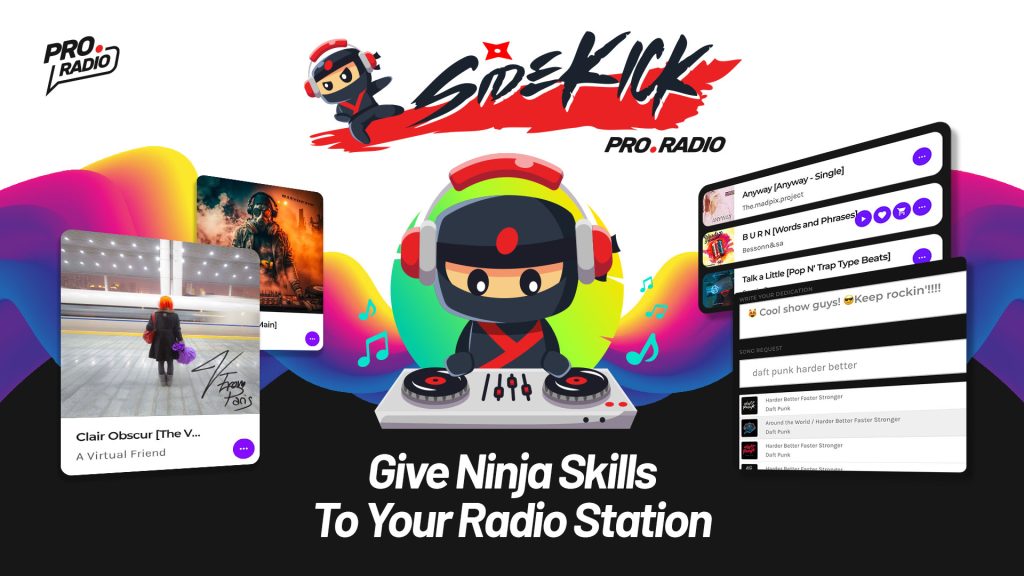
Dear followers we are here today with an interesting announcement about our beloved Pro Radio Sidekick plugin: the software that takes care of storing your songs history, creating charts automatically, and providing catchy widgets for your listeners to vote their favorite songs. The plugin, available for free with Pro Radio and with an advanced Premium version here, just received a small update to fix a couple tedious bugs which were affecting a few customers. In this article we will show you the fixes and explain how to udpate. Fixed exclude parameter to ignore empty lines This fix regards the Sidekick functionality that takes care of storing in database the songs that are played on your radio channels. The functionality is able to read the song title, complete the missing information and artwork, as well as the preview audio and purchase […]

trending_flat

Pro Radio V. 6.5.2: New radio channel widget for Elementor!

We are excited to announce the release of Pro Radio 6.5.2, featuring several enhancements tailored for multi-channel radio websites. https://www.youtube.com/watch?v=_v5NqwChOv0     Elementor channels grid template In Elementor another widget is now available: Radio Grid: easily display a grid of radio channels for your multi-radio website. It also includes an optional search form which will search within radio channels. Radio channels archive page Radio channels now have a custom archive page: Create a new page Select "Archive Radio Channel" Publish: your new archive of radio channels is ready Ajax form submission Tired of the music stopping when searching for something? Pro Radio now integrates ajax page load on searches: the form submit will not reload the page anymore, keeping the music playing on your website even when searching. My Support and Updates period expired, what can I do? No worries! […]

trending_flat

Pro Radio Update V 6.5: New volume widget, new performance tweaks and more

The new Pro Radio WordPress Theme V6.5 is here, with a breeze of new features and improvements! New: Volume widget for Elementor Do you want to display a custom volume slider for your radio station website? Now yoou can! https://www.youtube.com/watch?v=9Ut2XL_ZvaA   New: Auto update interval Widgets as current show, upcoming shows carousel, radio shows schedule and more, have a self-update feature which prevents displaying outdated information. Now you can set your custom update interval, preventinc server overload for small servers and improving website experience for more active websites. The option name is Auto refresh interval and can be found in Appearance > Customize > Advanced   New: Full day schedule REST API For developers a new advanced mountpoint was added, to fetch the current day schedule including titles, featured image, start and end time. /wp-json/proradio/v1/schedule-today-full/   New: Sidekick Songs Widget […]

trending_flat

Pro Radio Update 6.4: Improved Functionalities, Better Graphics and New Features!

This Pro Radio 6.4 update comes with some juicy updates for the Sidekick plugin, a lot of design fixes, new features and compatibility udpates. Added TikTok, Instagram and Whatsapp icons to Radio Show page The radio show custom fields now have 3 new socials: TikTok, Instagram and Whatsapp. To add your working Whatsapp link, you can use the format https://wa.me/1XXXXXXXXXX More info New admin feature: added Filters to Schedule list Managing a multi-schedule radio? Selecting the schedule of a certain channel was kind of a tricky task, but today we can use a quick filter available straignt from the schedule archive. The schedule filter taxonomy is now available from the Admin radio schedule archive. Just click on a Filter, to display only the Schedule days of that specific Schedule Filter.   Pro Radio Sidekick: new feature to create charts by […]

free bonus

Subscribe to our newsletter!

The best thing you can do today for your radio station! Free tutorials, template downloads and discounts.

Login to enjoy full advantages

Please login or subscribe to continue.


Go Premium!

Enjoy the full advantage of the premium access.

Stop following

Unfollow Cancel

Cancel subscription

Are you sure you want to cancel your subscription? You will lose your Premium access and stored playlists.

Go back Confirm cancellation