




Pro Radio 9.1 Is Here: HLS Streaming, Weather Widget, Faster Admin and Automatic Elementor CSS Prebuilding
Pro Radio 9.1 is here, and this is a major update for stations that want a faster, cleaner and more flexible radio website.
This release brings HLS streaming support, a brand new Weather widget for Elementor, a faster admin area, CPU-saving improvements, automatic Elementor CSS prebuilding for Ajax navigation, better compatibility checks, and improved security for Pro Radio content and settings.
In short: more stream compatibility, more useful widgets, less manual maintenance, and a smoother experience for both station owners and listeners.
In Short: What’s New in Pro Radio 9.1?
- HLS streaming compatibility: use compatible .m3u8 HLS streams inside the Pro Radio Music Player.
- New Weather widget for Elementor: add local weather to your radio website without relying on generic third-party widgets.
- Automatic Elementor CSS prebuilder: smoother Ajax navigation with fewer styling issues and less manual work.
- Faster admin: cleaner backend performance and improved JavaScript caching.
- CPU-saving tools: reduced duplicated execution and lighter internal processing.
- New compatibility checks: safer handling to help prevent theme, plugin and server-side errors.
- Improved security: safer handling for custom post types, custom fields, radio options and theme metadata.
- Cleaner admin interface: fewer unnecessary notices and better organized admin menus.
Finally, HLS Streaming Support Is Here
This is one of the biggest additions in Pro Radio 9.1.
More and more radio stations are using HLS streams, usually provided as .m3u8 stream URLs. We have received many requests for this format, and now it is finally here.
This means another important family of radio streamers can now take advantage of the powerful Pro Radio non-stop music player.
HLS support is not added as a separate external embed. It works inside the Pro Radio player experience, so your visitors can keep listening while they browse your website.
- Use compatible HLS / .m3u8 streams from modern streaming providers.
- Keep the non-stop player experience across your website.
- Use the normal Pro Radio controls for play, pause, volume and channel playback.
- Preserve your channel information such as titles, artwork and station details.
- Keep Ajax navigation friendly so listeners can move through pages while the stream continues.
More Freedom for Modern Radio Streams
A radio website should not force you to choose between your streaming provider and your website features.
With Pro Radio 9.1, stations using compatible HLS streams can now bring those streams into the same Pro Radio ecosystem used for standard MP3 and AAC streams.
The result is simple: more flexibility for broadcasters, without changing the listening experience for visitors.
Performance-Focused HLS Loading
HLS support is loaded only when it is actually needed.
Standard streams continue using the existing playback system. HLS support is activated only for channels configured to use HLS playback.
This keeps Pro Radio light and efficient: more compatibility, without adding unnecessary weight for every visitor.
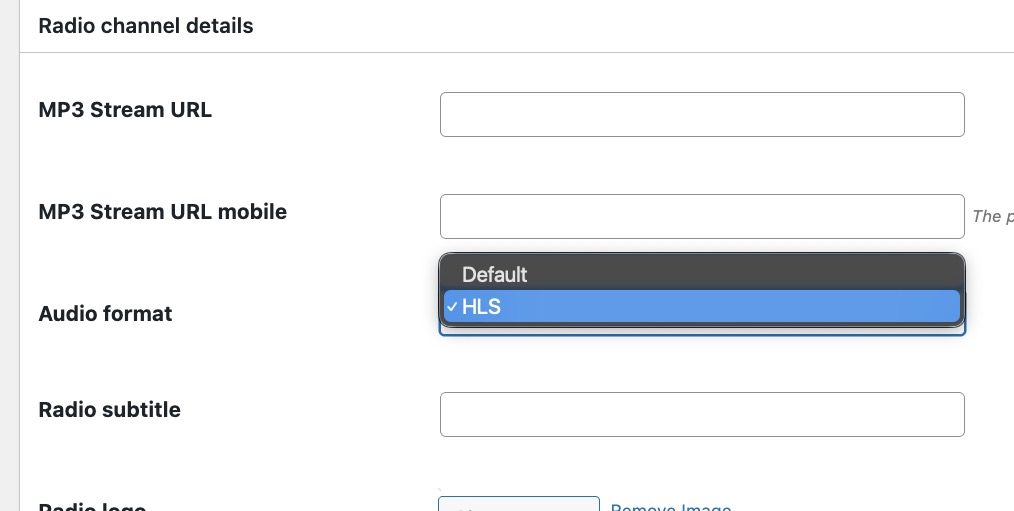
Simple Stream Type Selection
Radio channels now include a stream type selection, so you can choose standard playback or HLS playback depending on the stream provided by your broadcaster or streaming service.
No confusing setup. No guessing. Just choose the correct stream type and keep building your station.
New Weather Widget for Elementor
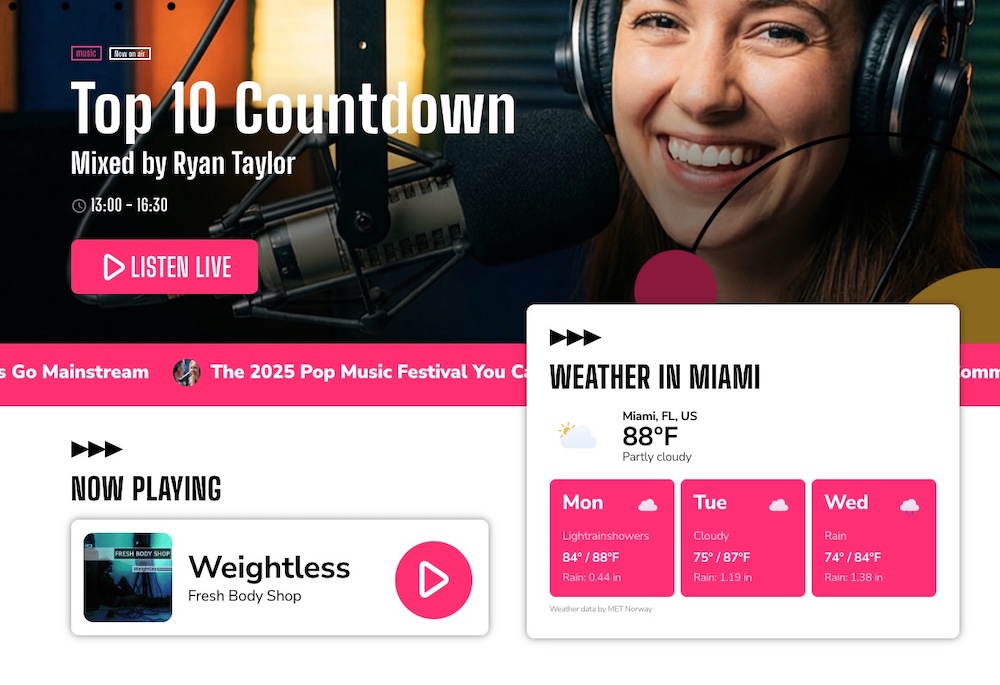
Weather belongs naturally on a radio website.
Morning shows talk about it. Local stations use it every day. Community radio, tourism radio, regional broadcasters and city-based stations can all benefit from showing useful weather information directly on the site.
The problem? Most WordPress weather solutions feel like extra baggage.
You install another plugin, create an API account, search for coordinates, fight with styling, and then hope it works properly with your layout and Ajax navigation.
So we added a Weather widget directly inside Pro Radio Elementor Widgets.
Now you can display local weather information inside your Elementor layouts, with a design that can actually match your radio website.
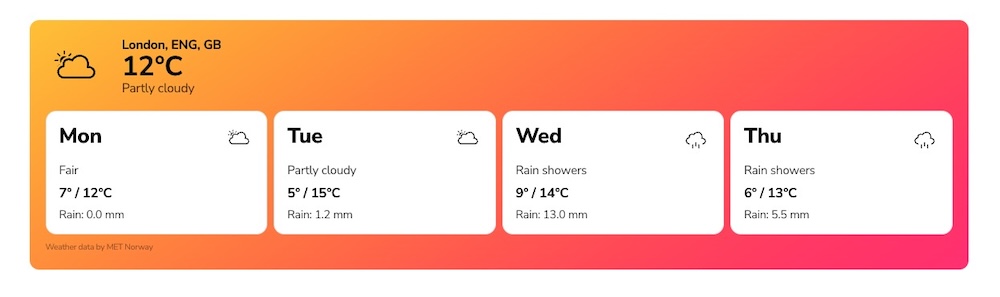
Made for Real Radio Websites
The Weather widget is useful for:
- homepages
- morning show sections
- local news pages
- community information areas
- tourism radio websites
- regional broadcaster pages
- custom Elementor templates
For listeners, it is quick and useful.
For stations, it makes the website feel more local, more alive and more connected to everyday life.
No API Key Needed in the Default Setup
The Weather widget is designed to be easy.
In the default setup, you do not need to create or manage a separate weather API key.
You can search for a city directly from the widget settings, instead of manually looking for latitude and longitude coordinates.
That makes setup much faster for station owners, web designers and anyone building a radio website without wanting another technical headache.
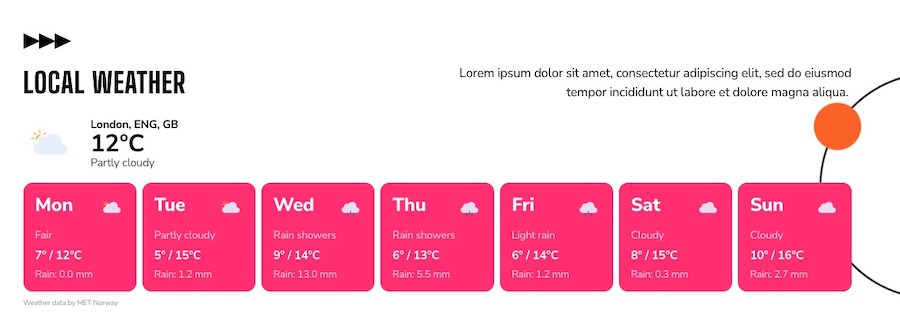
Designed to Match Your Brand
A weather box should not look like it was pasted from another website.
Because the Weather widget is built for Elementor, you can style it visually with colors, typography, spacing, alignment and responsive options.
So your weather section can look like part of your station identity, not like a random external widget.
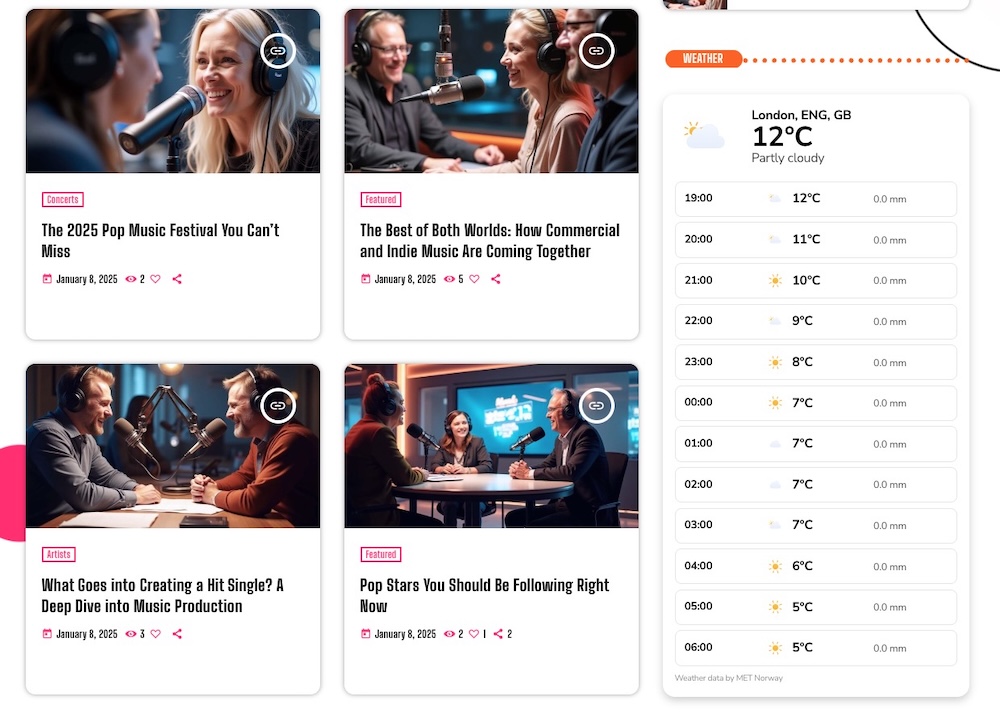
Works With the Pro Radio Browsing Experience
The widget is designed to work inside the Pro Radio website experience, including Pro Radio’s Ajax page load system.
That means your visitors can browse, listen and check useful local information while the website keeps feeling smooth.
Weather data is retrieved from an external provider and should be considered informational, not an official emergency alert system.
Automatic Elementor CSS Prebuilder for Ajax Page Load
This is a quiet feature, but an important one.
Elementor websites rely on generated CSS files. When those files are cleared or regenerated after updates, edits or cache operations, Ajax-loaded pages can sometimes appear temporarily unstyled.
You may have seen this before: a page loads, but spacing, fonts or layouts look wrong until a refresh.
Pro Radio 9.1 improves this with a new automatic Elementor CSS prebuilder.
No More Constant Manual CSS Rebuilds
Previous versions could show admin notices asking users to manually rebuild Elementor styles.
It worked, but it was not friendly enough. Many users did not know what it meant, and nobody wants another dashboard notice asking for technical maintenance.
Now Pro Radio can detect missing or outdated Elementor CSS files and rebuild them automatically in the background.
Smoother Ajax Navigation
Elementor periodically can delete the styles to purge the cache, the outcome is that sometimes, when navigating the pages with ajax, some page would load “broken”.
Now, Pro Radio adds an automatic process that runs autonomously under the hood, checks for missing Elementor styles, and rebuilds them while you sleep, to give you the security nobody sees broken pages on your site.
For radio websites, this matters. Visitors may be moving between shows, podcasts, charts, schedules and news while the player keeps running. The website needs to feel polished during all of that movement.
Lightweight and Automatic
The new system works in small background tasks, rebuilding only what is needed.
That means:
- less manual work
- fewer admin interruptions
- more reliable Elementor styling
- better Ajax page transitions
- lower server stress compared with heavy full rebuilds
In short: Pro Radio quietly handles more of the maintenance for you.
Faster Admin and CPU-Saving Improvements
Radio websites can become very rich very quickly.
Shows, presenters, schedules, podcasts, charts, events, radio channels, dedications, sponsors, news and custom pages all add power to your site, but they also create work for the backend.
Pro Radio 9.1 improves the admin area with cleaner internal routines, better JavaScript caching, reduced duplicated execution and CPU-saving improvements.
A Cleaner Backend for Busy Radio Websites
The admin area is now faster and more efficient, especially for websites with many Pro Radio content types.
This helps when managing:
- radio channels
- shows and schedules
- podcasts and episodes
- charts and voting
- events
- presenters
- theme and player settings
A faster admin means less waiting and more time working on the station.
Less Repeated Work for the Server
Pro Radio 9.1 reduces duplicated execution in key areas of the system.
The Music Player also includes CPU-saving improvements to help prevent repeated loading routines.
This is especially useful on shared hosting, managed hosting and larger websites where every optimization helps.
Improved Security and Compatibility Checks
Not every important update is visible on the homepage.
Some of the most valuable improvements happen behind the scenes, where your content and settings are managed.
Pro Radio 9.1 improves security and data handling for custom post types, custom fields, radio options, global player options and theme metadata.
Safer Pro Radio Content Management
Your station depends on structured content: shows, schedules, presenters, channels, charts, podcasts, events and player settings.
This update improves internal checks and safer handling for those areas, helping make the backend more predictable while editing, saving and managing content.
Better Protection Against Server Errors
Pro Radio 9.1 adds new compatibility checks across important components, including the Music Player, Elementor Widgets, Sidekick and Theme Core.
These checks help reduce the risk of theme conflicts, plugin conflicts and unexpected server-side errors.
Nobody likes a 500 error. This update is designed to make those situations less likely.
Cleaner Admin Interface
We also cleaned up the admin experience.
Some unnecessary admin banners have been removed, and the Pro Radio admin menu has been improved with unified icon colors and better grouping.
It is a small detail, but it makes daily work nicer.
When you manage a radio website every day, less noise in the dashboard matters.
New Demo Coming Tomorrow: Peach Buzz FM

And yes, there is also something new to see tomorrow.
We are publishing Demo 52: Peach Buzz FM, a colorful pop radio website template that will include examples of the new Weather widget.
Peach Buzz FM is bright, bold and full of personality. It is made for pop stations, chart-focused webradios, internet radio stations and podcasting hubs that want a fresh, energetic look.
Expect pink and yellow gradients, playful circular decorations, strong headlines, lively sections and a layout designed to keep content easy to discover.
The demo includes the kind of features a modern radio website needs:
- live radio player
- weekly schedule
- show and host sections
- podcast and episode layouts
- charts and playlists
- news sections
- sponsor areas
- weather widget examples
If your station has energy, color and personality, Peach Buzz FM will be a great place to start.
Before You Update
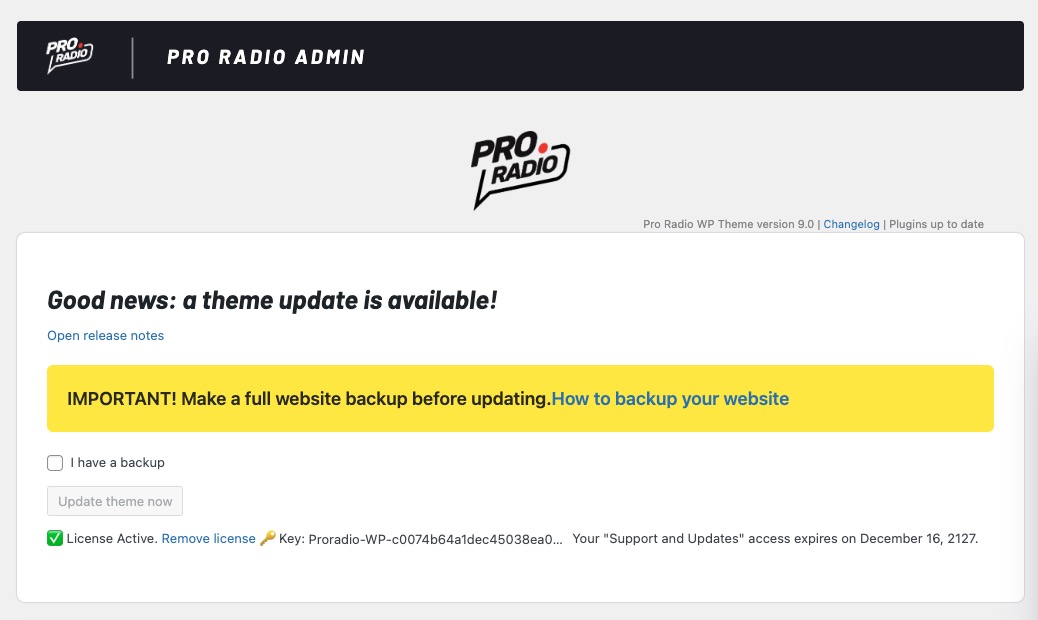
Because Pro Radio 9.1 is a major release, please follow a safe update process.
- Make a full backup of your website before upgrading.
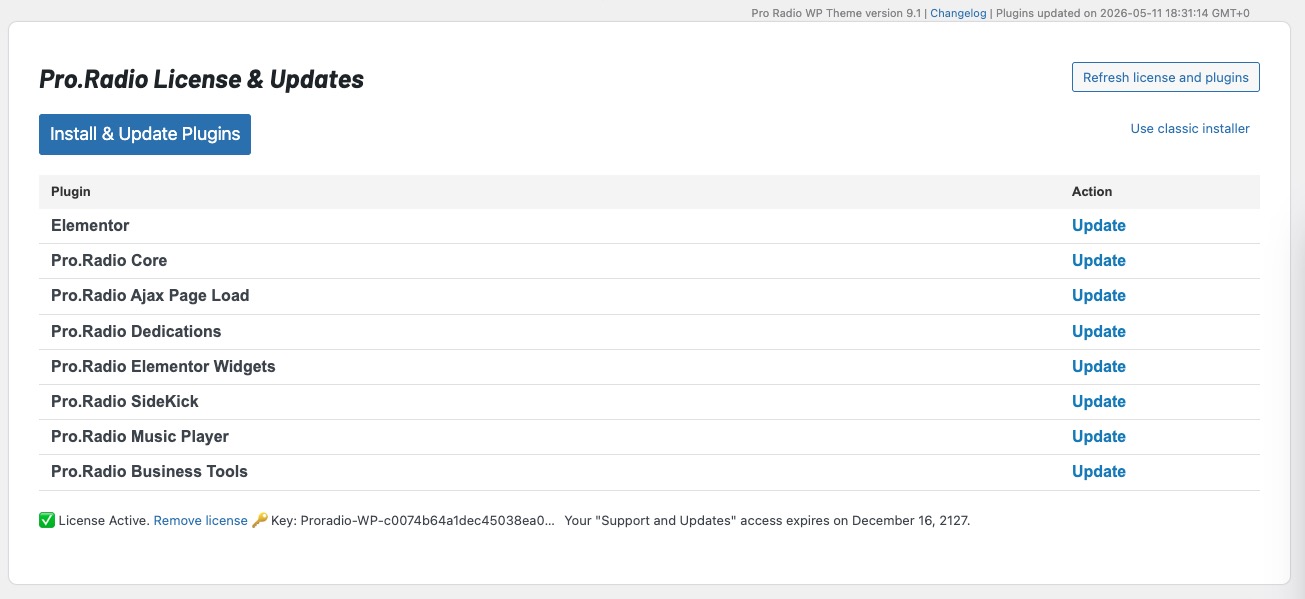
- Update the Pro Radio theme and all Pro Radio plugins together to keep versions aligned.
- Check your player, homepage, Elementor pages, schedule and Ajax navigation after updating.
- Clear your cache if you use a cache plugin, server cache or CDN cache.
- Review your radio channel settings if you plan to use HLS / .m3u8 streams.
A clean update process helps your website receive the new compatibility, performance and security improvements correctly.
Ready to upgrade?
The latest Pro Radio 9.0 update is now available for all users with active Updates and Support. Updating is easy and totally automatic. Learn more.
If your coverage expired, you can send us a message to reactivate the updates for your existing license.
Upgrade to Plus and enjoy more features and 500 new templates
With Pro Radio Plus we wanted to open the door to many smaller and mid-size radios that need advanced tools, without forcing an enterprise budget.
Upgrade or switch to Pro Radio Plus and you’ll get:
- Pro Radio Sidekick Premium features
- Pro Radio Business Tools for campaigns, sponsorships, and promotions
- Pro Radio Podcast Importer for automated podcast integration
- Pro Radio Dedications Premium
- Pro.Radio Voiceline Premium
- Over 500 extra Elementor templates to build pages in minutes
Many improvements in this update — from Sidekick reliability and maintenance tools to the new widget options — shine even more when combined with the full Plus ecosystem.
Stay up to date
Subscribe to our newsletter to get exclusive access to content, discover new templates before anyone else, enjoy amazing discounts, and much more!
Pro Radio 9.1: More Compatible, More Useful, Faster and Safer
Pro Radio 9.1 is a big step forward for radio websites.
HLS support opens the door to another important family of modern radio streams. The new Weather widget helps stations add useful local information directly inside Elementor. The automatic CSS prebuilder makes Ajax navigation more reliable. Backend optimization, CPU-saving improvements, compatibility checks and safer data handling make the whole system faster and more stable.
For listeners, the website feels smoother and more useful.
For station owners, it becomes easier to manage.
For broadcasters building a stronger online presence, Pro Radio 9.1 gives you more flexibility, better performance and a cleaner experience across the whole Pro Radio ecosystem.


You may also like




Copyright 2019-2026 ProRadio® Qantum Themes SL® ESB02979078 All Rights Reserved