Background
AD
trending_flat

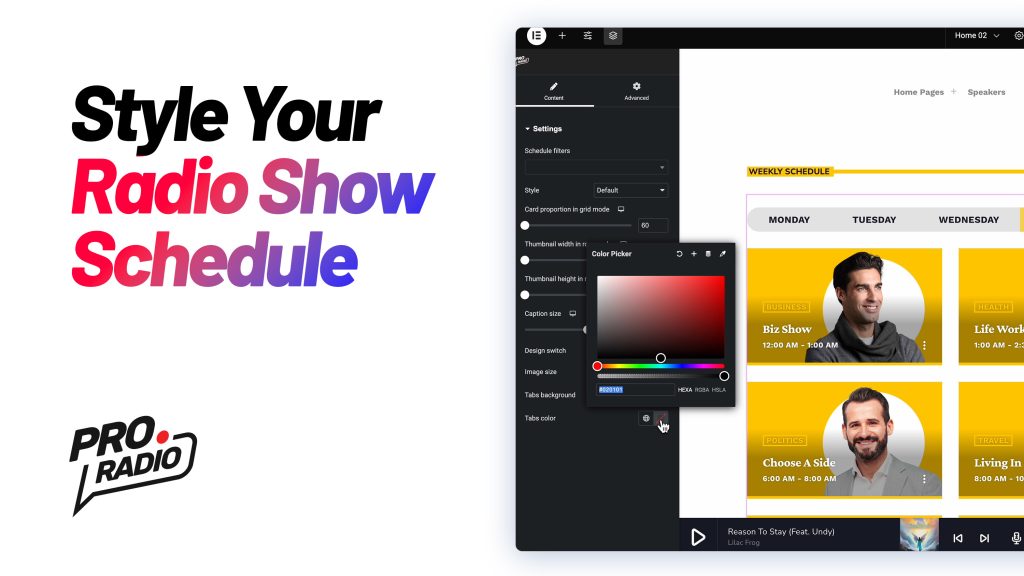
Customizing the Radio Show Schedule with the Elementor Widget [Pro Radio WordPress Theme Tutorial]

  https://www.youtube.com/watch?v=vWiAtdooTeM   Learn how to personalize the Radio Show Schedule in the Pro Radio WordPress Theme using Elementor. Follow these steps to achieve a design that suits your style and needs: Step 1: Open the Schedule Widget Navigate to your page and click Edit with Elementor. Scroll down to locate the Schedule section. Right-click the schedule and select Edit Schedule. Step 2: Adjust the Widget Options In the options panel, you’ll find various customization settings: Card Proportions in Grid Mode: Adjust for responsive display across different screen sizes. Caption Size: Modify text size for longer show titles. Image Size: Choose a balance between image quality and faster loading times. Tabs Background and Text Colors: Ensure good contrast for readability. Step 3: Switch to Row Mode Change the style to Rows for a different layout. Adjust Thumbnail Width and Height […]

trending_flat

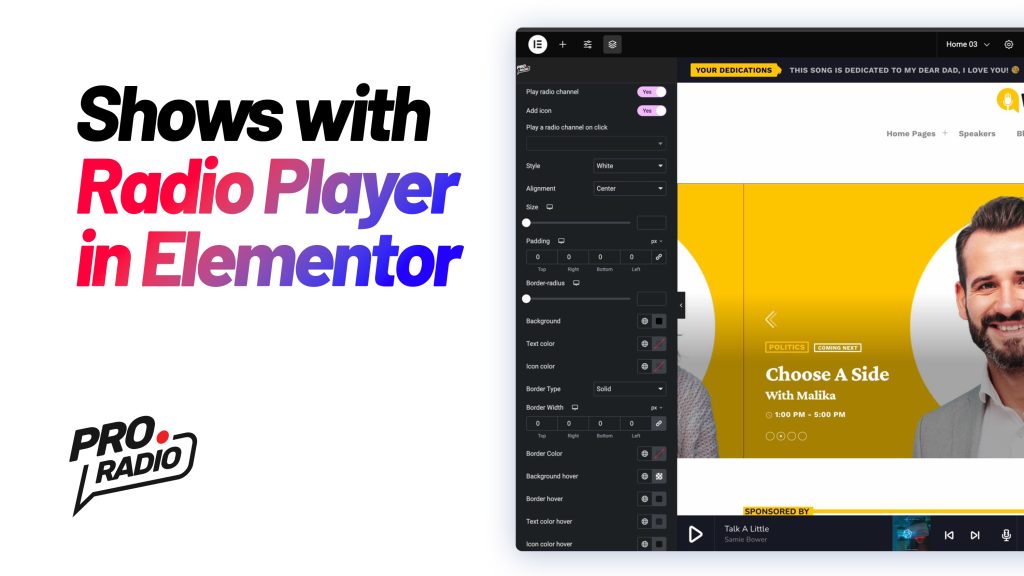
How to Build a Cool Radio Station Header with Elementor and Music Player [Pro Radio WordPress Theme]

https://www.youtube.com/watch?v=Xxc3135jpjM   Welcome to this tutorial for the Pro Radio WordPress theme! In this guide, we'll show you how to use Elementor to create a stunning radio station header that includes an Upcoming Shows slideshow and a Custom Music Player. This design is based on one of our demo templates and features a clean, modern layout with two columns: one for the player and one for the slideshow. Let’s get started! Step 1: Understand the Structure The header structure consists of two columns: Left Column: Contains the Custom Music Player. Right Column: Contains the Upcoming Shows Slideshow. To get a better understanding of the layout, let’s break it down: Two Columns: You can view and adjust the columns by using the eye icon from the Elementor structure panel. This allows you to hide and focus on one column at a […]

trending_flat

Speed up your website! Pro Radio WordPress Version 6.9.4 comes with a Turbo Boost!

We’re thrilled to introduce the latest update to the Pro Radio WordPress Theme: version 6.9.4! This release focuses on optimizing the slideshow widget, ensuring a faster and smoother user experience. Below, we’ll guide you through the key improvements and steps to update seamlessly. Why This Update Matters The slideshow widget is an essential feature for many Pro Radio users, enhancing website visuals and engagement. In version 6.9.4, we’ve fine-tuned its performance to significantly reduce loading times, ensuring your content loads quickly and keeps your audience engaged. The new theme version decreases the slideshow render time by 1.5 seconds by improving the javascript functionality. How to Update Your Pro Radio Theme and Plugins Follow these steps to upgrade effortlessly: Backup Your Website Before making any updates, create a full backup of your site using tools like cPanel, UpdraftPlus, or similar plugins. […]

trending_flat

Pro Radio WordPress Theme Critical Update: Version 6.9.2

https://www.youtube.com/watch?v=50GHnr9_hzE   We are excited to announce the release of Pro Radio WordPress Theme version 6.9.2! This update is essential for ensuring your website remains compatible with the latest version of Elementor. Below, we’ll walk you through the details of the update and how to proceed seamlessly. Why This Update Is Critical Recently, Elementor rolled out a major change to its core files. If you’ve updated Elementor to version 3.26, you may have encountered a critical error on the front end of your website, while the back end remains functional. This error happens due to the changes introduced in Elementor, which now require an updated version of the Pro Radio theme and its associated plugins. Updating to Pro Radio 6.9.2 will fix this issue and ensure your website runs perfectly. How to Update Pro Radio Theme and Plugins Step-by-Step Guide: […]

trending_flat

Pro Radio Theme Update 6.9.0 – Required updates for Elementor

Hello, dear radio lovers! We have exciting news for your radio station website: a new update for the Pro Radio WordPress Theme is now available! This update introduces functional improvements to ensure compatibility with the upcoming Elementor version 3.26, which includes significant changes under the hood. Updating is essential to maintain your website's functionality with the latest version of Elementor. How to update Pro Radio WordPress Theme To update the theme, you can use the automatic procedure. After updating the theme, make sure to also update the Pro Radio plugins, clicking on the button "Install and Update plugins" available from the ProRadio Admin screen. Select all of the plugins you see in the list, choose Update from the dropdown, and wait for the confirmation message. Everything will keep on working as before. Support Period Expired? If your Updates and Support […]

trending_flat

Video: build your website header with Elementor in Pro Radio WordPress Theme

https://www.youtube.com/watch?v=ypBfWMbT0cs   Hello dear radio lovers! We have a brand new tutorial ready for you! We recently introduced a new feature in Pro Radio WordPress Theme, called Mega Header. Similarly to the Mega Footer, this option allows to replace the default header with a custom menu section built entirely with Elementor. You can in fact hide the default menu bar for a specific resolution (desktop, mobile or tablet) and build an alternative menu bar entirely with Elementor. The possibilities offered by this approach are endless: you can craft any design, place song titles, players, radio shows, custom buttons and anything you want, visually, without the limitations that are typical of a fixed header. At Pro Radio, our primary emphasis is on simplicity. The default menu, effortlessly customizable through the user-friendly Customizer, remains the preferred method for constructing a website header […]

trending_flat

Important Security Update for Elementor: What You Need to Know

Hey Pro Radio users! We’ve got some important news regarding the latest update to Elementor (version 3.24.4, released on September 23, 2024). This update tackles a couple of security issues that could potentially impact your website. Don't worry—I'll explain it all in simple terms, and we’ll get through it together! What’s the Issue? Elementor fixed two specific vulnerabilities in their Heading and Counter widgets, as well as in their Template Library. These issues could potentially allow sneaky hackers to inject unwanted code into your website. Think of it like leaving your front door unlocked—not great, right? That’s why it’s important to “lock the door” by updating as soon as possible. You can find more details about the vulnerabilities in these official CVE reports: CVE Reference What Should You Do? If you're using Elementor on your Pro Radio theme (and let’s […]

trending_flat

The Journey of Pro Radio: How It Became the Ultimate WordPress Theme for Radio Stations

https://www.youtube.com/watch?v=hKRx3XQnO4k Introduction Welcome, radio enthusiasts! Today, we explore why Pro Radio is the best choice for your radio station's website. Developed specifically for radio stations, Pro Radio combines years of experience and feedback from real radio station owners to deliver a feature-rich, user-friendly WordPress theme. The Genesis of Pro Radio A Decade of Evolution Pro Radio's journey began in 2010 with Quantum Themes' creation of the first WordPress themes incorporating music players, artist profiles, and event features. Recognizing a growing demand, they focused on the unique needs of radio stations, resulting in the development of dedicated radio station websites. Pioneering Features The initial product, On Air, offered core functionalities like a non-stop music player, event scheduling, and sponsor management. This foundational software evolved significantly, leading to the creation of Pro Radio, which now boasts an impressive array of advanced features […]

trending_flat

⚠️ Security update: Elementor lower than 3.19 Vulnerability Allows Attackers to Delete Files and Inject PHP Code

Hi guys, this blog update concerns a newly discovered vulnerability affecting the Elementor plugin up to version 3.19.0. The vulnerability A security vulnerability in Elementor versions up to 3.19.0 could allow attackers to delete files and inject PHP code into a website. The vulnerability is due to insufficient path validation on a parameter. Attackers can exploit this vulnerability to upload a malicious PHP file to a website. Once the file is uploaded, the attacker can execute it to delete files or inject malicious code into the website. The vulnerability was patched in Elementor version 3.19.1. If you are using Elementor, it is important to update to the latest version as soon as possible. Here are the steps on how to update Elementor: Log in to your WordPress dashboard. Navigate to Pro Radio Admin and click "Refresh license" then Install Plugins […]

trending_flat

⚠️ Security update: WordPress Elementor plugin <= 3.18.0 - Arbitrary File Upload vulnerability

Hi guys, this blog update concerns a newly discovered vulnerability affecting the Elementor plugin up to version 3.18.0. The vulnerability Hồng Quân (luk6785 at VNPT-VCI) discovered and reported this Arbitrary File Upload vulnerability in WordPress Elementor Website Builder Plugin. This could allow a malicious actor to upload any type of file to your website. This can include backdoors which are then executed to gain further access to your website. This vulnerability has not been known to be fixed yet. Now, before you freak out and reset your website, I've got some reassuring details for you: This vulnerability can be exploited by users with at least Contributor privileges. This means that if you don't have any additional user, or the user is a simple subscriber or commenter, your site has nothing to fear It seems this vulnerability is only exploitable if […]

AD
AD

Login to enjoy full advantages

Please login or subscribe to continue.

Go Premium!

Enjoy the full advantage of the premium access.

Stop following

Unfollow Cancel

Cancel subscription

Are you sure you want to cancel your subscription? You will lose your Premium access and stored playlists.

Go back Confirm cancellation