Background
  • arrow_back Home
  • keyboard_arrow_rightcategories
  • keyboard_arrow_rightWeb Radio Tutorials

Web Radio Tutorials

trending_flat

Finding Your Voice: Develop a Winning Radio Station Concept

So, you've got the radio bug and are itching to share your passion with the world. But before you crank up the volume, it's crucial to solidify your station's core concept – its unique identity that will attract and engage listeners. This can feel like a daunting task, but fear not! We'll guide you through a step-by-step process that will help you overcome creative roadblocks and craft a winning concept, all while showcasing the power of Pro Radio WordPress Theme. Defining Your Station's DNA Think of your concept as your station's DNA. It embodies what you want to offer, who you want to reach, and why listeners will choose you over the competition. Here's how Pro Radio WordPress Theme empowers you to shape that DNA: Clearly Defined Vision: Use Pro Radio's intuitive interface to craft a captivating "About Us" page […]

trending_flat

Dialing Up a New Era: The Power of Internet Radio

Remember the days of fiddling with the dial to find a decent radio station? In today's tech-driven world, internet radio has emerged as a powerful alternative, offering a unique listening experience that's capturing the attention of audiences worldwide. But what exactly is driving this trend, and how does internet radio differ from the streaming services we already know? Beyond the Mainstream: A World of Niche Content While platforms like Spotify and YouTube offer vast music libraries, internet radio often caters to specific interests. Imagine stumbling upon a station dedicated to vintage jazz or a channel showcasing local up-and-coming bands. Internet radio thrives on niche programming, providing a platform for unique content that wouldn't find a home on mainstream radio. This includes local news and updates, educational programming, and even experimental music genres – a true haven for listeners seeking something […]

trending_flat

Ignite Your Voice, Share Your Passions: Why You Should Start an Internet Radio Station

Have you ever dreamed of sharing your love of a specific genre of music, or a burning desire to discuss a particular topic, with a wider audience? An internet radio station might be the perfect platform for you. Gone are the days of limited reach and gatekeepers; the digital age has opened the door for anyone with a passion and a microphone to connect with listeners worldwide. Here's why starting an internet radio station can be an exciting and rewarding venture: Global Reach Unlike traditional radio stations confined by broadcast areas, your internet station has the potential to reach listeners across the globe. Imagine sharing your unique perspective or niche music taste with anyone who has an internet connection! Content Freedom Forget the limitations of pre-programmed playlists or rigid station formats. With your own internet station, you have complete creative […]

trending_flat

[TUTORIAL] How to speed up your radio station website with Cloudflare

How to Set Up Cloudflare for Your Website and Improve Performance Learn how to enhance your website's performance with Cloudflare, whether you're using our Pro. Radio hosting or any other provider. This tutorial is especially useful for radio stations, as it addresses issues with traditional caching methods that often result in outdated content being displayed. Understanding Your Website's Performance Before diving in, let's conduct a more scientific check using the tool webpagetest.org. This tool is the best, because unlikely GtMetrix or Google pagespeed, it gives you a breakdown of your website components and you can identify the weakness that require improvements. Remember that a radio website is like an application, or a live stream: it never stops loading. That's why the total time is NEVER accurate: those programs think the website is still loading, while in reality it's just refreshing […]

how to start a radio station
trending_flat

How to Start A Radio Station (FREE step-by-step Beginners Guide!)

https://www.youtube.com/watch?v=YQq1Z58q3hk   Calling all aspiring radio broadcasters! Have you ever dreamt of sharing your passion for music and connecting with a global audience? Look no further! This blog post dives into a recent YouTube video that provides a comprehensive guide on creating a professional radio station website using Pro Radio, all within a few hours. Branding Basics: Finding Your Voice The journey begins with establishing your radio station's identity. The speaker emphasizes the importance of a catchy and memorable name – something short, unique, and easy to remember. Ideally, it should reflect the genre of music you'll be playing to attract your target audience. Crafting a Visual Identity: Design that Speaks Volumes Next comes the visual representation of your brand – the logo. The video suggests utilizing free resources like Freepik.com to create a logo that resonates with your station's […]

trending_flat

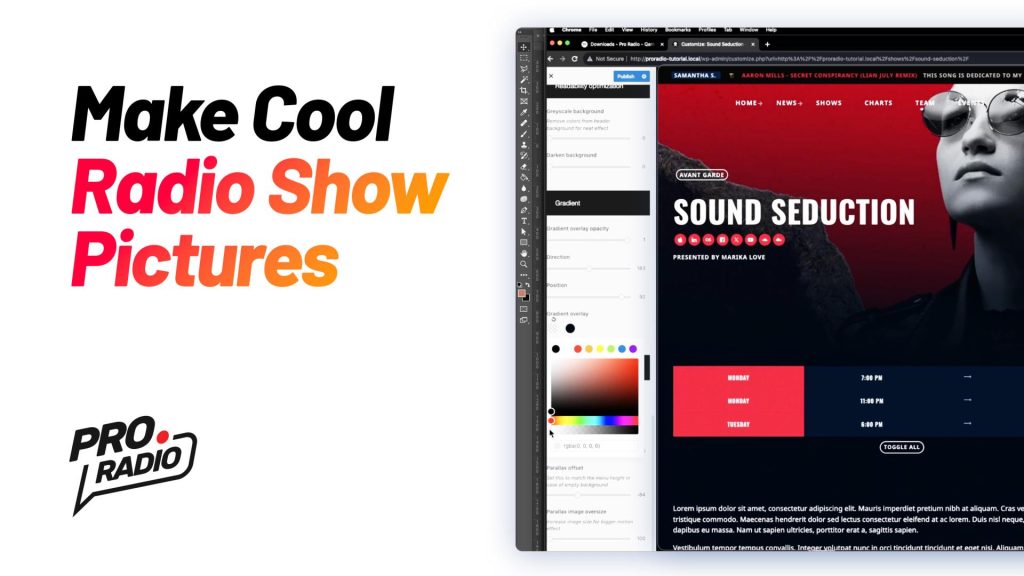
How to make your own radio station cool pictures

https://www.youtube.com/watch?v=b4yaBtKPDRk Hello everybody and welcome to this cool step-by-step tutorial for your radio station website! I'm going to teach you how to make a custom picture to replace the default show image in the Pro Radio WordPress theme. If you skipped the previous tutorial to make a professional color palette based on the colors of your radio station's logo, you're on time to find it here. With Pro Radio WordPress Theme, you can download for free the Photoshop templates in style with each of the included demo websites. Just head to the download section and choose the pack corresponding to your demo. All demos are available for Pro Radio WordPress and also for the All in One Radio Website - our pre-installed solution available here. Transcript To create the new picture, visit  Pro Radio downloads to and choose the Photoshop […]

trending_flat

How to create a custom mobile radio player for WordPress

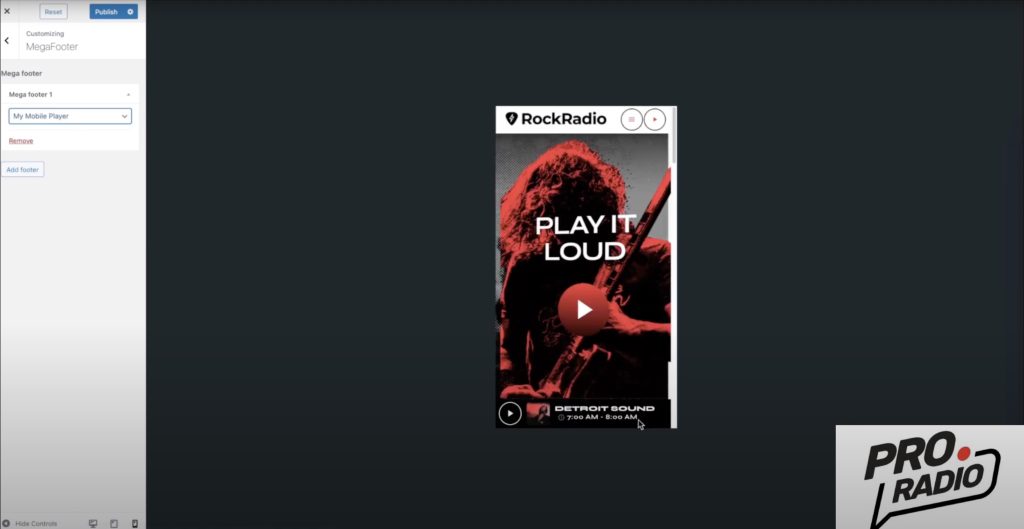
Learn how to replace the default player with a custom one using Elementor with Pro Radio WordPress Theme. https://www.youtube.com/watch?v=d-4geZ67iBs This quick video tutorial will show you how to hide the default player just for mobile and create your own. Copy and paste the custom css to hide the default player in mobile (see video) Create a new mega footer with Elementor Use the responsivity options from Elementor to hide the new radio player in Desktop Set the new player as MegaFooter from the customizer Check the results! Discount coupon Subscribe to our newsletter to receive a special coupon via email! Already a customer? Enjoy an even bigger discount! Use the coupon "AddOne" for an instant 20% discount at the checkout! Want to start your own online radio station? We've got you covered! Our comprehensive guide covers everything you need to […]

trending_flat

Unlocking the #1 Secret to Growing Your Radio Station Listeners for Free

https://www.youtube.com/watch?v=-7KtaqtrwcM   In this video podcast we will share one of the most powerful strategies to grow a radio station from scratch. No listeners? No problem! You don't need to sell a kidney to get listeners: we are going to teach you a 100% working technique, used by the most successful radios in the last decade, to grow listeners from scratch and build a reputable audience. And remember that if you don't have Pro Radio WordPress theme yet, you can use the coupon "TheBlogWelcome10" for an instant 10% discount on your new license. Learn how to start a radio station from zero! Make sure you don't miss out our compelte guide on how to start your very own radio station! Also available in PDF for free download! Subscribe to our newsletter for coupon codes and more! Make sure you don't […]

trending_flat

Quick Guide: How to create your own radio station ( web radio )

Update: make sure to check our latest full guide How to Start a Radio Station - The Ultimate Guide Creating a web radio can be a fun and rewarding project. It allows you to share your musical tastes or spoken word content with a global audience, and all you need is a computer and an internet connection. Here are the steps you can follow to create your own web radio: Choose your streaming platform: There are several platforms available that allow you to stream audio online, such as Shoutcast, Icecast, and Airtime. Choose the one that best fits your needs and budget. Set up your streaming server: Each streaming platform has its own specific instructions for setting up a server, so follow the steps provided by your chosen platform. You will need to provide information such as the server's IP […]

Login to enjoy full advantages

Please login or subscribe to continue.

Go Premium!

Enjoy the full advantage of the premium access.

Stop following

Unfollow Cancel

Cancel subscription

Are you sure you want to cancel your subscription? You will lose your Premium access and stored playlists.

Go back Confirm cancellation