



Listeners Can’t Find Your Shows? Fix The Homepage!
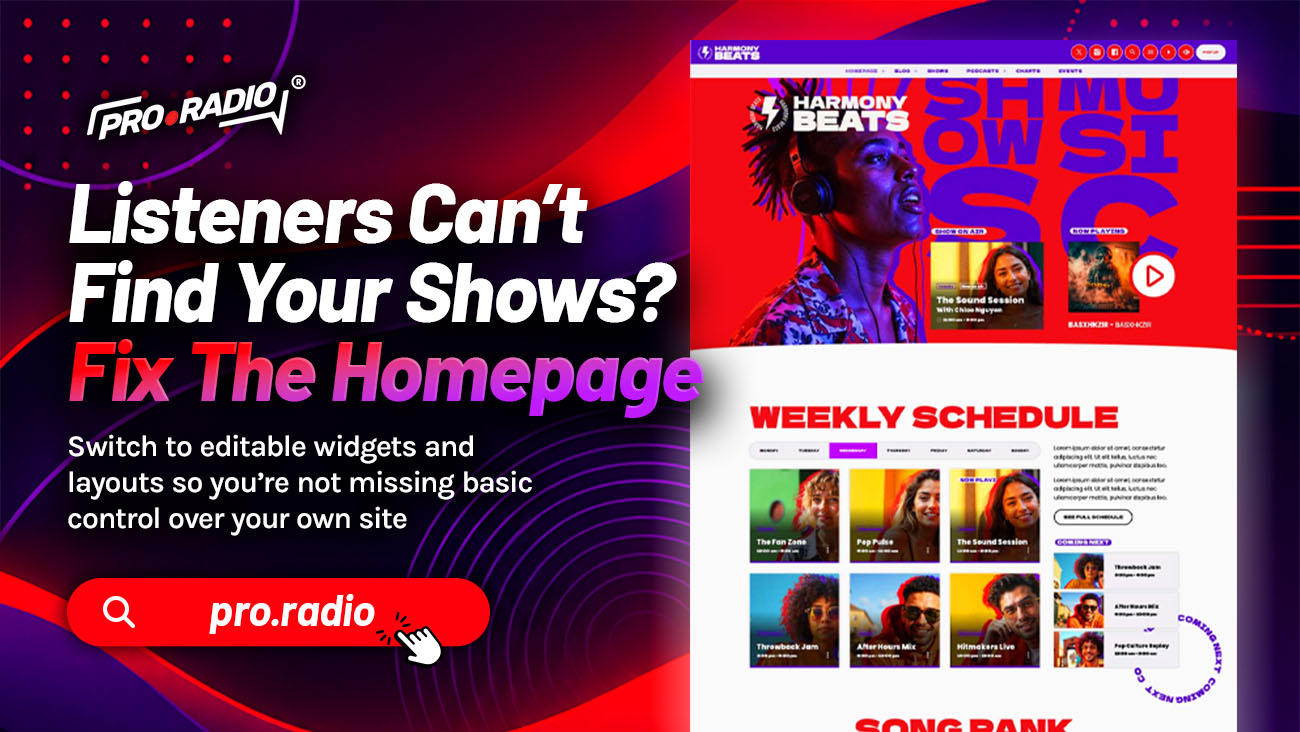
You’re missing strong show blocks and navigation that guide people straight to what’s on air. Your station has good shows. Some of them are great. Some have devoted hosts and original ideas. Listeners just cannot find them on the website. They land on the homepage, look around, and leave without ever clicking a single show name. The fault is not the shows. The fault is the homepage.
A radio homepage has one job: send the visitor to the right show in the shortest possible path. With the right structure, you can build your radio website in a way that supports your brand, your schedule, and your listeners.
- 1. The Homepage Mistake That Hides Your Shows
- 2. A Current Show Block That Cannot Be Missed
- 3. Upcoming Shows Carousels That Sell The Day
- 4. Show Highlights That Reflect The Station Personality
- 5. Show Pages That Continue The Discovery
- 6. Smart Navigation For Multi-Show Stations
- 7. The Live Schedule As A Homepage Component
- 8. Practical Homepage Recipes
- 9. Why One Toolkit Builds A Better Homepage
- 10. Send Visitors To The Right Show
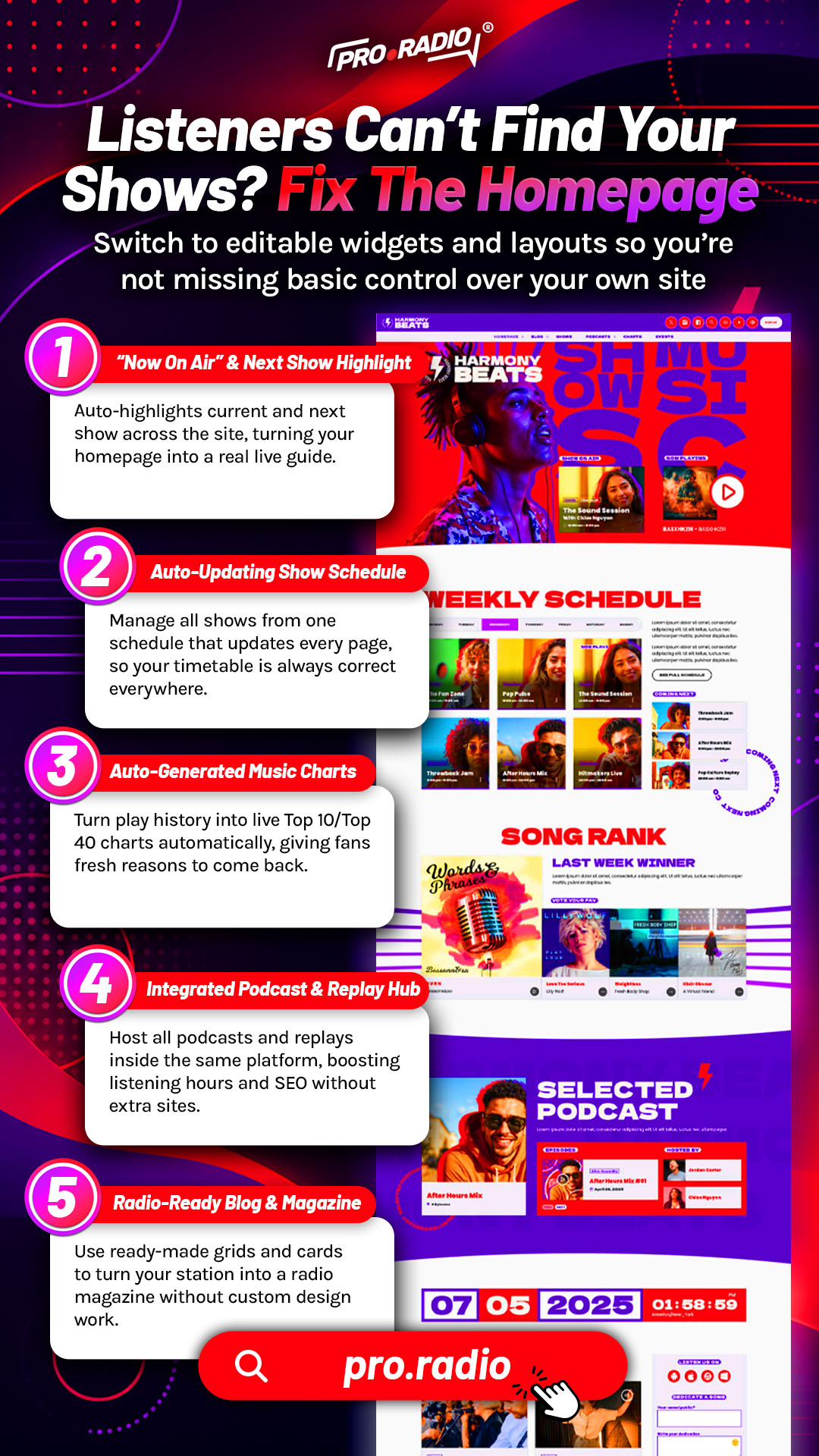
The Homepage Mistake That Hides Your Shows
Most station homepages do not behave like radio homepages. They show a welcome message, a stock photo, a small player, and a “Latest Posts” widget pulling random blog entries. None of this helps a visitor figure out what is on air right now or which show might be worth their time tonight.
A good radio homepage is structured like a TV guide crossed with a streaming app. Visitors should immediately see what is on, what is next, which shows the station is proud of, and how to listen. Pro Radio gives you the building blocks for that structure.
A Current Show Block That Cannot Be Missed
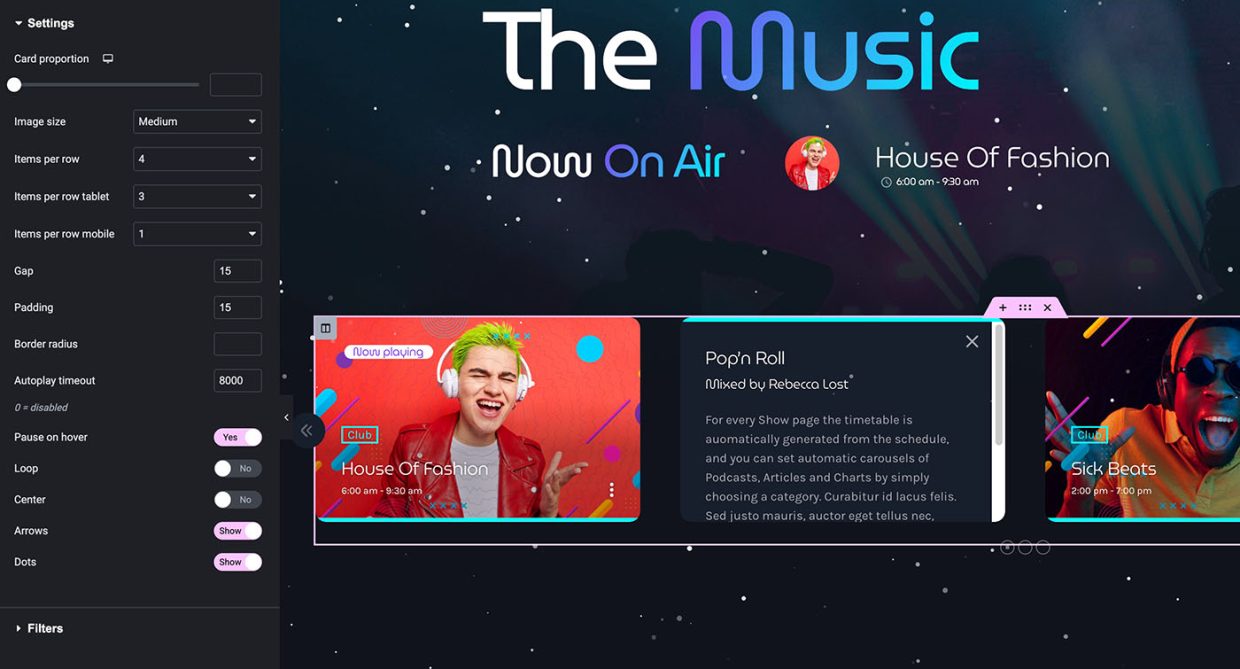
The most important block on a radio homepage is the current show. Pro Radio includes Elementor widgets that automatically display the show currently on air, including artwork, host names, time, and a clear play button. Automatic time and day detection means the block updates without you touching it.
A visitor lands on the homepage and immediately sees “On Air Now: The Morning Drive with [Host Name].” They know what they are about to hear. The press of play becomes an obvious step instead of a guess.
Upcoming Shows Carousels That Sell The Day
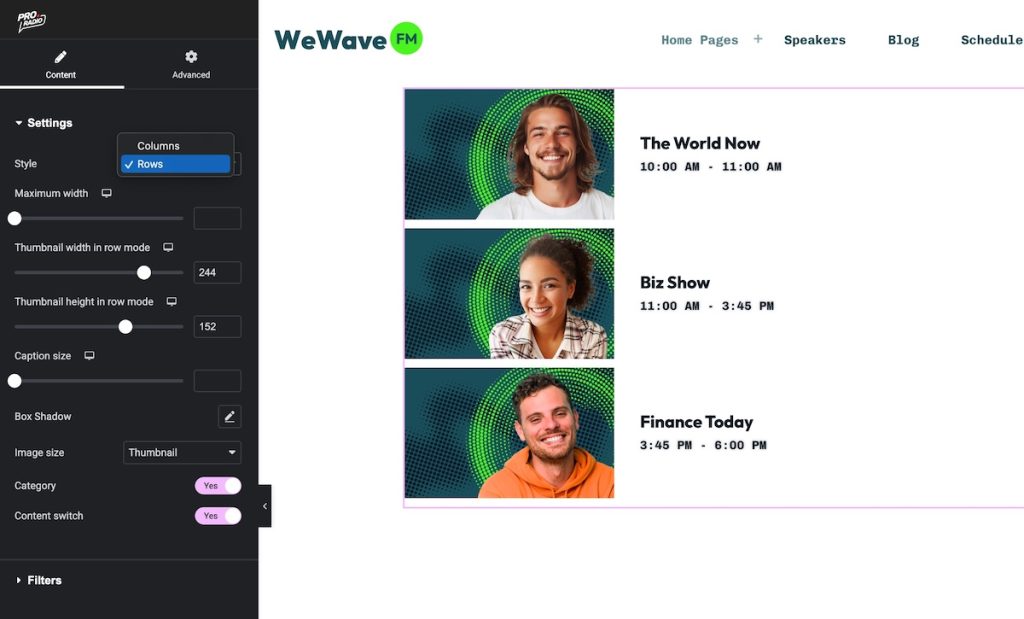
The next most important block is the upcoming shows. Pro Radio includes upcoming shows widgets and upcoming shows carousels that automatically pull from the interactive schedule. The visitor sees the next two or three programs, each with artwork, host names, and a time.
This block sells the day. Even if the current show is not their taste, the visitor sees that something they want to hear is on in two hours. They bookmark. They follow on social. They come back.
Show Highlights That Reflect The Station Personality
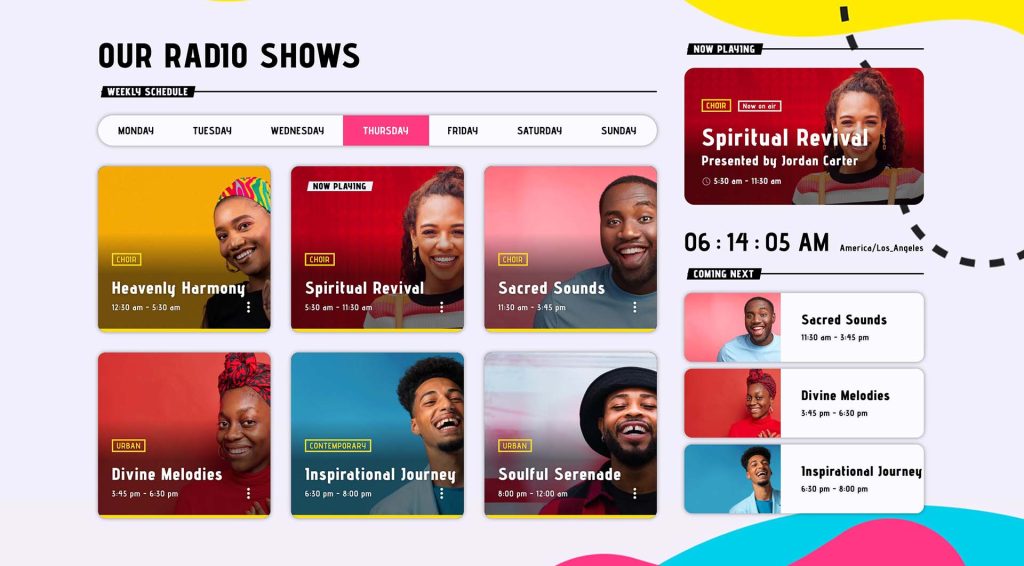
A homepage should not show every show with the same emphasis. Pro Radio gives you the flexibility to highlight the shows that define your station. With Elementor, you can build a “Featured Shows” section with the programs that best represent your brand: the morning drive, the flagship music show, the local interview show, the late-night specialty hour.
Visitors who do not yet know your station learn what kind of station you are. That single section answers the question “what do you actually do?” without forcing the visitor to read a single paragraph.
Show Pages That Continue The Discovery
When a visitor clicks a show name on the homepage, the show page should reward the click. Pro Radio show pages are self-updating hubs. They can include the show’s timetable, recent podcast episodes, related news posts, music charts tied to the show, presenters, and upcoming events. A visitor who arrived curious can listen to a recent podcast in the same radio player, read about the host, vote on the chart, and see the next air time.
That is the difference between a homepage that introduces shows and a homepage that hides them. The introduction continues into the next page.
If you run more than ten shows, a simple navigation menu is not enough. Pro Radio includes four menu locations, two sidebar locations, sticky and transparent menu modes, and a hundred secondary menu icons. You can build a show-focused mega-footer with Elementor that groups programs by day, genre, or host.
The customizer’s MegaFooter functionality lets you build a rich footer that doubles as a secondary navigation, with show categories, host profiles, podcast archives, and event listings. Visitors who did not find what they wanted in the header can find it without leaving the page.
The Live Schedule As A Homepage Component
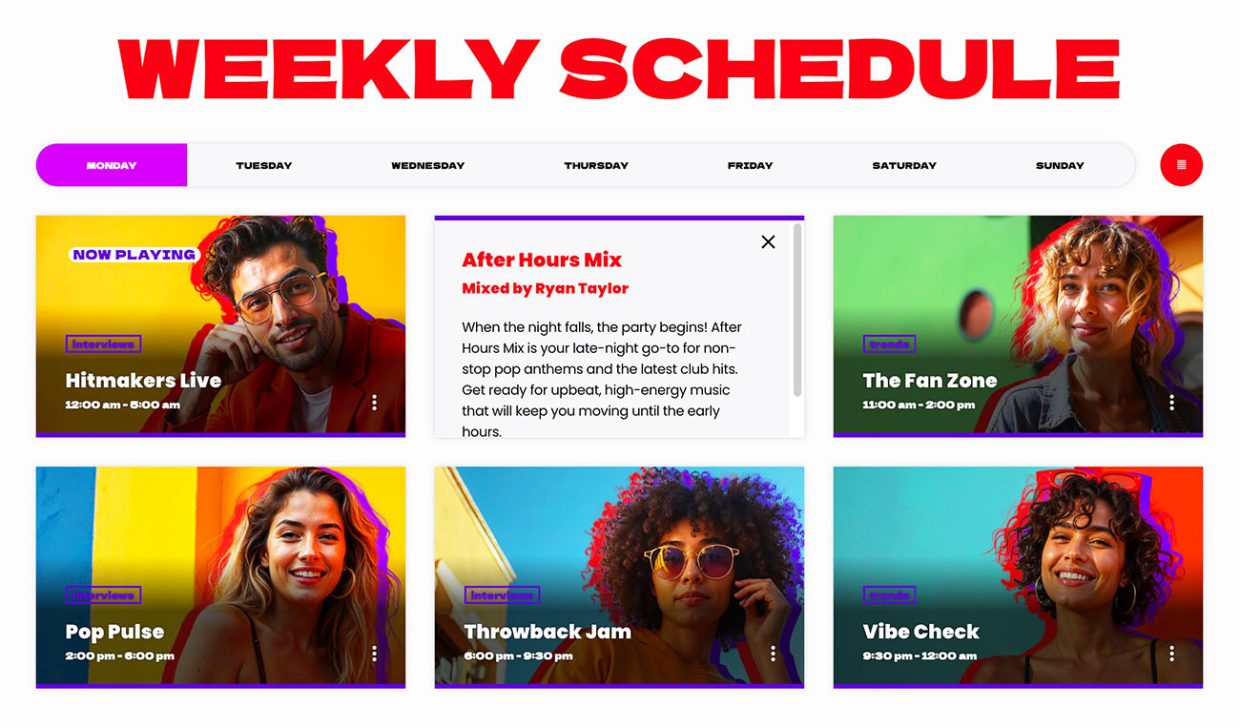
The schedule does not have to live only on a “Schedule” page. With Pro Radio’s widgets, you can drop a compact, interactive schedule block directly on the homepage. The current day is preselected. The current show is highlighted. Visitors who want a broader view can scroll through the week without leaving the homepage.
This embedded schedule turns the homepage into a one-page summary of your station, which is exactly what casual visitors want.
Practical Homepage Recipes
A few patterns work consistently for radio sites.
- Music-first station: a hero with the current show and play button, an upcoming shows carousel, a featured chart with samples, a podcast block with the latest episodes, an events block with countdowns.
- Talk-first station: a hero with the current show and a quick description, an upcoming shows block, featured host profiles, the latest blog posts tied to shows, a recent dedications or Voiceline highlights block.
- Community station: a hero with the current show, a multi-channel schedule selector, featured show highlights for diverse audiences, a local events block with calendar integration.
- College station: a hero with the current show and host, a weekly schedule embedded directly on the homepage, a chart with voting, a podcast archive, a recent Voiceline messages block.
Each of these can be assembled in Elementor using Pro Radio’s widgets and templates. The Plus bundle adds well over three hundred more templates if you want a head start.
Why One Toolkit Builds A Better Homepage
The reason most homepages hide shows is that they are stitched together from different tools. A theme handles the layout. A schedule plugin handles the times. A podcast plugin handles the latest episodes. None of them know about each other. The result is a homepage where each block fights for attention without ever coordinating.
Pro Radio handles everything in one ecosystem. The current show widget, the upcoming shows carousel, the schedule block, the podcast block, the chart block, the events block, the player, and the customizer share the same design language. Together they create a coherent homepage that points visitors directly at the right show.
Send Visitors To The Right Show
If listeners cannot find your shows, the homepage is the bottleneck. Replace the generic welcome with a current show block, an upcoming shows carousel, featured shows, a schedule preview, and clear show pages. Each piece is already in Pro Radio.
Take an afternoon and rebuild the homepage around the shows. The audience that was always there will finally see them.

You may also like



Copyright 2019-2026 ProRadio® Qantum Themes SL® ESB02979078 All Rights Reserved