



New Exclusive Templates for Pro Radio Plus: Build a Radio Website That Feels Alive
AD
Your radio website should not feel like an empty page waiting for you to figure everything out.
When you are building a station online, there are already enough things to manage: the stream, the schedule, the shows, the presenters, the music, the podcasts, the events, the content, and probably ten other things that were supposed to be “quick” but somehow took the whole afternoon.
That is why good templates matter.
A strong radio website template gives you a real starting point. Not a blank canvas. Not a generic business layout with a play button added at the end. A real radio-focused design that already understands what a station needs: live listening, on-air shows, schedules, charts, events, podcasts, news, and ways to keep people engaged.
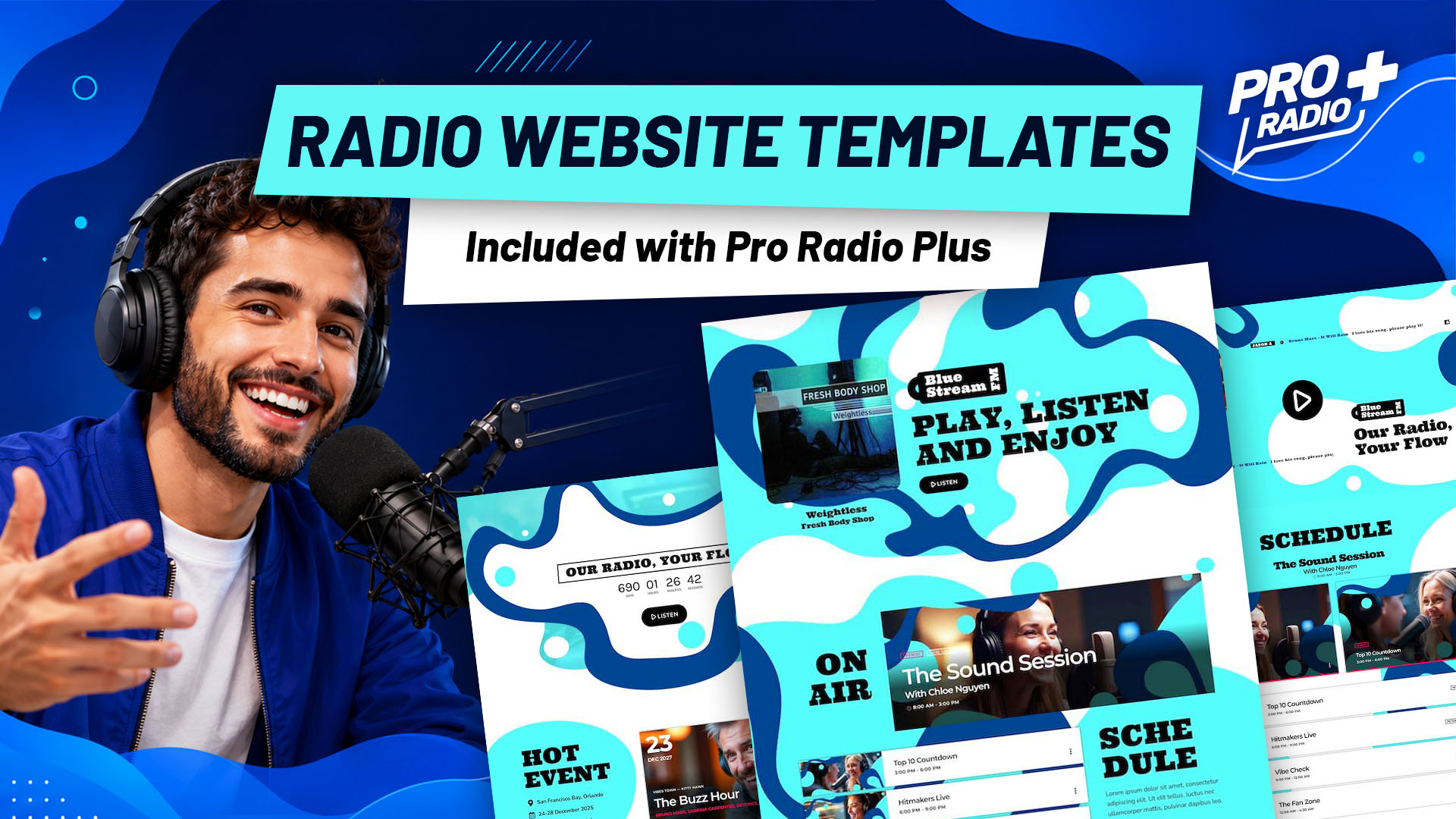
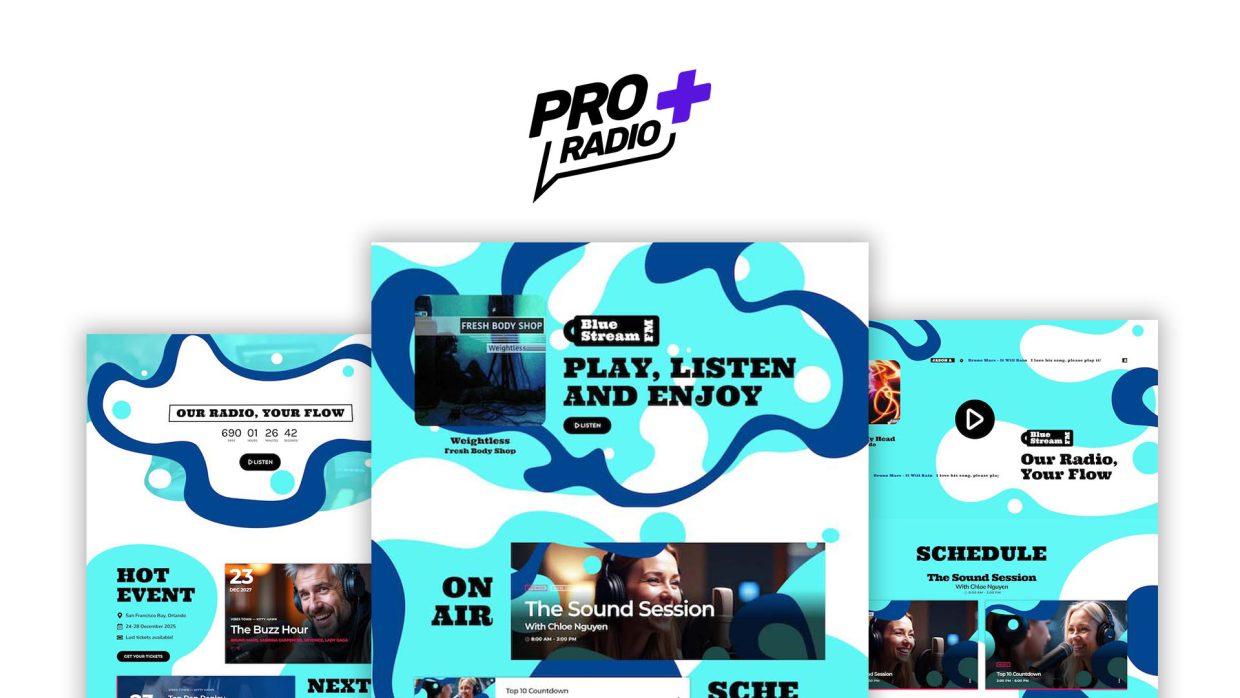
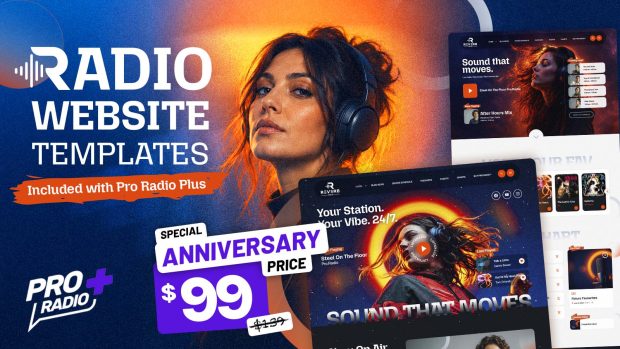
And now, Pro Radio Plus users get access to a new exclusive pack of templates, available directly inside the Pro Radio Elementor library.
What is Pro Radio Plus? Click here for more info
Contents
hide
- 1. A New Template Pack Built for Real Radio Websites
- 2. Available Inside the Pro Radio Elementor Library
- 3. Homepage 1: A Complete Radio Experience From Play Button to Charts
- 4. Homepage 2: Events, Shows, Podcasts and Listener Interaction
- 5. Homepage 3: A Bold Layout for Schedules, Events, Charts and News
- 6. Why These Templates Matter for Your Station
- 7. Exclusive for Pro Radio Plus Users
- 8. Build a Better Radio Website With Less Guesswork
- 9. How To Install The New Templates
- 10. Upgrade to Plus
- 11. Pro Radio Plus is now 30% off for new customers
A New Template Pack Built for Real Radio Websites
This new Pro Radio Plus template pack is designed to help you create a complete, modern, and energetic radio website faster.
The visual style is bold, fresh, and full of movement, with large radio sections, strong typography, colorful shapes, and ready-made layouts for the parts that matter most on a station website.
Instead of starting from zero, you can import professional sections and build your pages around your own station identity.
That means less time fighting with layout decisions, and more time creating a website that actually feels alive.
Available Inside the Pro Radio Elementor Library
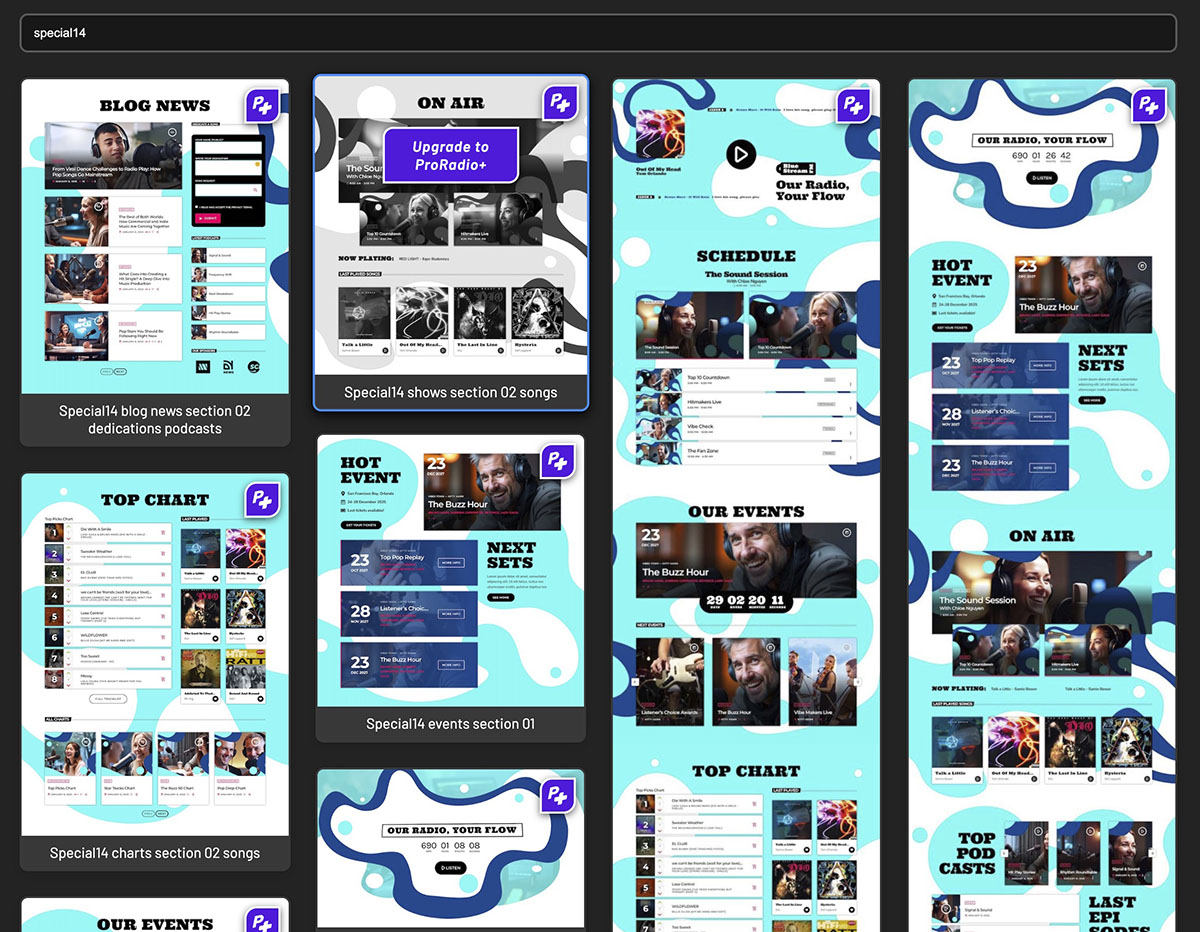
The new templates are available in the Pro Radio Elementor library, so Pro Radio Plus users can access them directly while building pages with Elementor.
This makes the workflow simple.
You open Elementor, choose the section you need, import it, customize the content, and adapt the design to your brand.
No need to rebuild every layout manually. No need to guess where the schedule should go. No need to spend hours trying to make a podcast section look like it belongs on a real media website.
You start with a layout that already speaks the language of radio.
The first homepage layout is built like a complete journey through the station.
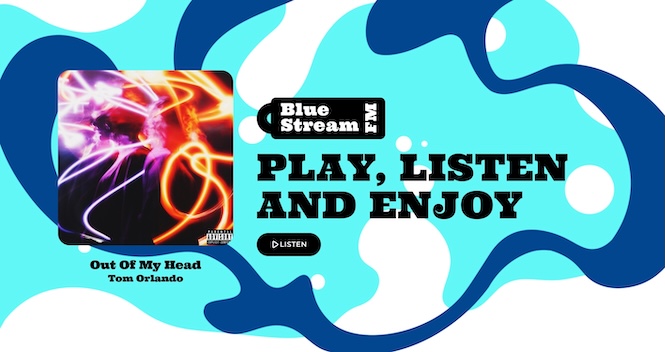
It starts with a strong hero area focused on the station identity and the live listening action, making it clear that this is not a static website. This is a place where audio is happening.
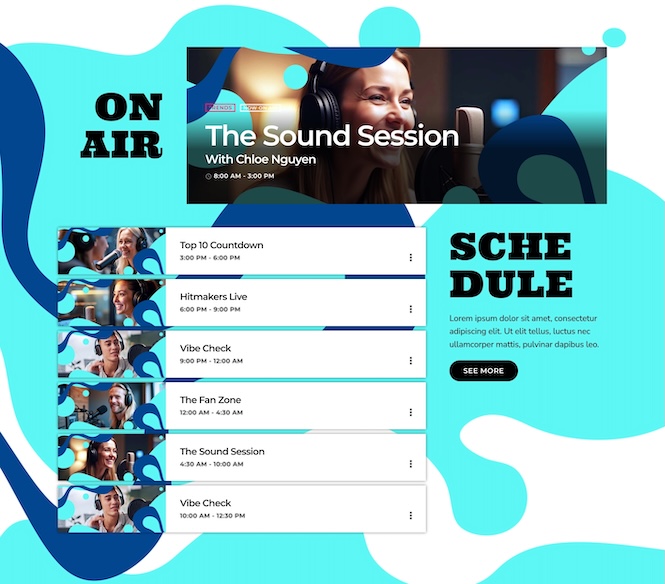
From there, the page moves into an On Air section, with a featured show card and a clear weekly schedule. This helps listeners understand what is live now, what is coming next, and when their favorite shows are available.
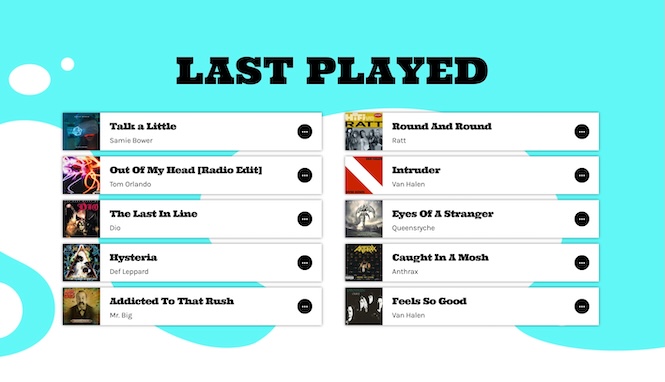
The Last Played area is perfect for music stations that want to keep listeners connected to the tracks they just heard. Instead of people wondering “what was that song?”, the website becomes a useful discovery tool. This section is built with the widget for Pro Radio Sidekick: a powerful tool for radio management that saves song history and display interactive tracks, with a lot of powerful automations.
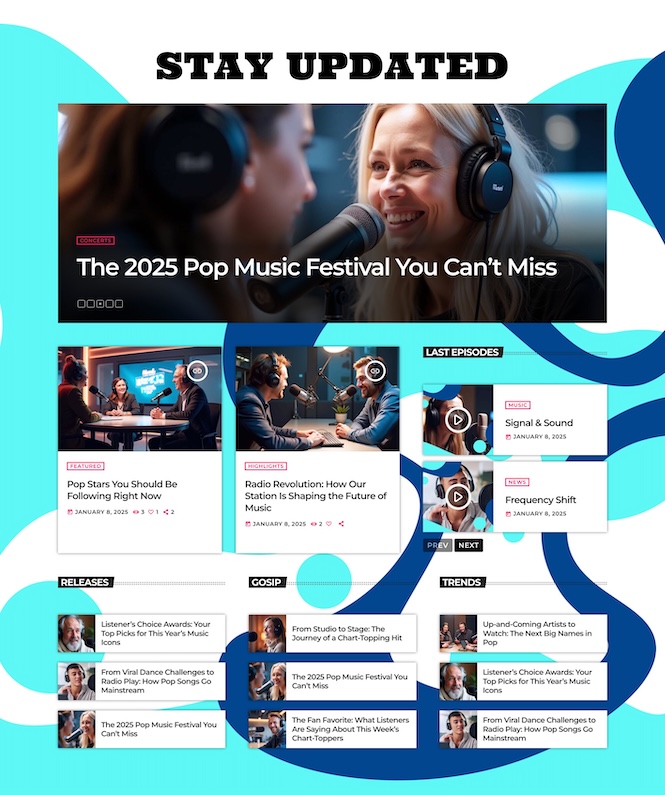
The layout also includes a strong Stay Updated section with featured articles, video-style cards, releases, gossip, trends, and editorial blocks, since Pro Radio provides a lot of different layouts to display your articles. This is especially useful if your station publishes news, music stories, interviews, or entertainment content around your broadcast.
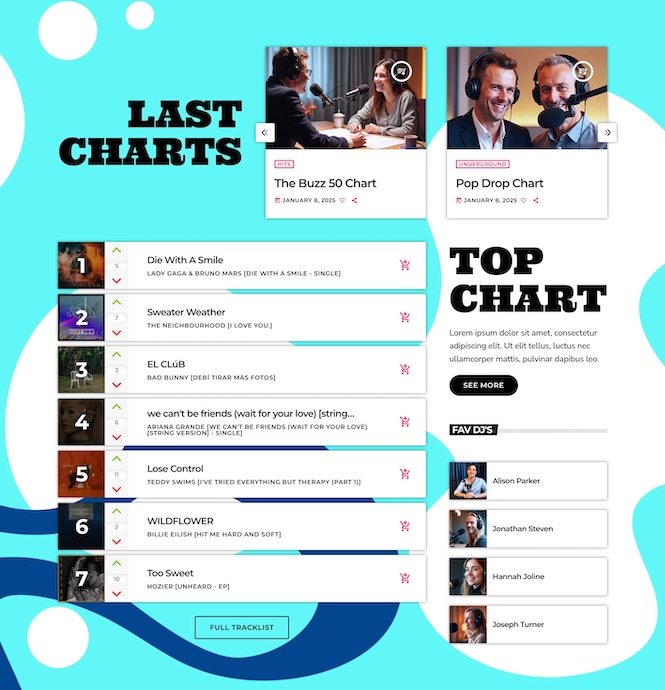
Finally, the homepage brings in Last Charts and Top Chart areas, giving your music content more visibility and giving listeners a reason to return, vote, follow rankings, and keep exploring.
It is a great layout for stations that want their homepage to feel active, editorial, and music-driven from top to bottom.
Homepage 2: Events, Shows, Podcasts and Listener Interaction
The second homepage layout has a slightly different focus. It feels like a full station hub, built around live programming, events, podcasts, and audience participation.
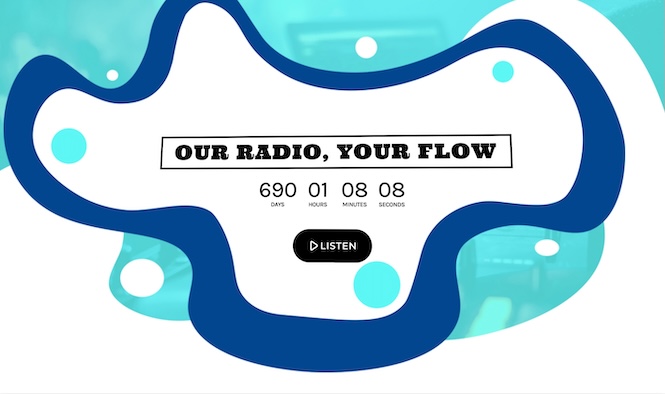
The opening section introduces the station with a bold visual identity, a countdown-style area to promote your next event, and a clear listen button, build with the Pro Radio 3D header widget. This gives the page a campaign-like feeling, useful for stations that want to promote a launch, special broadcast, event, or seasonal activity.
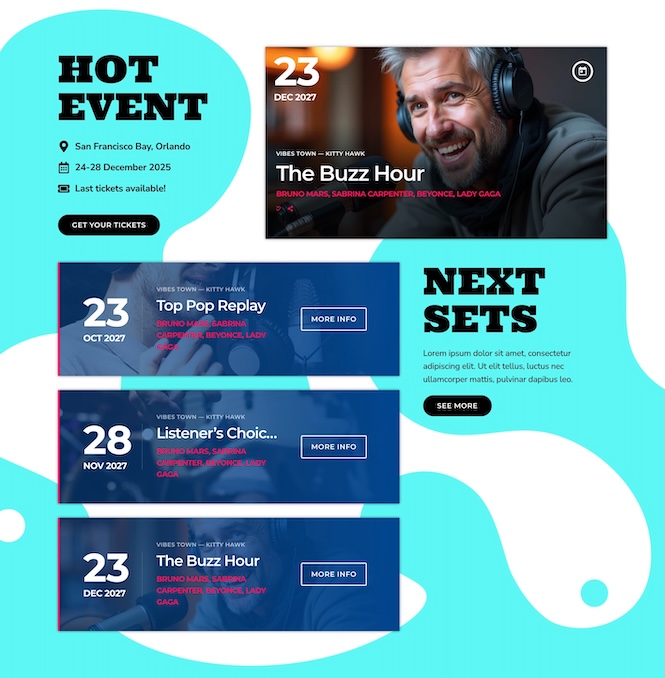
The Hot Event and Next Sets sections are perfect for promoting upcoming shows, DJ sets, live broadcasts, club nights, community events, or special programming. Instead of hiding events in a small menu item, this layout puts them directly in front of the listener.
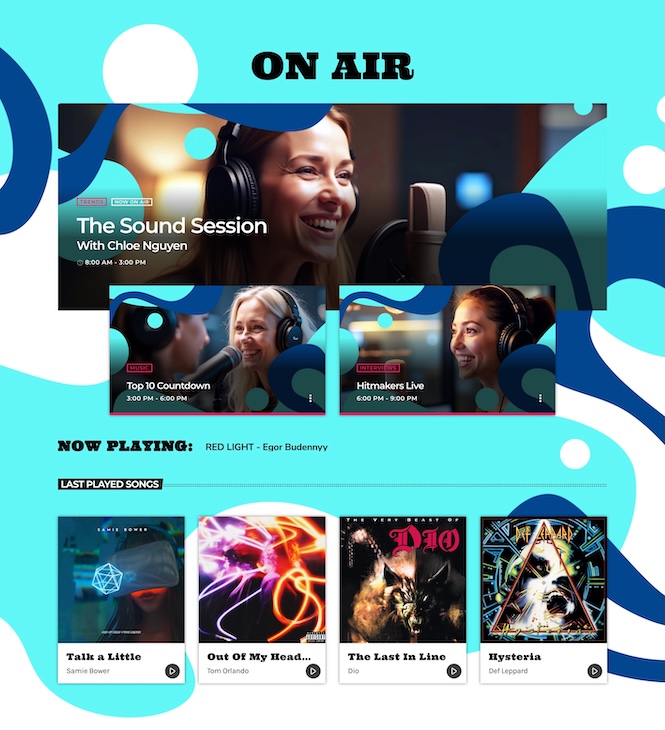
The On Air section gives the current show a large visual presence, with additional cards for upcoming programs. This helps your schedule feel more alive and easier to understand. With Pro Radio, building a shows schedule is easier than ever: within an afternoon, you can create and schedule your shows with a date and time, after which they will automatically appear wherever the widget is placed. If you change something about your shows, such as the name, this will also be updated automatically in every slot in which they appear across the entire radio site.
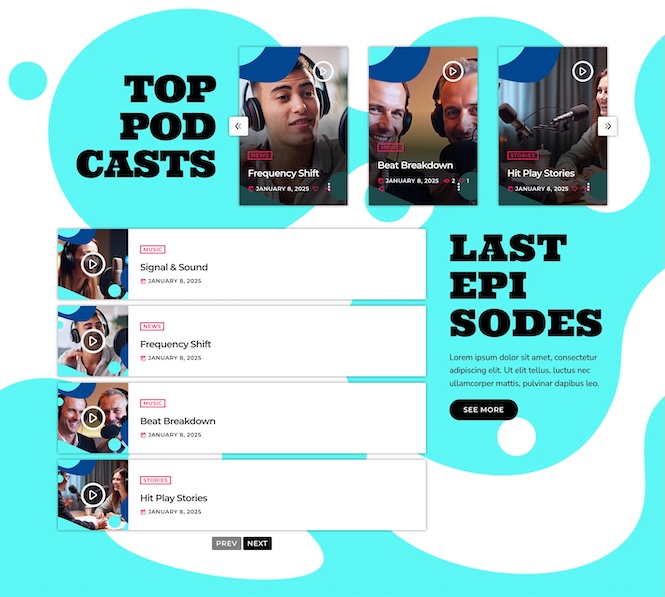
The homepage also includes Now Playing, Last Played Songs, Top Podcasts, and Last Episodes, which makes it ideal for stations that mix live radio with podcast content, interviews, replays, or recorded shows. With the Podcast Importer you can add unlimited podcast RSS feed sources.
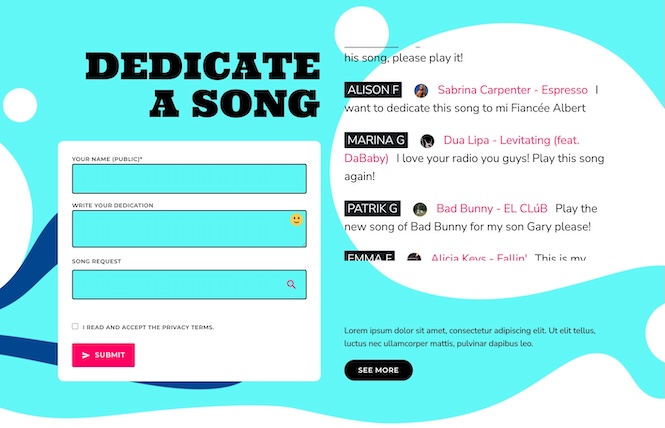
One of the most useful parts is the Dedicate a Song section. This turns the website from a passive listening page into an interactive space where your audience can participate, send requests, and feel closer to the station. This can be possible thanks to Pro Radio Dedications, that allows you to insert a form for your listeners to send a dedication, and manage them easily.
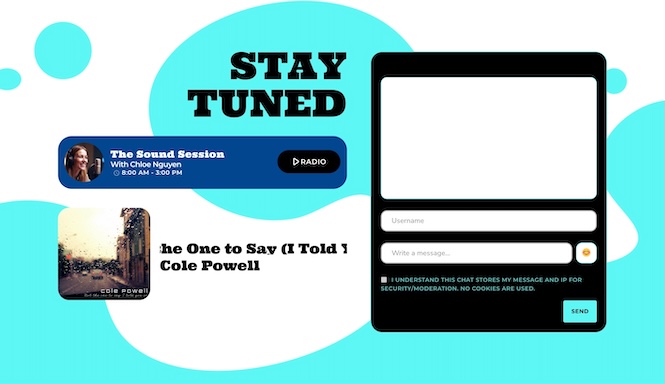
At the end, the Stay Tuned area combines a live chat widget, and currently playing content, helping you keep listeners connected beyond one visit.
This homepage is ideal for stations that want to promote community, participation, and regular programming.
Homepage 3: A Bold Layout for Schedules, Events, Charts and News
The third homepage layout is structured like a modern media page for a radio brand that wants everything to be easy to find.
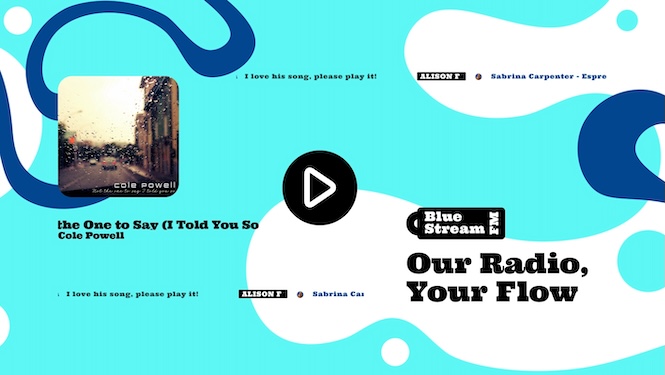
It opens with a large play-focused header, station branding, and a clean “Our Radio, Your Flow” message. The listener immediately understands the identity of the station and where to begin.
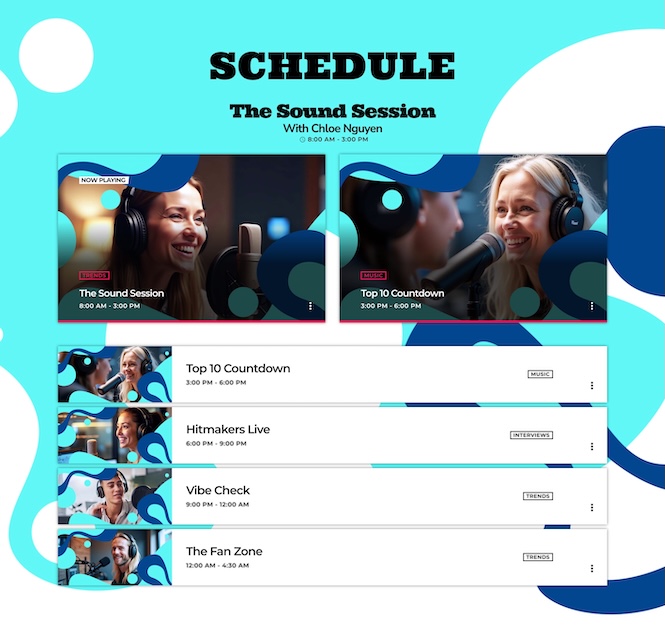
The Schedule section is one of the most important parts of this layout, and of any station website. It combines featured show cards with a clear list of programs, helping visitors quickly understand who is on air, what time shows begin, and what type of content they can expect.
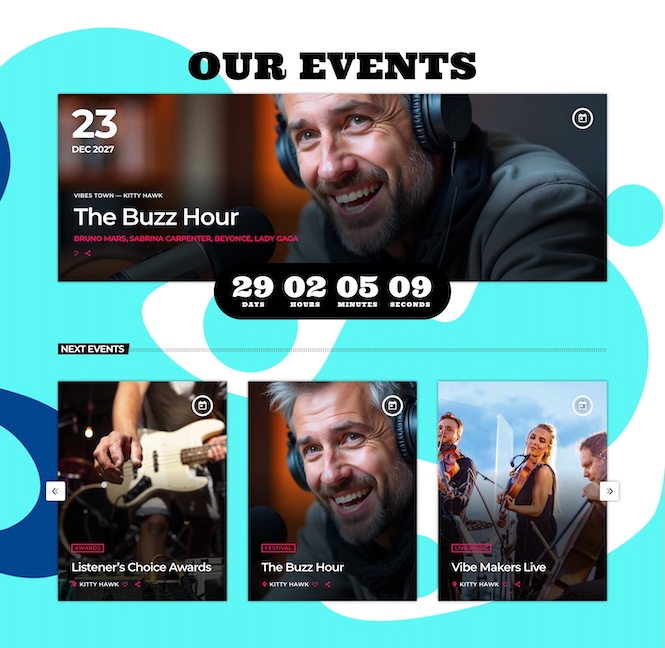
The Our Events area gives special broadcasts and upcoming events a stronger promotional space. This is useful for radio stations that organize live sessions, guest appearances, parties, festivals, community activities, or branded campaigns. Pro Radio has a powerful tool for events management and promotion, with featured events and events list widgets, a contdown to make you next event visible anywhere, allows to add a ‘Add to Calendar’ and ‘Buy tickets’ button, manage events location, and more.
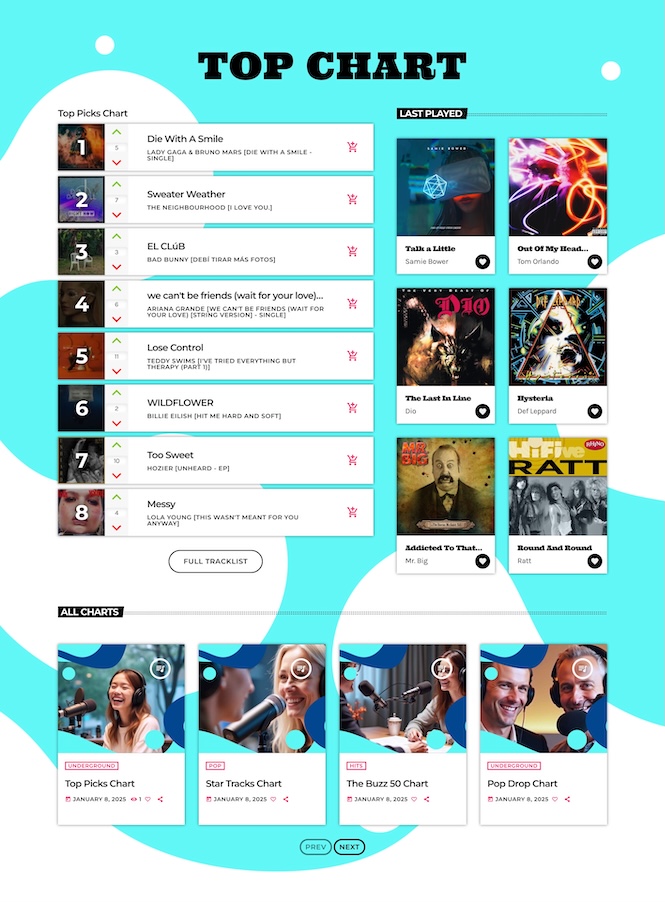
The Top Chart section gives music rankings a central role, while the side area for recently played tracks keeps the page useful for music discovery. For music stations, this combination is powerful because it connects live listening with the songs and artists your audience already cares about.
The homepage also includes All Charts, giving space to different music categories or genre-based rankings, and a Blog News section that turns your website into a content destination, not just a streaming page.
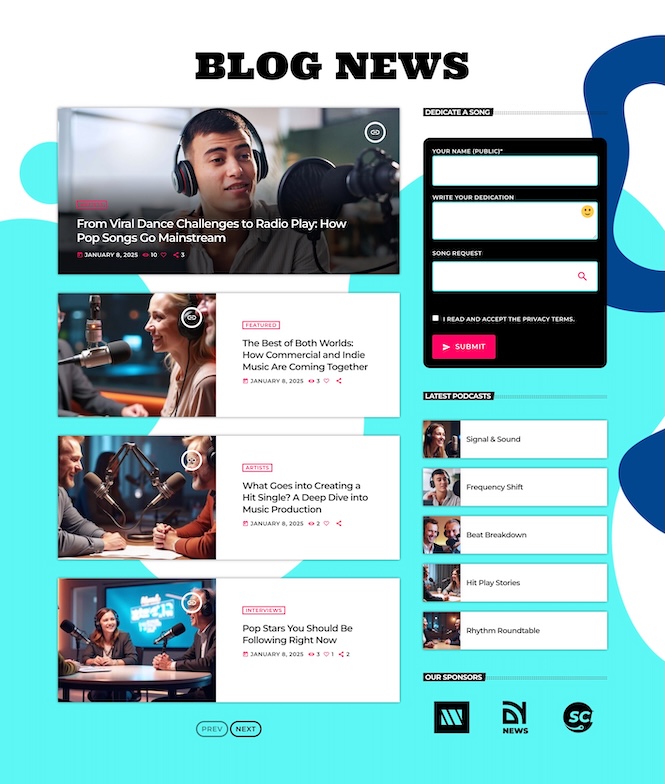
With its combination of schedule, events, charts, blog posts, podcast blocks, and newsletter elements, this layout is a strong choice for stations that want a complete homepage with a clear editorial structure.
Why These Templates Matter for Your Station
A radio website has a different job from a regular website.
A restaurant website needs to show a menu. A local business website needs to explain services. But a radio website needs to feel active from the first second.
Your visitor may be asking:
- Where do I press play?
- Who is on air right now?
- What show is coming next?
- Where can I find the latest podcast episode?
- What songs are trending?
- What events are coming up?
- Is this station current, professional, and worth listening to?
The new Pro Radio Plus templates help answer those questions visually.
They are not just decorative sections. They are practical building blocks that help listeners understand your station faster.
Exclusive for Pro Radio Plus Users
This new pack is available exclusively for Pro Radio Plus users.
Pro Radio Plus is designed for users who want more tools, more flexibility, and more ready-made resources to build a stronger radio website. These exclusive templates are part of that idea: helping you move faster, look better, and create a more complete online experience for your listeners.
Instead of treating your website like a technical obstacle, Pro Radio Plus gives you more ways to turn it into a useful part of your station.
Build a Better Radio Website With Less Guesswork
Your radio website should help people listen, discover, follow, and return.
It should make your station feel organized, current, and easy to enjoy.
The new exclusive Pro Radio Plus template pack gives you a powerful starting point for doing exactly that. You can create pages with strong visual impact, radio-specific sections, and layouts that are ready for the content your station already needs.
Open the Pro Radio Elementor library, explore the new templates, and start building a website that feels like your station is truly on air.
How To Install The New Templates
- Open the Elementor editor in your WordPress dashboard.
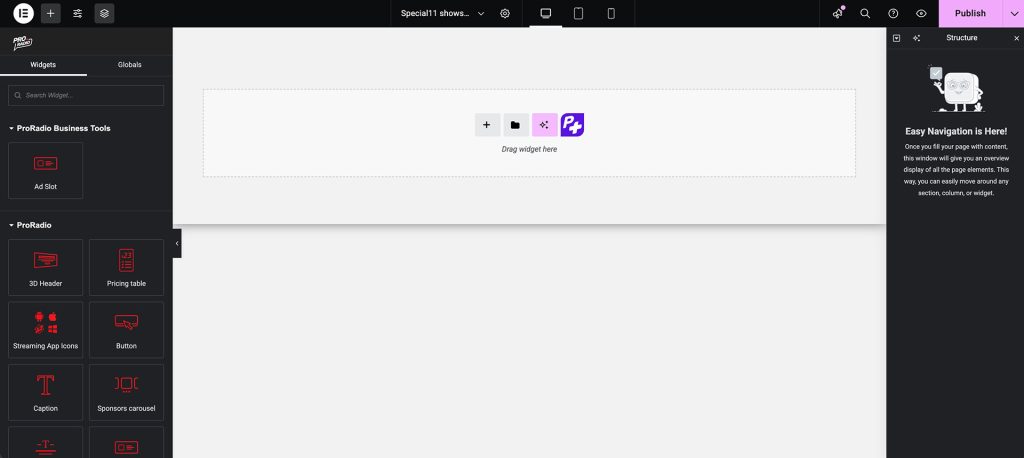
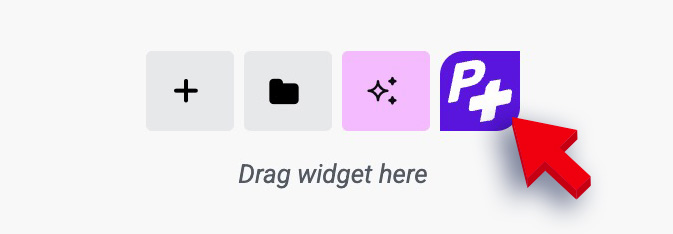
- Click the purple P+ button to access the Pro Radio templates library.
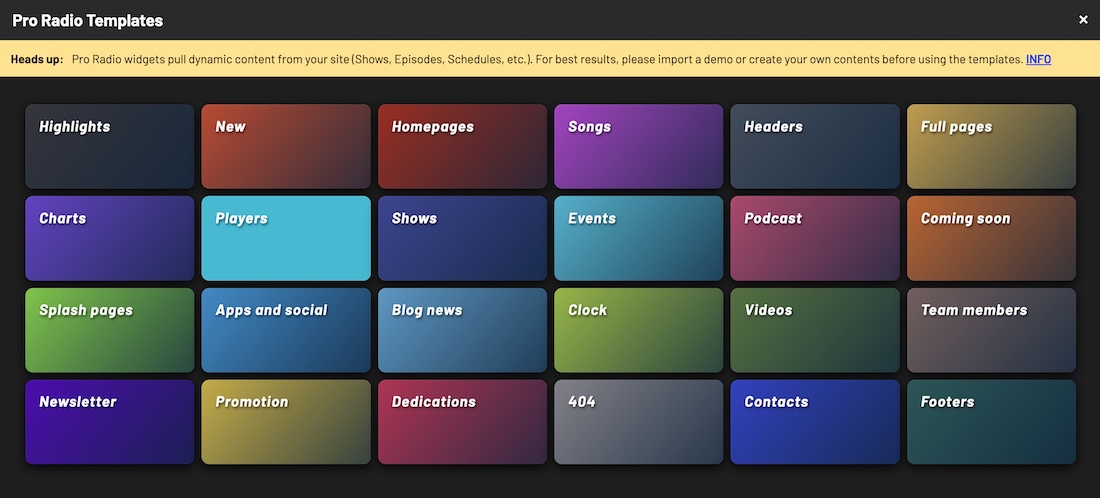
- Search for this week’s releases: Special14 homepage 01, Special14 homepage 02 or Special14 homepage 03 (in Homepages).
- Insert them into your site and customize colors, titles, and links to fit your radio brand.
Subscribe to our newsletter to get exclusive access to content, discover new templates before anyone else, enjoy amazing discounts and much more!
Upgrade to Plus
You can upgrade from standard to Plus with a huge discount. Contact us for more info
Pro Radio Plus is now 30% off for new customers
If you don’t have a license to upgrade, you can purchase Pro Radio Plus with 30% discount on the first year. Valid until May 31.
COUPON CODE: PLUS30
👉 Learn more about Pro Radio Plus
👉 Purchase now with 30% discount
AD
You may also like
Copyright 2019-2026 ProRadio® Qantum Themes SL® ESB02979078 All Rights Reserved