Background
AD
trending_flat

10 Must Have Radio Show Features for a Radio Station website

To get more listeners, you need better radio show pages. Each radio show must represent its speakers and DJs at its best. In this post you'll have a list of the 10 most important pieces of information for your radio shows, crafted after years of research and analysis on thousands of popular radio stations. So, here it comes the... List of top features for a radio show page   1. Catchy featured image Visual appeal is a fundamental aspect of online communication, and your radio shows make no exception, even though the nature of the radio is mainly auditive and textual, when visiting a website even the eye wants its part, so a cool picture for your radio show is very important. With the WordPress theme Pro Radio, for instance, you can easily add a featured image for every show. […]

trending_flat

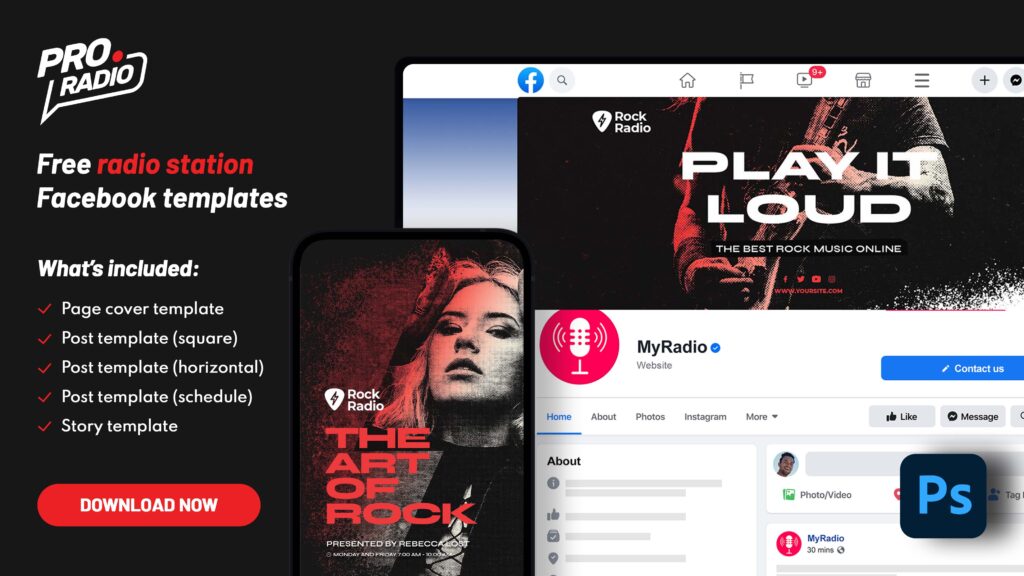
Free template for your radio station page on Facebook

No tricks, not subscriptions: if you want a cool PSD (Photoshop) template to easily create a cool header for your Facebook page, this template is for you. The design is inspired to the original Pro Radio WordPress theme, so, if you need this theme with default colors, that's already fitting your style! The template can be downloaded for free, without any subscription, registration, or payment. Contents of the Radio Station Photoshop Templates for Facebook: Radio station Facebook Page header Facebook Post for a radio show Facebook radio post with shows schedule Squared post image for a show for a facebook post Vertical facebook story for radio show The content of the download:   The templates have been created by Pro Radio and are 100% Royalty free. You are free to edit them and create your own version, change the name […]

trending_flat

WordPress Radio Player: why is Pro Radio the best plugin?

The radio player is the most important part of a radio station WordPress website. After building the players for OnAir Classic, OnAir 2, Vice, Kentha, and WPcast , we thought it was time to put together any best feature in a single, powerful and flexible WordPress music player, for the Pro Radio theme. Pro Radio is a WordPress Theme for radio stations that comes with its own radio player, featuring all of the most important functionalities for radio station websites. The player is, in fact, compatible with all of the most popular streaming providers and has all of the key features that any radio station should have, including non-stop play functionality, great customizability, and compatibility with custom mp3 sources as single tracks. This article will show you why the Pro Radio streaming player for WordPress is the best choice for […]

trending_flat

How to install WordPress using cPanel and Softaculous

Hello and welcome to this new tutorial about WordPress. WordPress is a widely used free and open source content management system (CMS) to create websites. This platform is the required software to run our radio station (WordPress) theme, and can be easily installed in different ways. The standard old-school installation is based on a manual process, and requires to upload the WordPress files via FTP, create a database and manually configure the CMS. https://www.youtube.com/watch?v=0rG2L1vrGNE Nowadays fortunately we have a much faster option, that is Softaculous, usually provided within any cPanel hosting account. Softaculous is an App manager and allows to install and manage several popular CMS. Installing WordPress with Softaculous is much easier and is takes only a few clicks and fields compiling, allowing to skip the nerdy stuff that nobody likes. In this tutorial we will show you how […]

trending_flat

How to start a radio station: Equipment you need to start bradcasting

To start your own radio station you will need some equipment. This list covers the basic options to build up a small broadcasting studio without investing a fortune. Update: at this link you can find our full guide on how to start a radio station. We will present the basic setup required for an automated broadcast, along with some live shows. This means you’ll need to create a weekly schedule of shows, with the right amount of podcasts, music, and recordings gathered ahead of time. Then, you need to prepare them to go on air. To start, you need a computer and some software. Then, once you’re ready, you can interrupt the automated broadcasting to take over with a live show, right from your home studio. This will require a few small pieces of extra gear that we will present […]

AD

Login to enjoy full advantages

Please login or subscribe to continue.

Go Premium!

Enjoy the full advantage of the premium access.

Stop following

Unfollow Cancel

Cancel subscription

Are you sure you want to cancel your subscription? You will lose your Premium access and stored playlists.

Go back Confirm cancellation